

Browse documentation
Send test notifications with Klaviyo
When using Klaviyo you might want to test your push notifications before sending them out.
In this guide we will go through the process of finding your device in the list of profiles and then sending a test notification to it.
The first step is to login to your Klaviyo account here: https://www.klaviyo.com/login
Create a list for test users
We will now create a list where we can add all test users, this will make it a lot easier for you to find users or event send campaigns out for testing purposes.
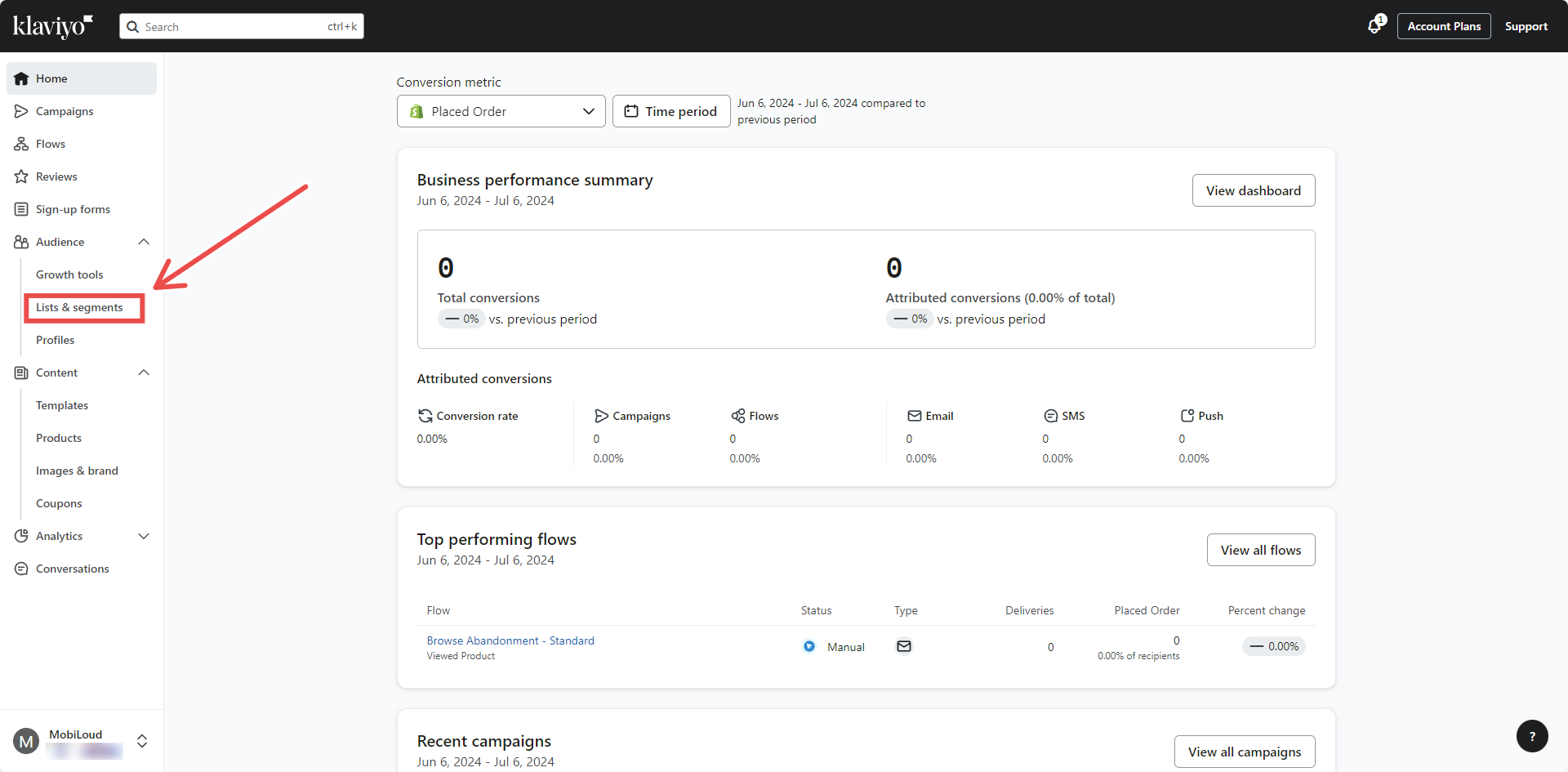
On the left sidebar click "Lists & Segments":
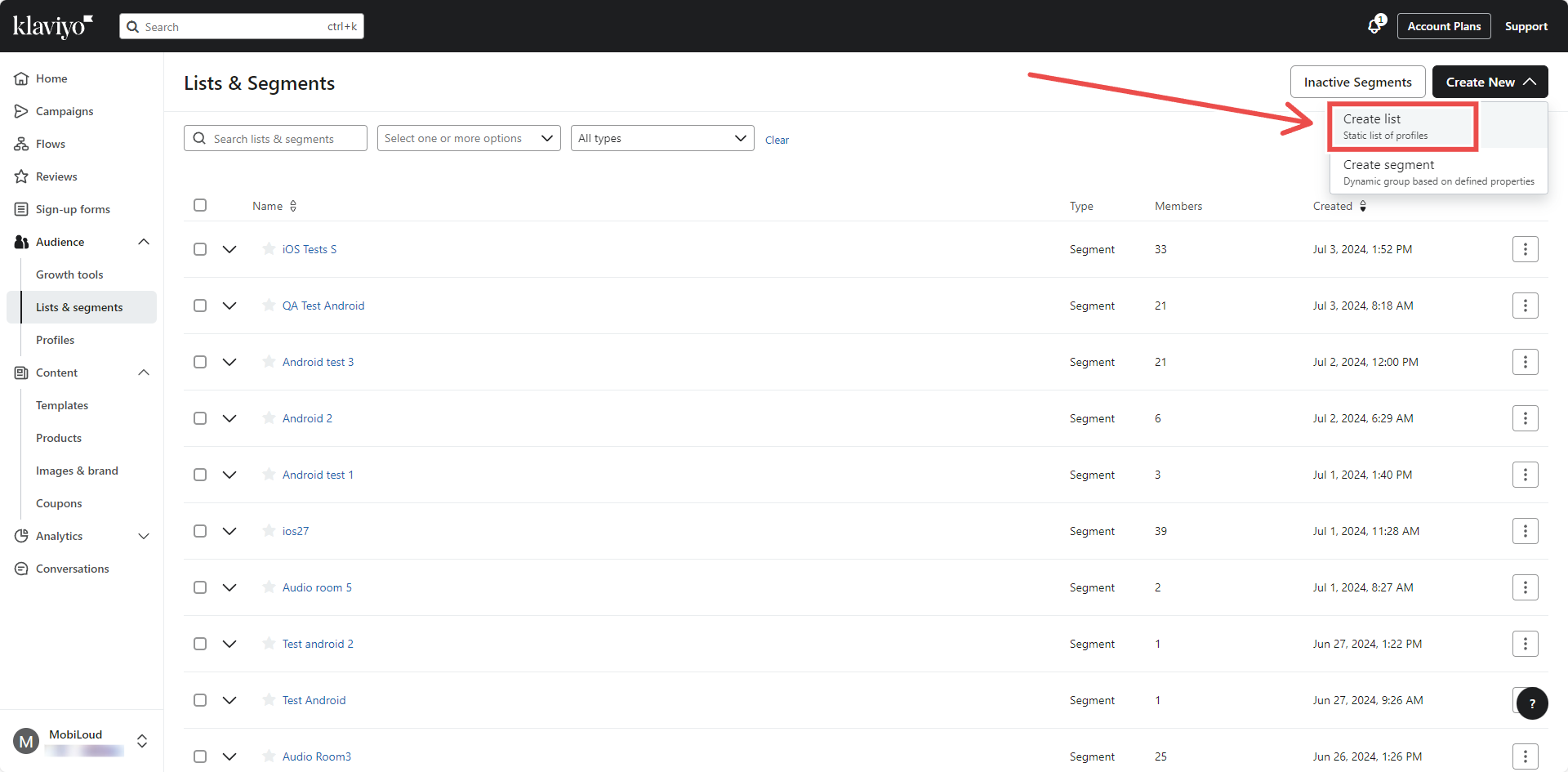
On the top right area click "Create New", then "Create list":
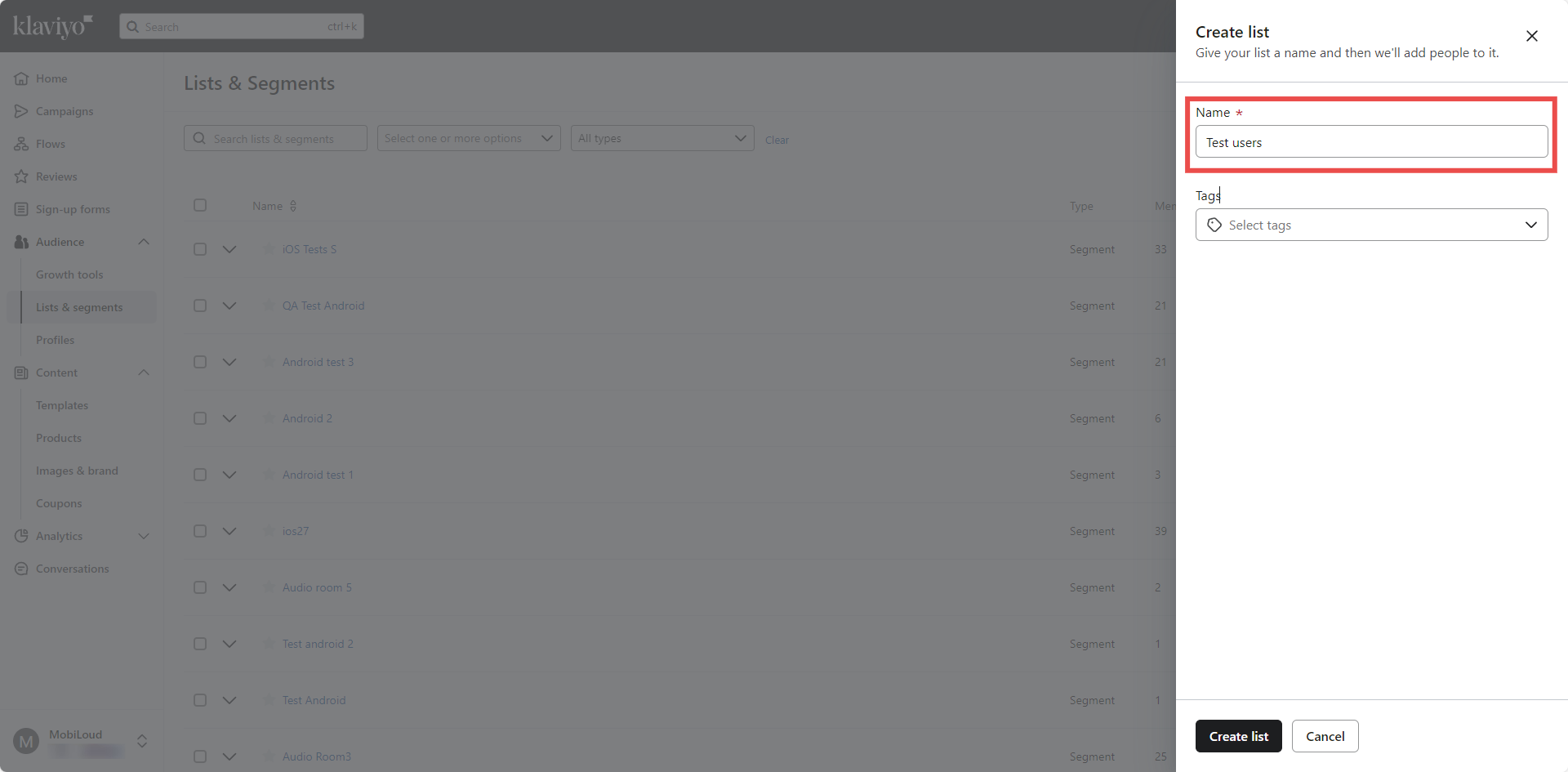
Give your list a name like "Test users" and click "Create list":
Find your profile and add it to the list
We will now proceed with finding your profile so we can copy its token and add it to the list.
Go to "Profiles" on the left sidebar:
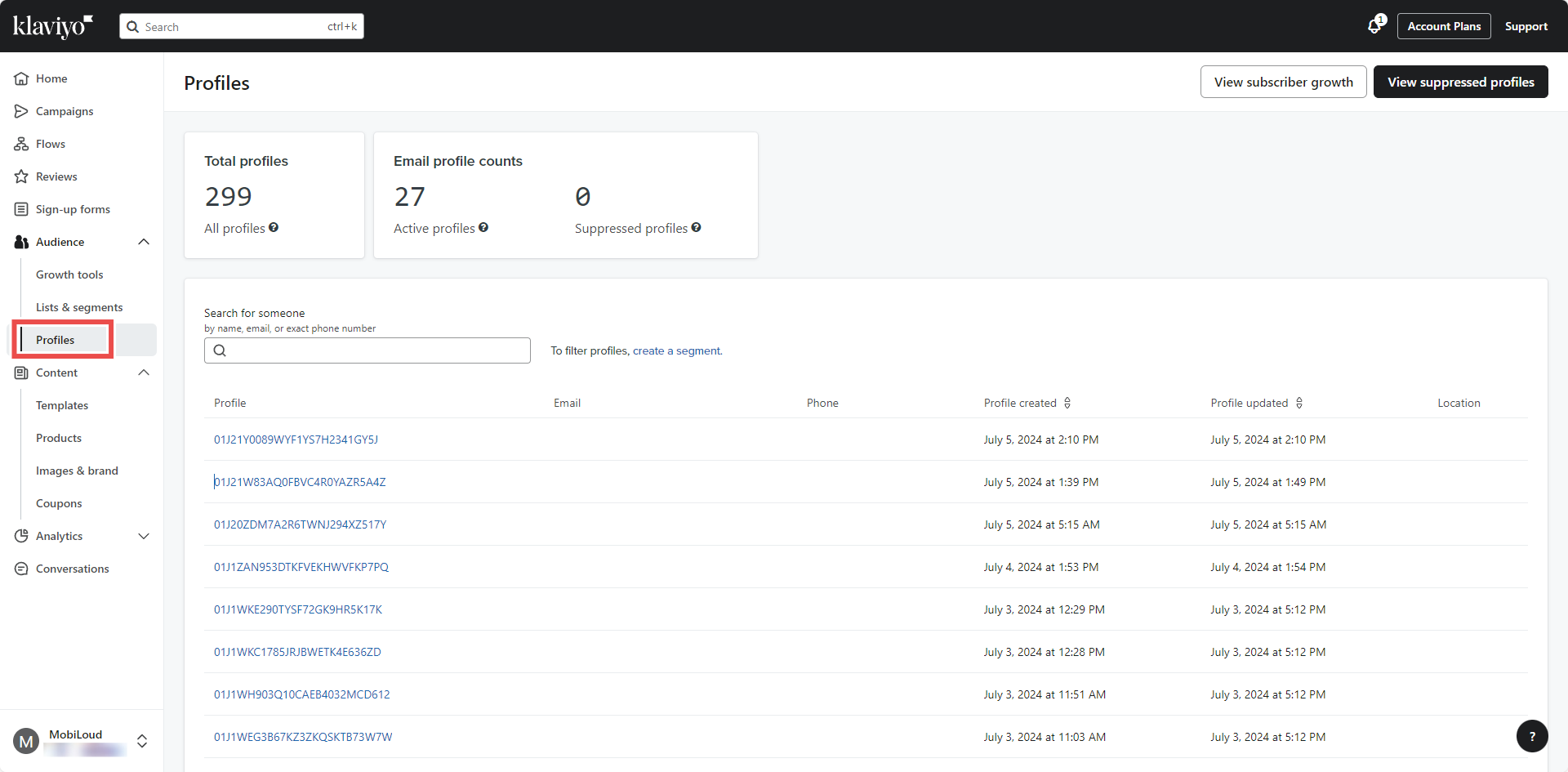
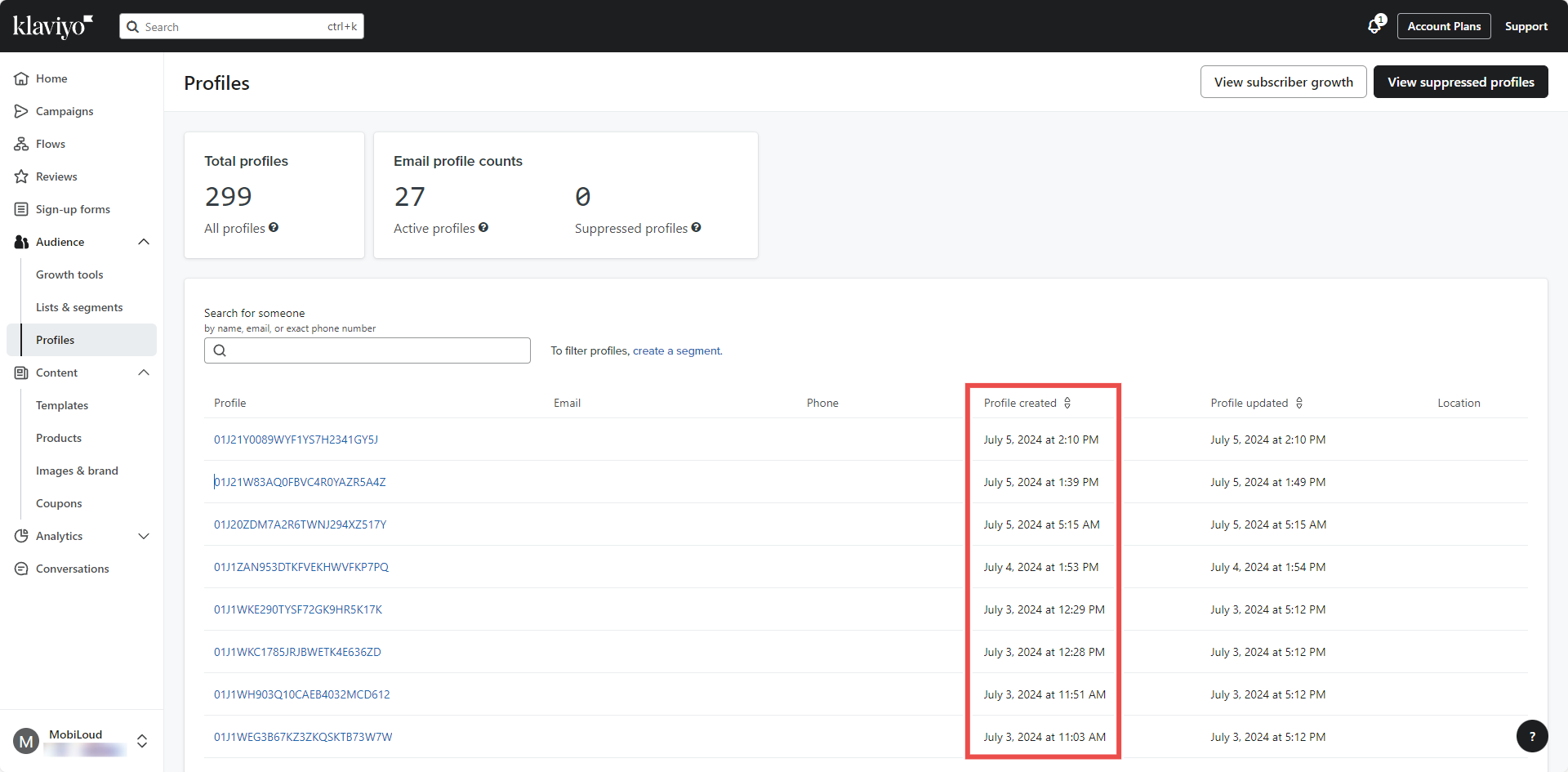
You will see a list of all the profiles who have used the app recently. If you are not yet assigning emails or IDs to your profiles, you will need to find your profile using some logic.
We'd suggest reinstalling the app, then refreshing the "Profiles" page and ordering the profiles by "Profile created" date, so you can easily find your profile between the first few that appear on screen:
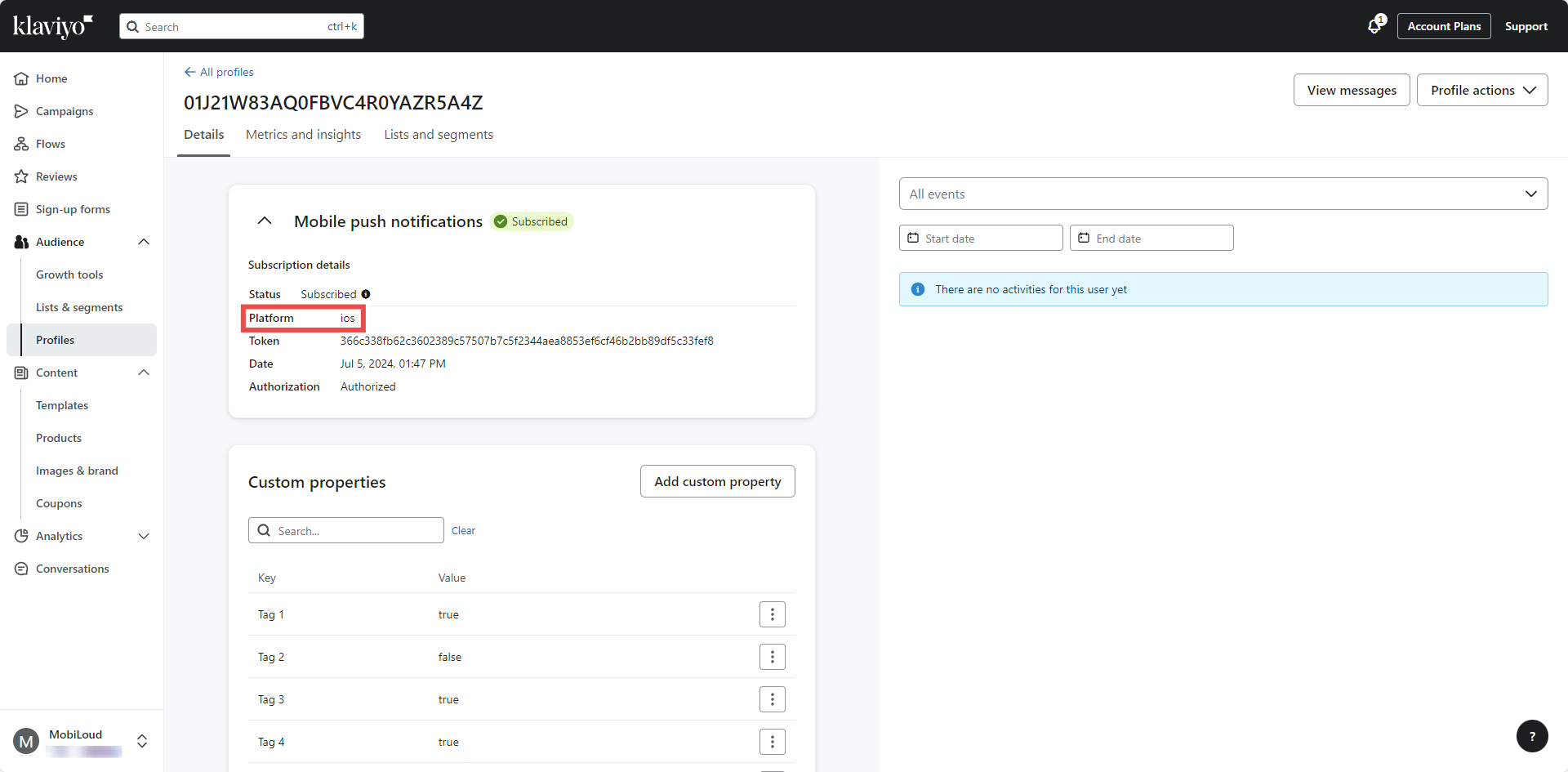
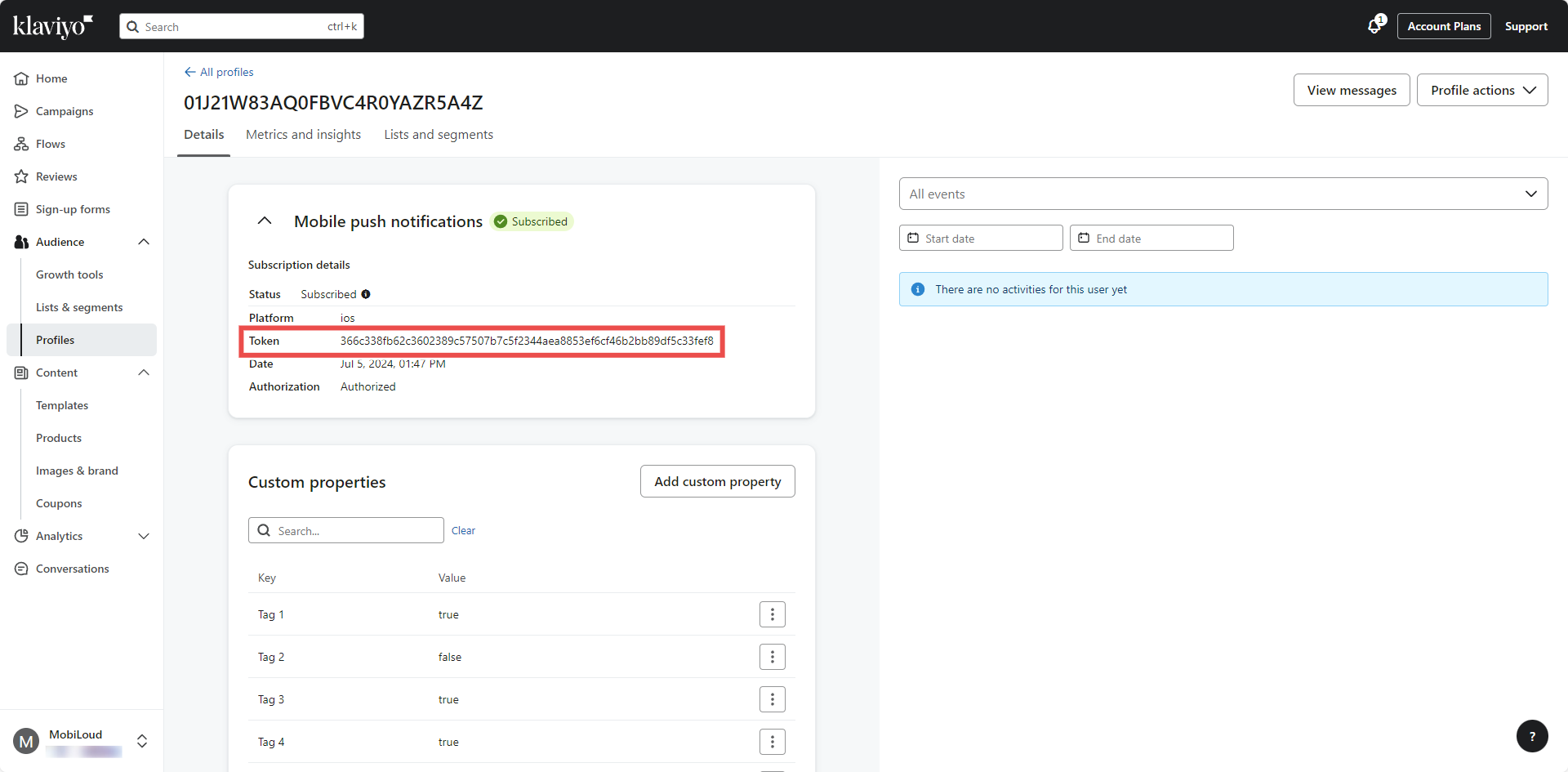
Click the profile you think belongs to you and check the information on screen. You can look for matching operating system, attributes, timezone (if available):
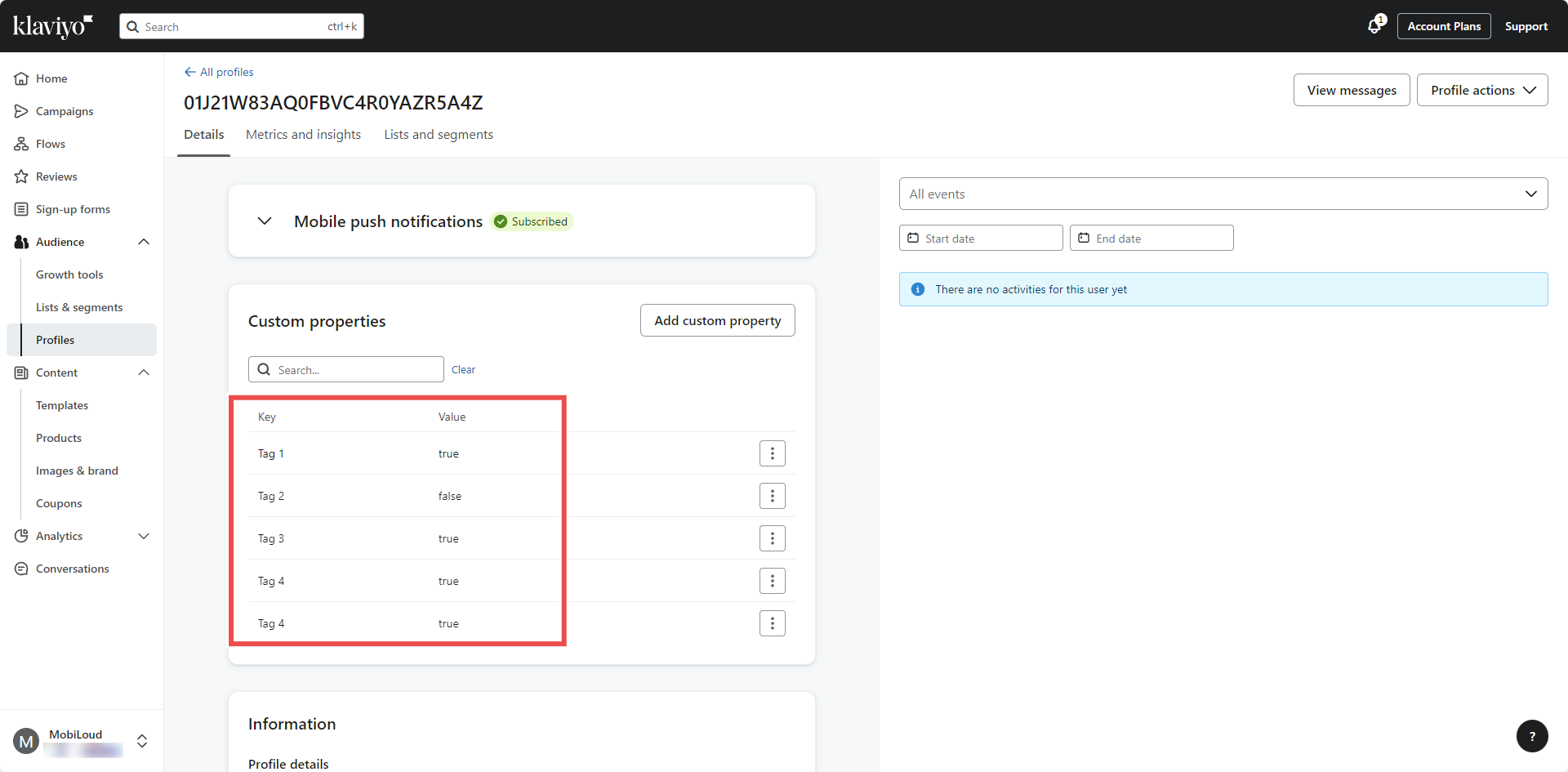
Once you've found your profile, proceed with copying the "Token" that is displayed under the "Mobile push notifications" block:
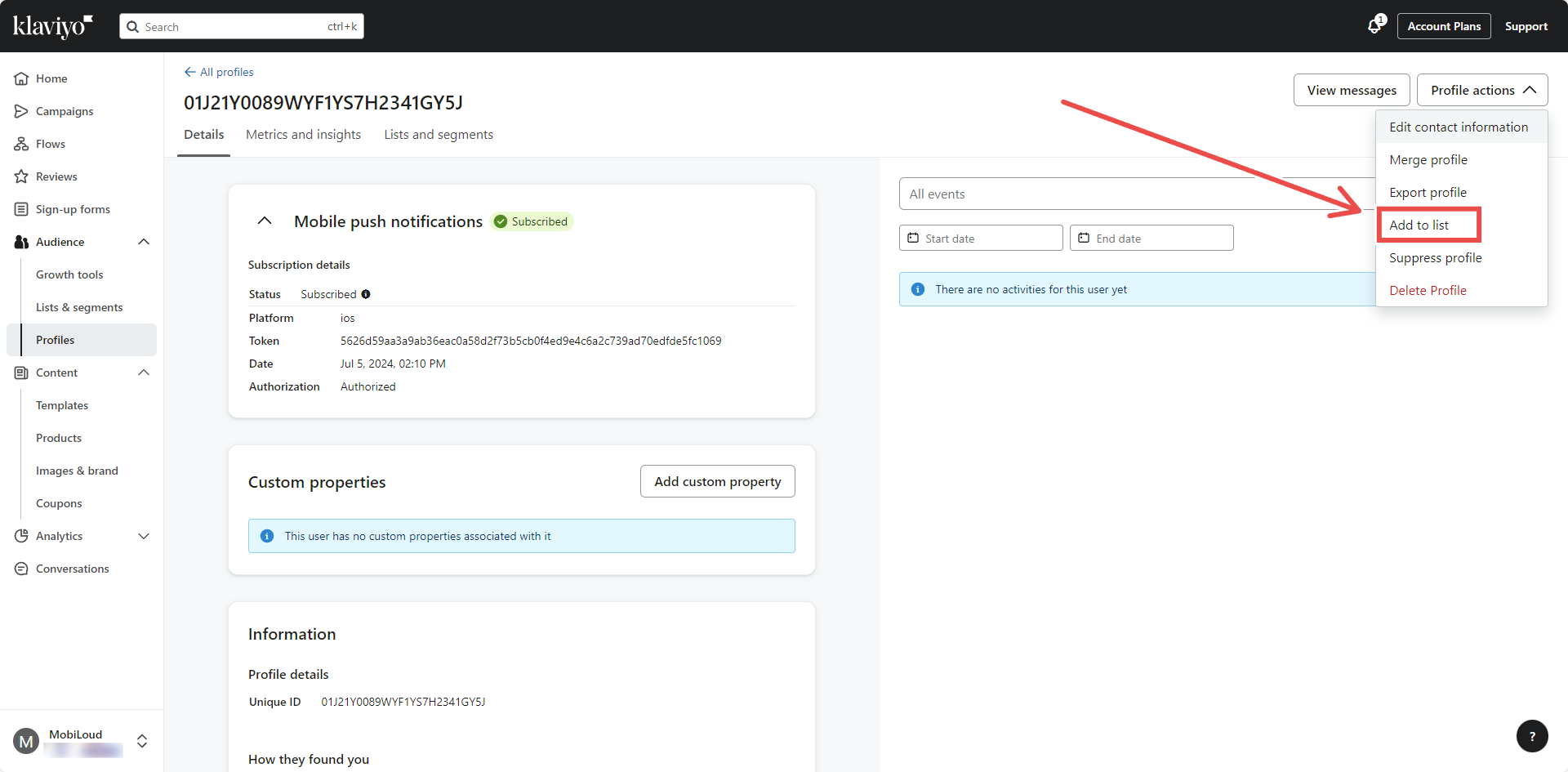
Now click on "Profile actions" on the top right area and "Add to list":
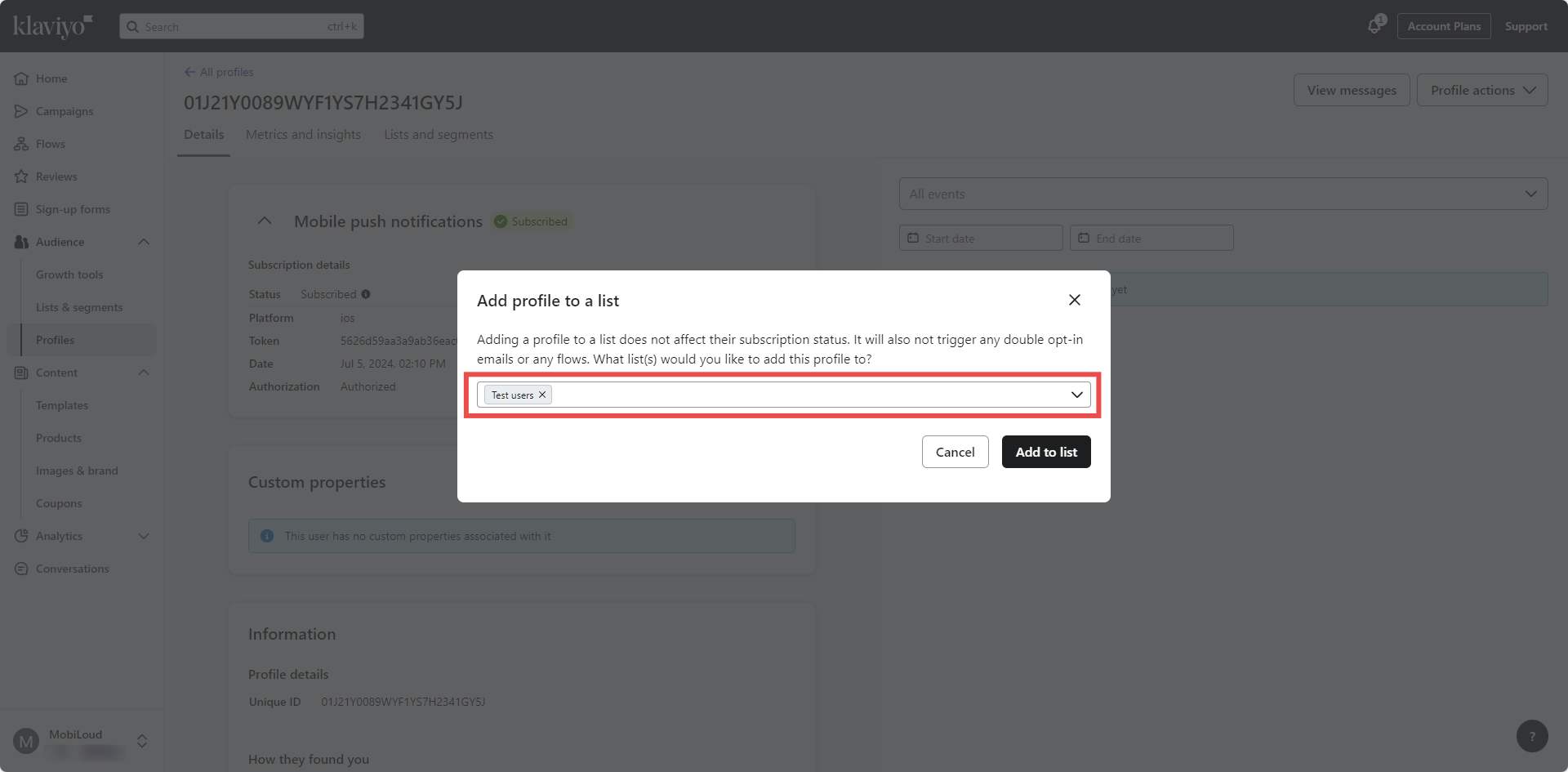
Select the "Test users" list you created and add the profile:
Sending test notifications
It is time to start sending the notifications.
Click "Campaigns" on the left sidebar and configure your notification as described in this guide: How to send push notifications with Klaviyo
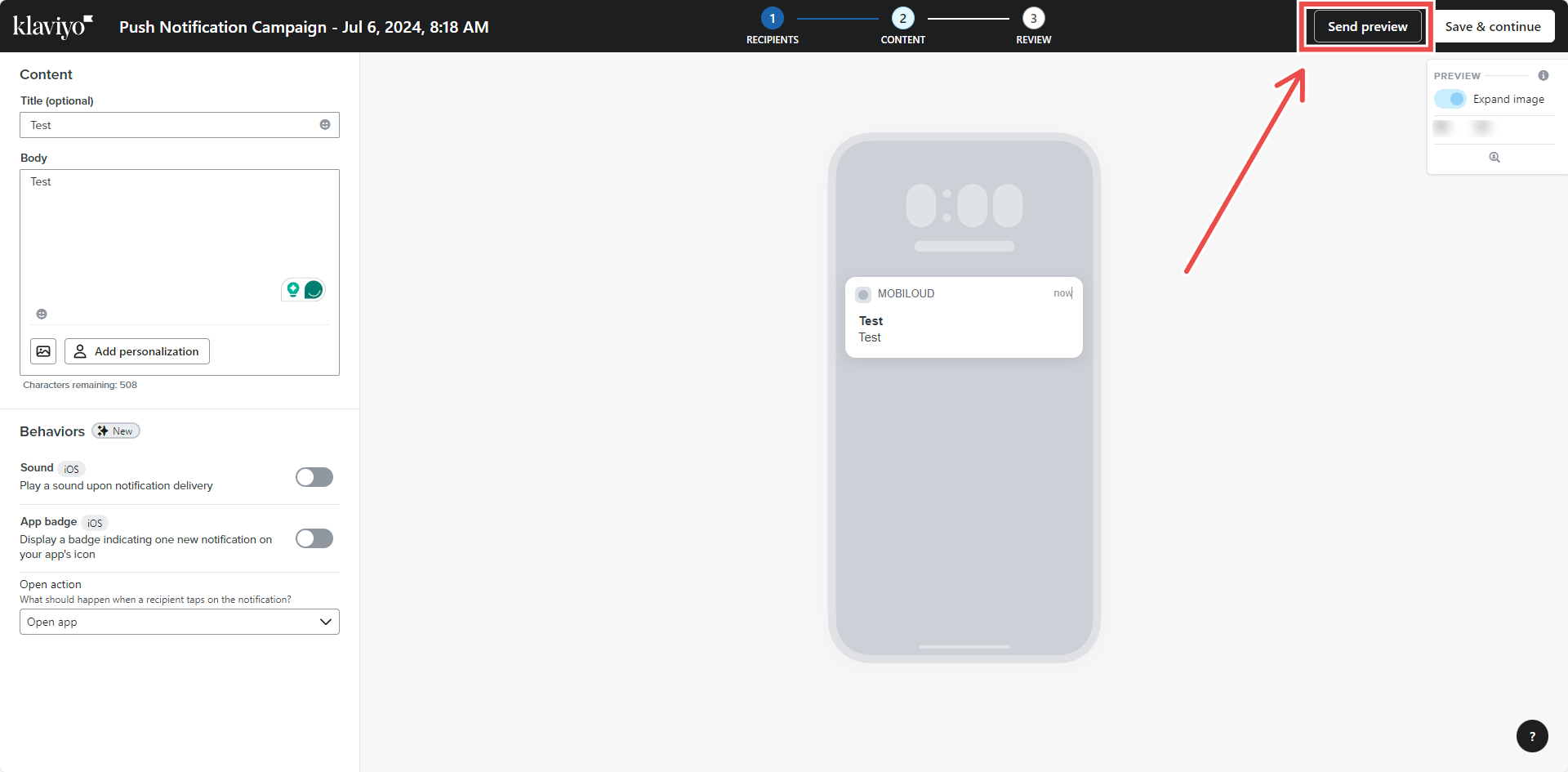
Instead of sending the notification though, click on "Send preview" on the top right area:
You will then be asked to provide the profile token you previously copied:
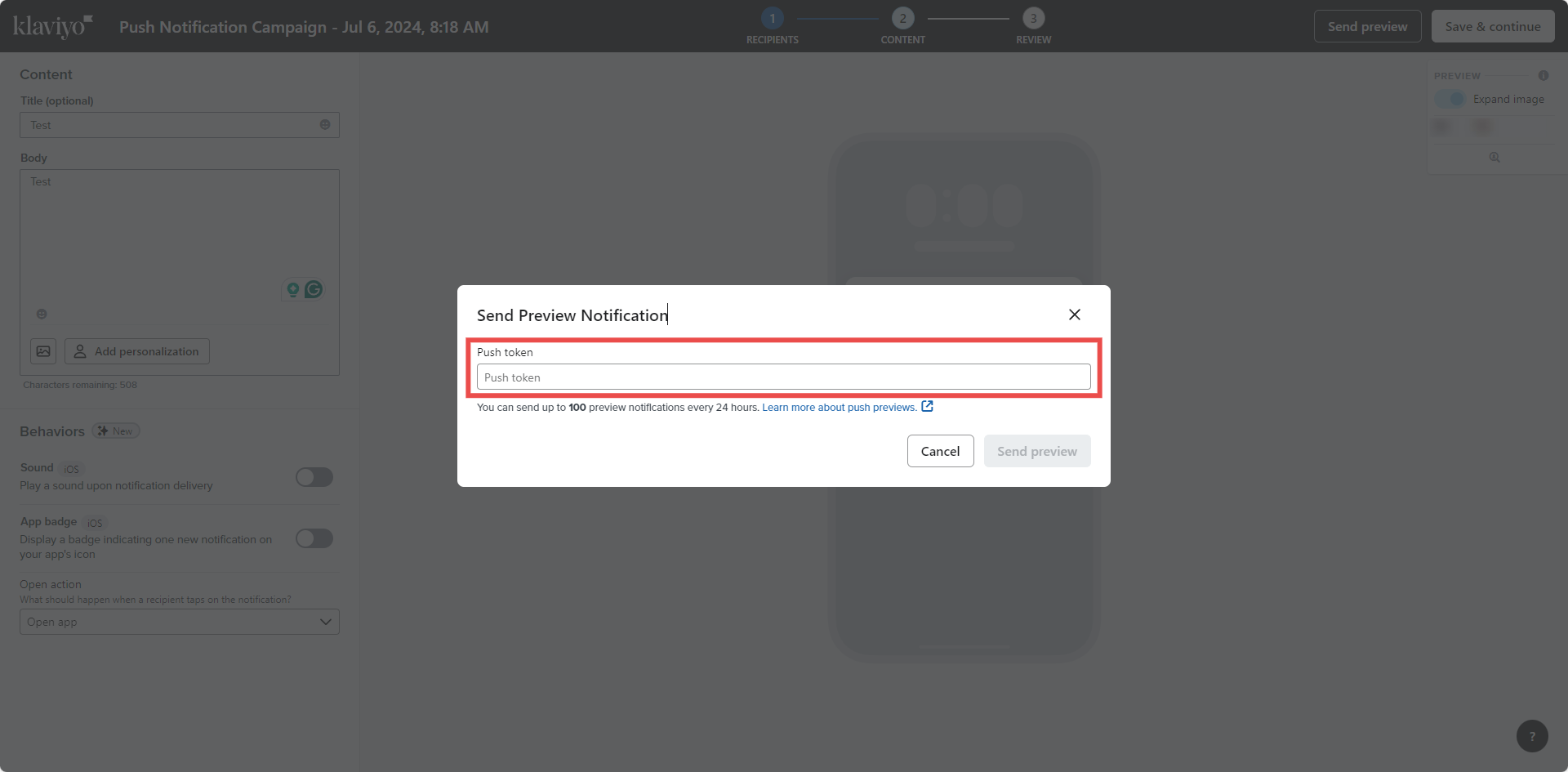
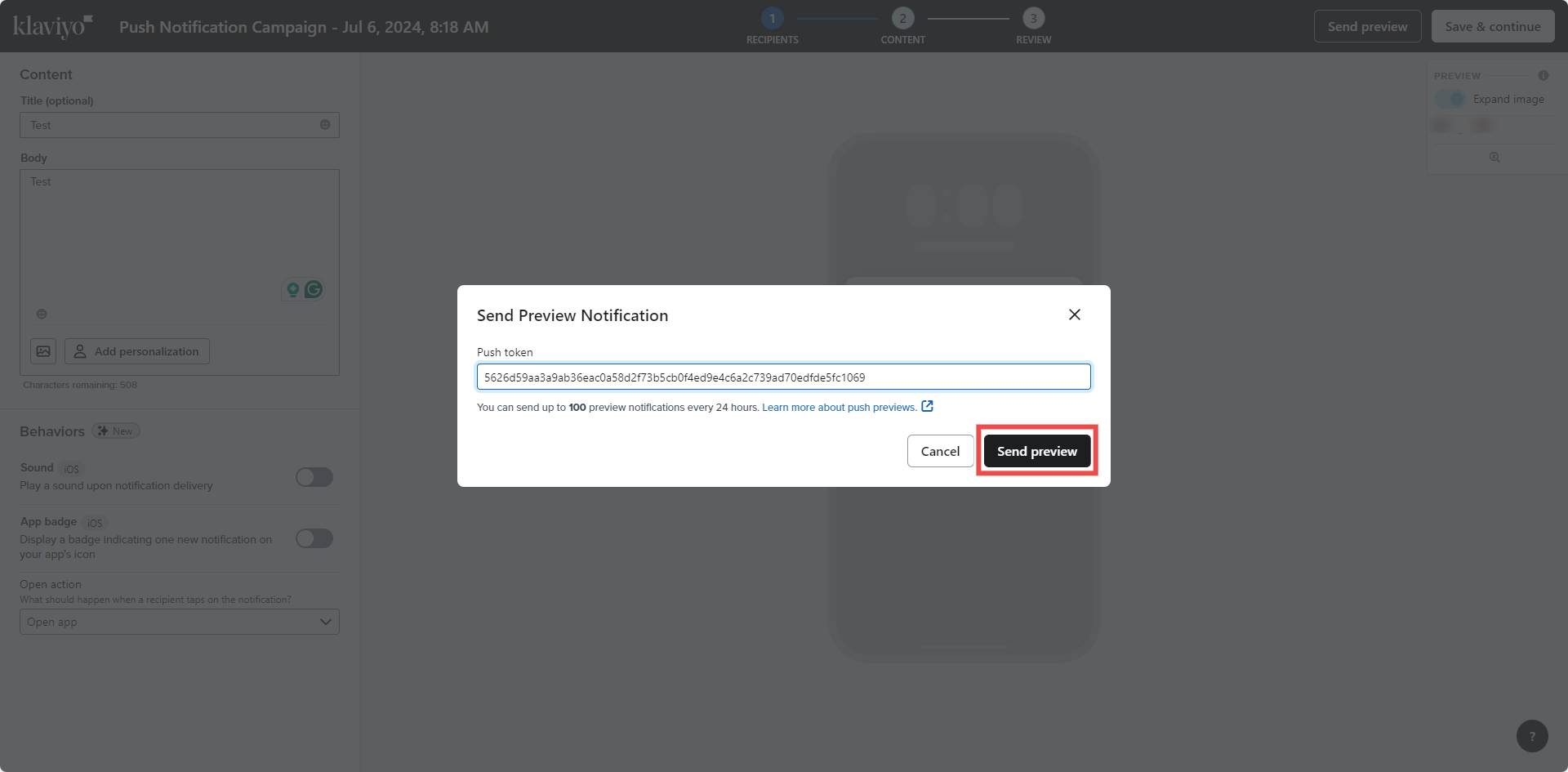
Paste it in the field and then click "Send preview":
Done! Your test notification will be sent to your device and you should receive it almost immediately.