

Browse documentation
Create segments in Klaviyo
You will want to create segments in Klaviyo so you can send your push notifications to specific groups of users, or even to all users that are subscribed to receive push notifications.
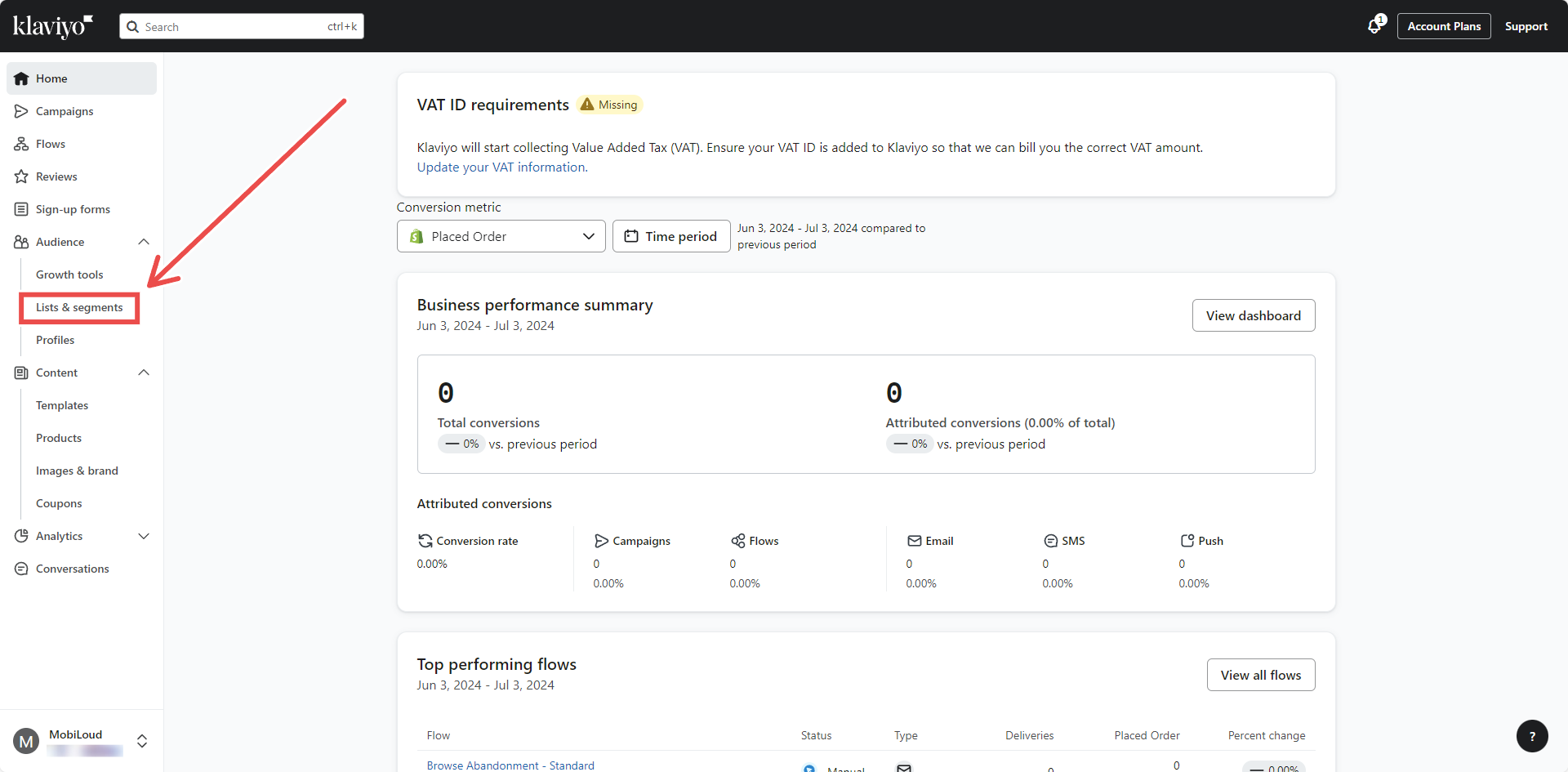
On your Klaviyo Dashboard, click on "Lists & Segments":
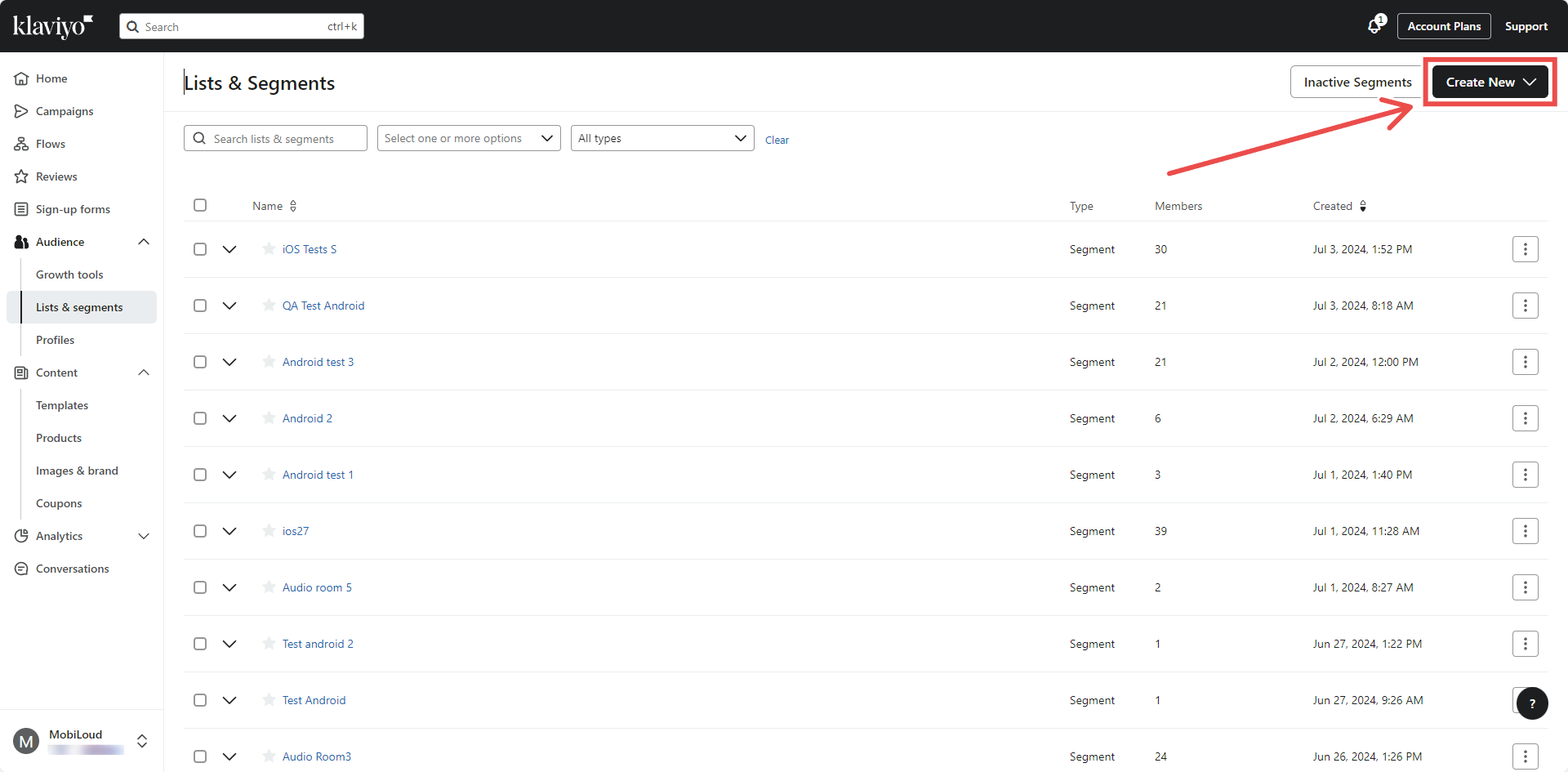
Select "Create new" on the top right area:
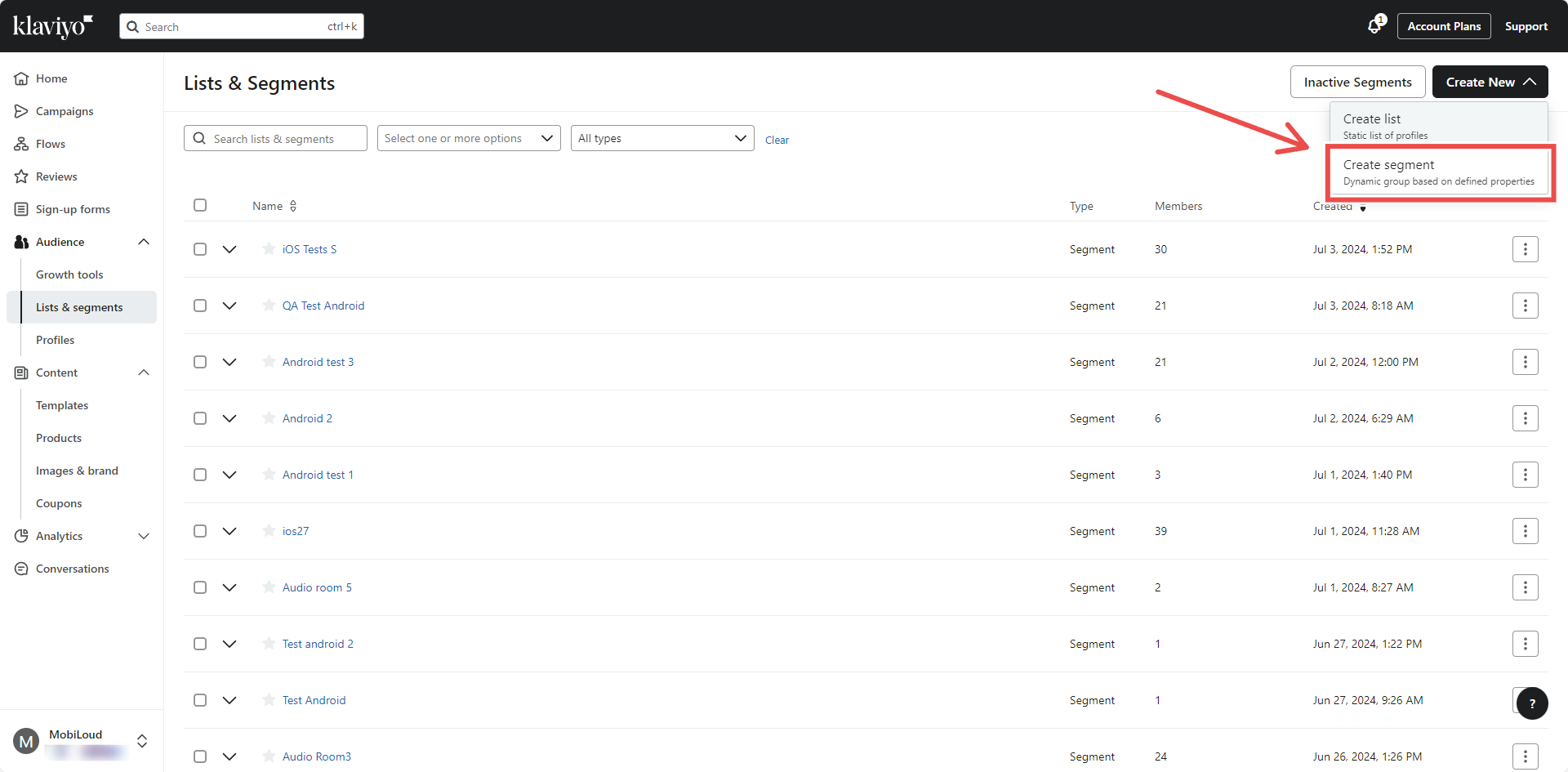
Pick "Create segment" in the drop down:
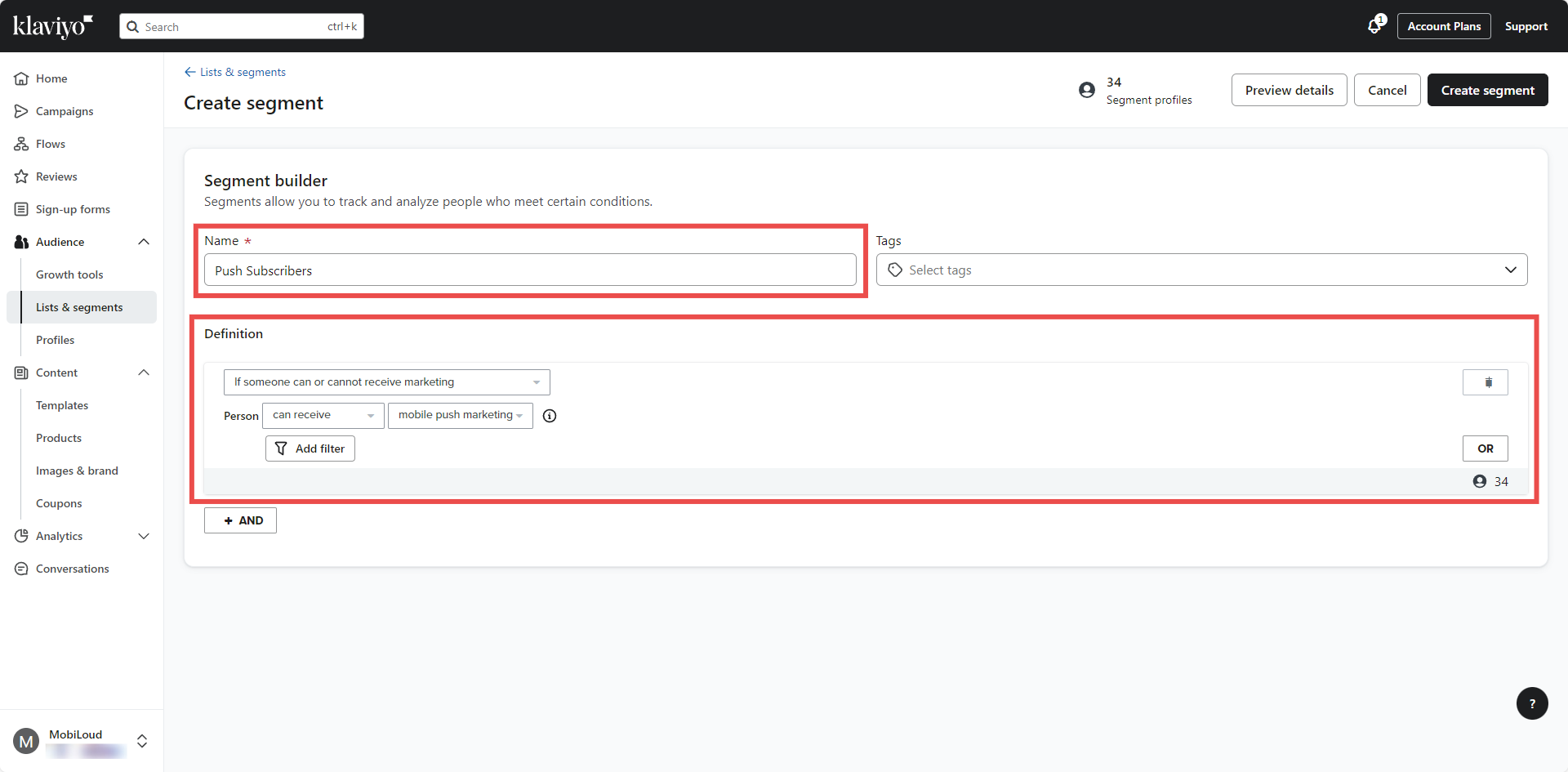
Give your segment a name and pick the following options for the definition:
- Condition: If someone can or cannot receive marketing
- Person: can receive /mobile push marketing
That's it! You can now select your custom segment when sending push notifications to target all push subscribers.
IMPORTANT! Klaviyo can take some time to update the list of users in the segment once you create it.