Browse documentation
Custom app reports in Google Analytics
With MobiLoud you can easily track your app usage in Google Analytics, but there is a way to create a specific area in your Google Analytics account where you can see your app data, organized according to your needs.
There are a few steps to follow but you will only have to do it once.
Head over to your Google Analytics account: https://analytics.google.com/analytics/web/
Follow the steps below to create reports that are dedicated to your app.
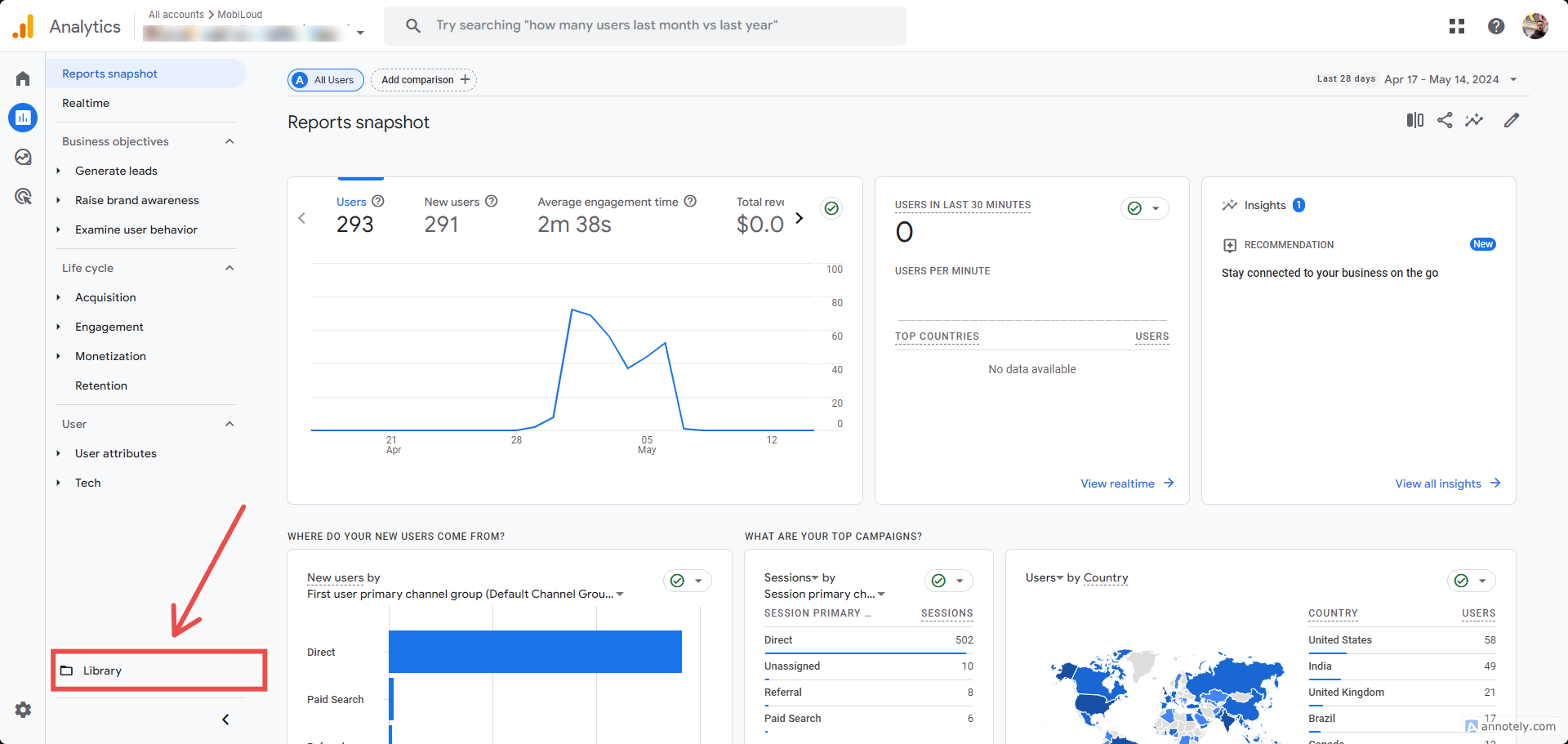
Under "Reports", click the "Library" link at the bottom left area of the screen:
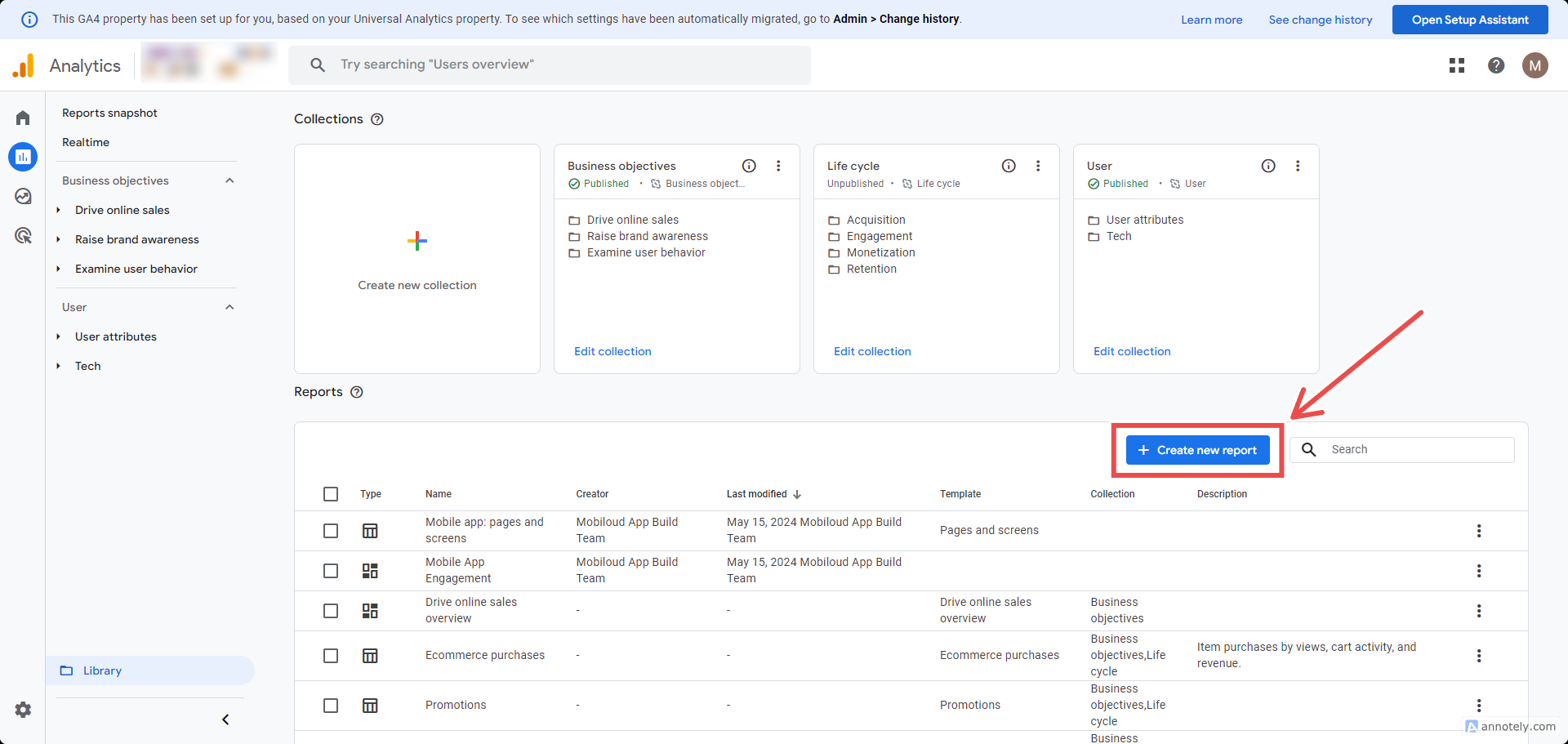
Click the "Create new report" button:
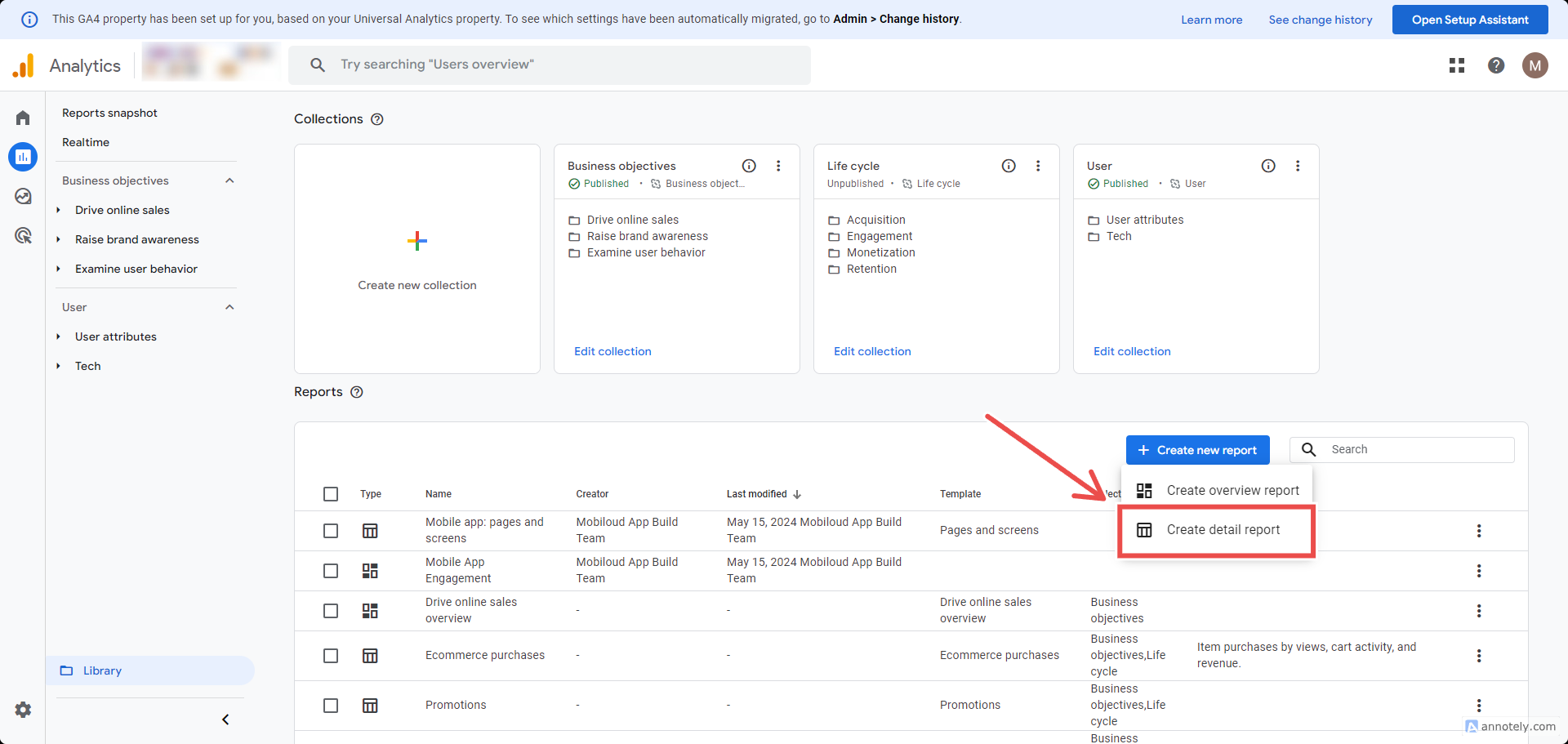
Select "Create detail report":
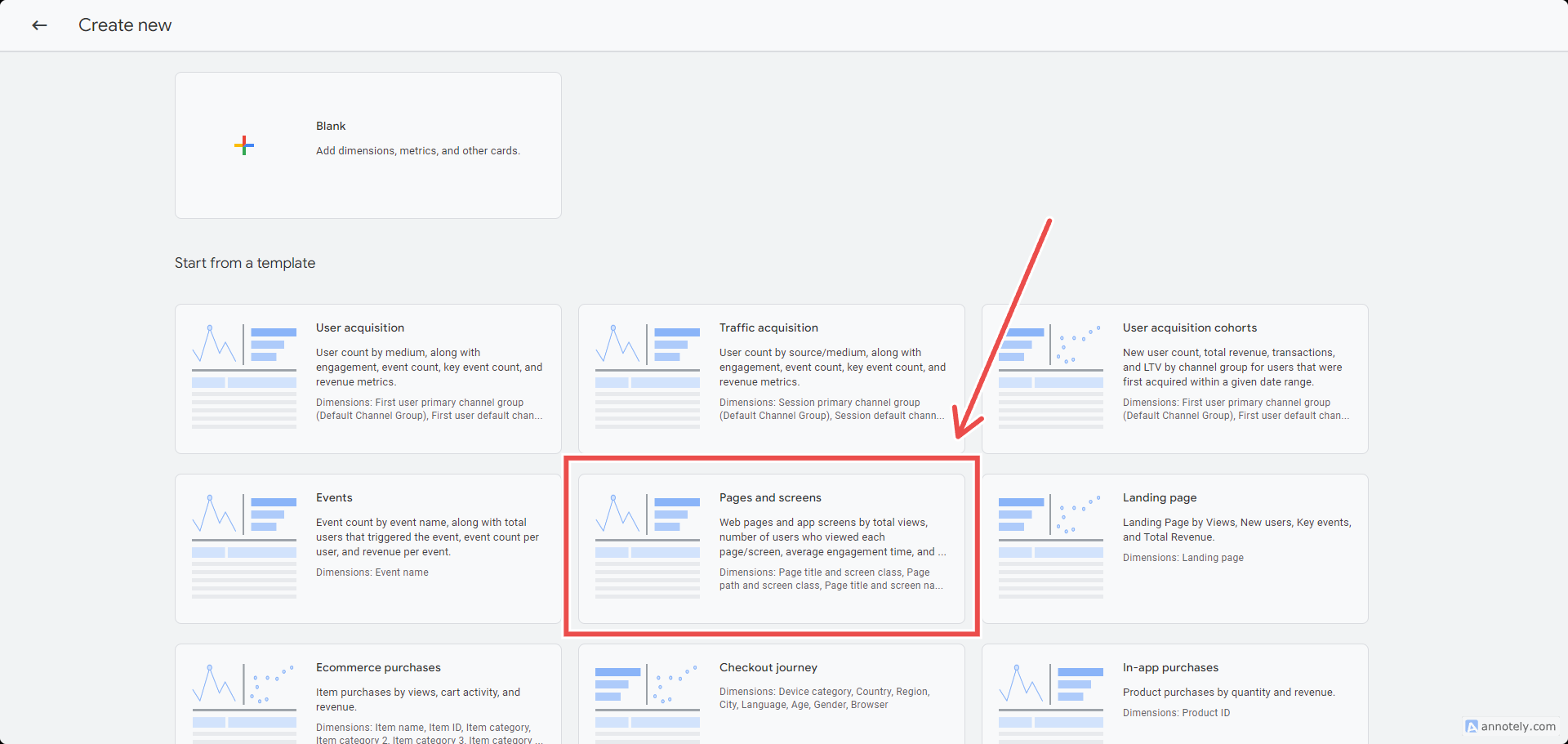
You will be presented with a list of all the existing detail reports, pick one that you would like to replicate for the app, in this example we will go with the "Pages and Screens":
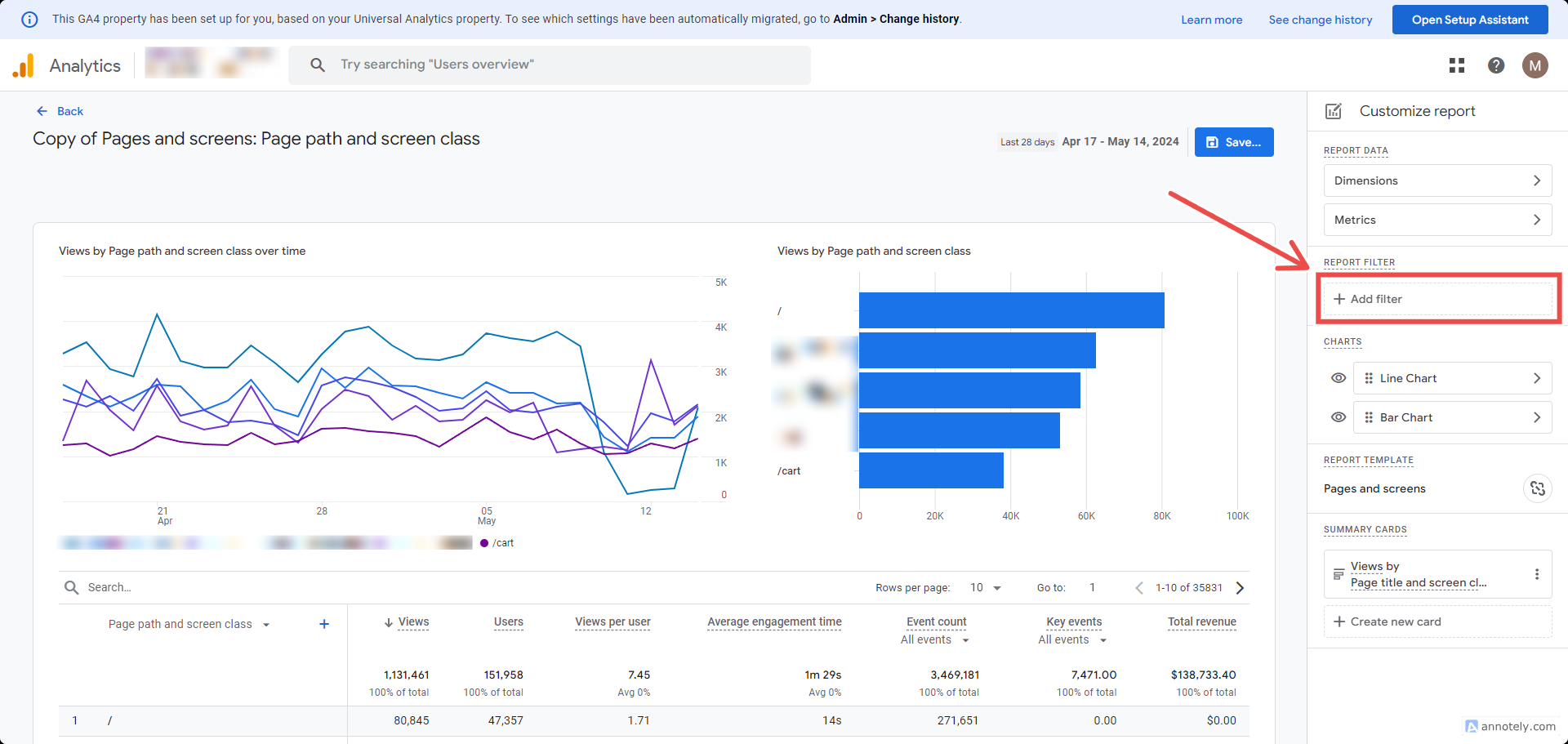
Click "Add filter" on the right sidebar:
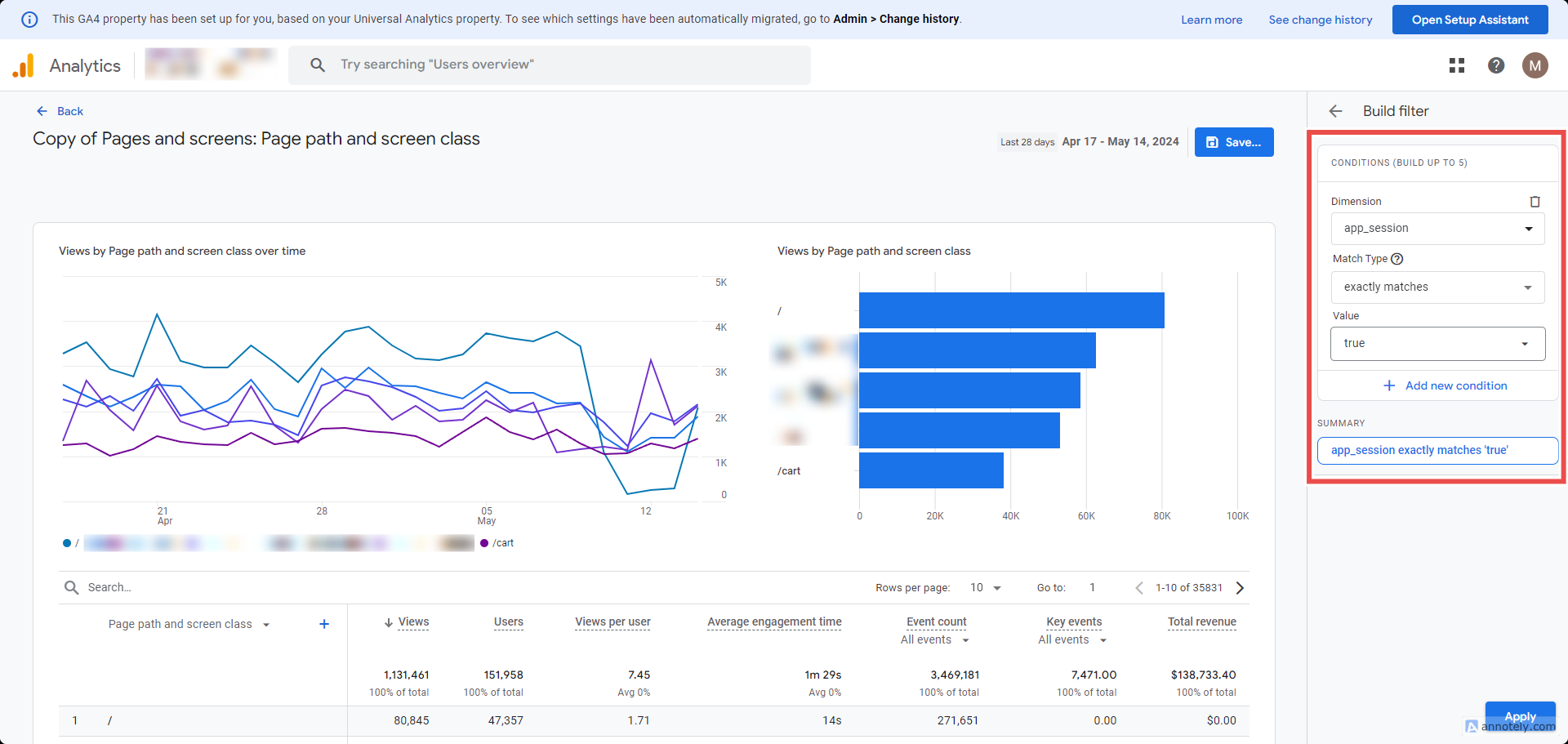
Use the custom dimension you previously created. If you used the labels we suggest, select "app_session" as the dimension, "exactly matches" as the match type, and "true" as the value, then click "Apply":
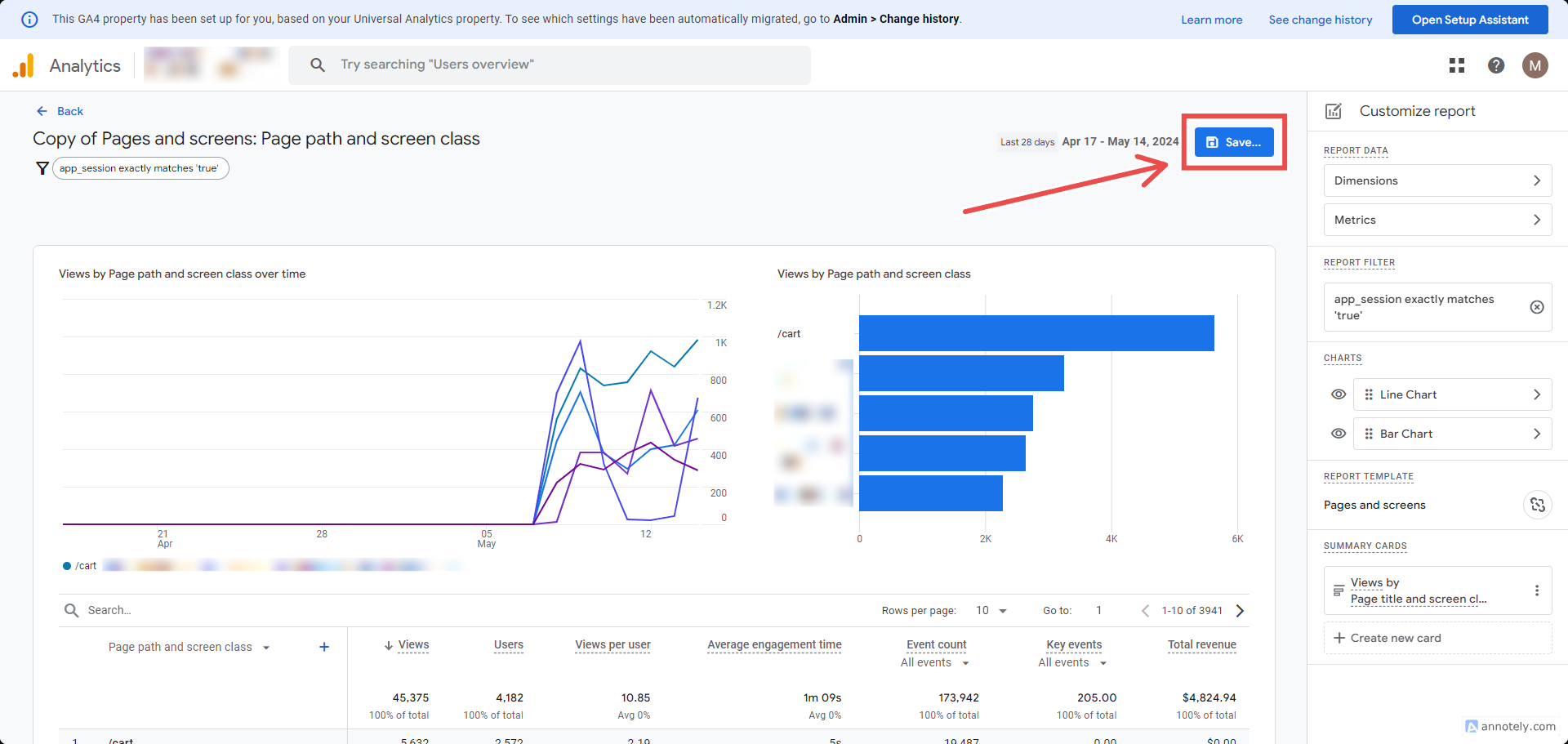
Now save the report by clicking "Save...":
Add a name that makes the report easy to recognize as an app specific report:
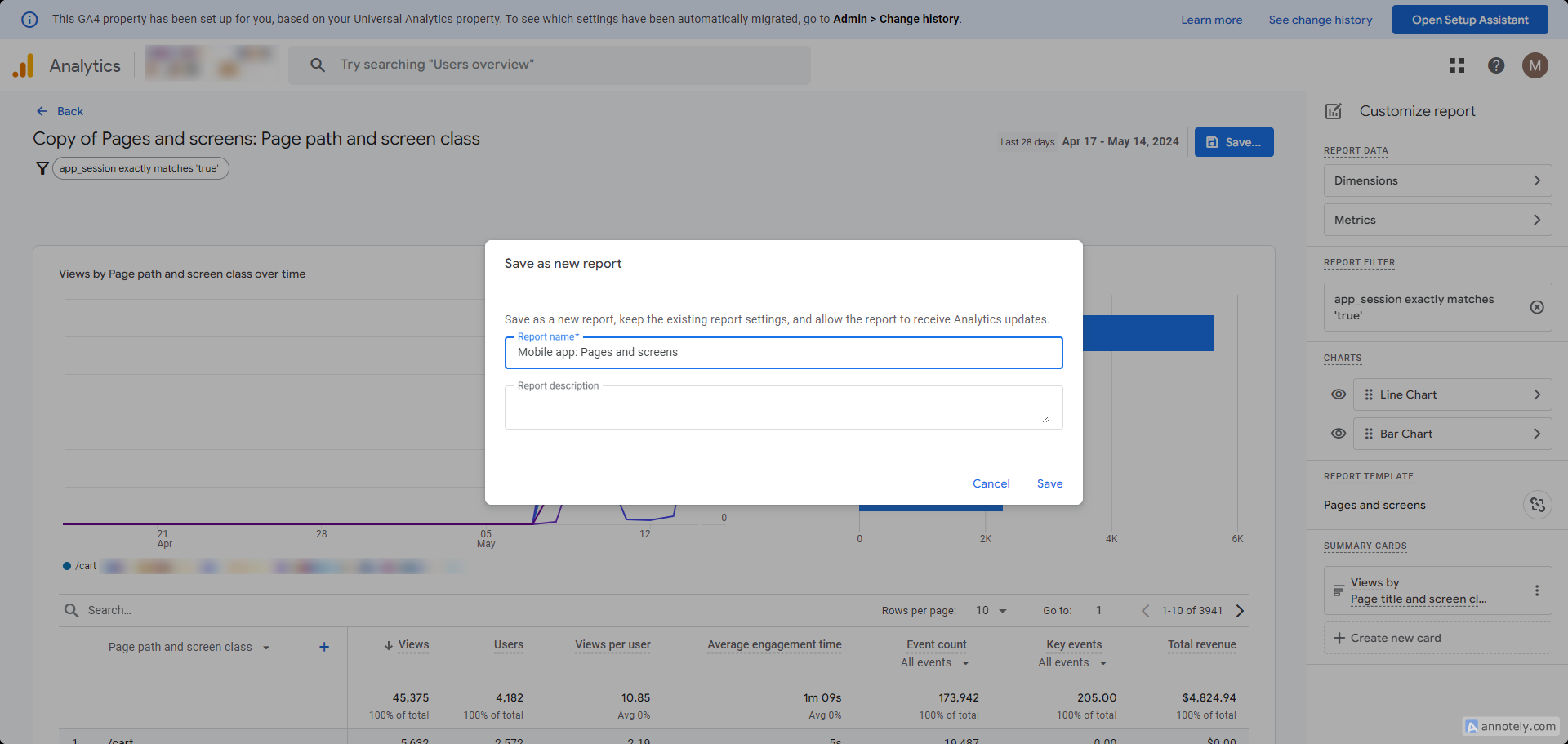
Your first report is now created and you can use it in the collection that we are going to create next. Note that you can replicate these steps to create more reports based on pre-existing ones. We suggest doing the same for:
- Pages and screens
- Events
- Ecommerce purchases
- Traffic acquisition
Once you are done, we will proceed with creating a collection, so you can easily access these app specific reports from your "Reports" area in Google Analytics.
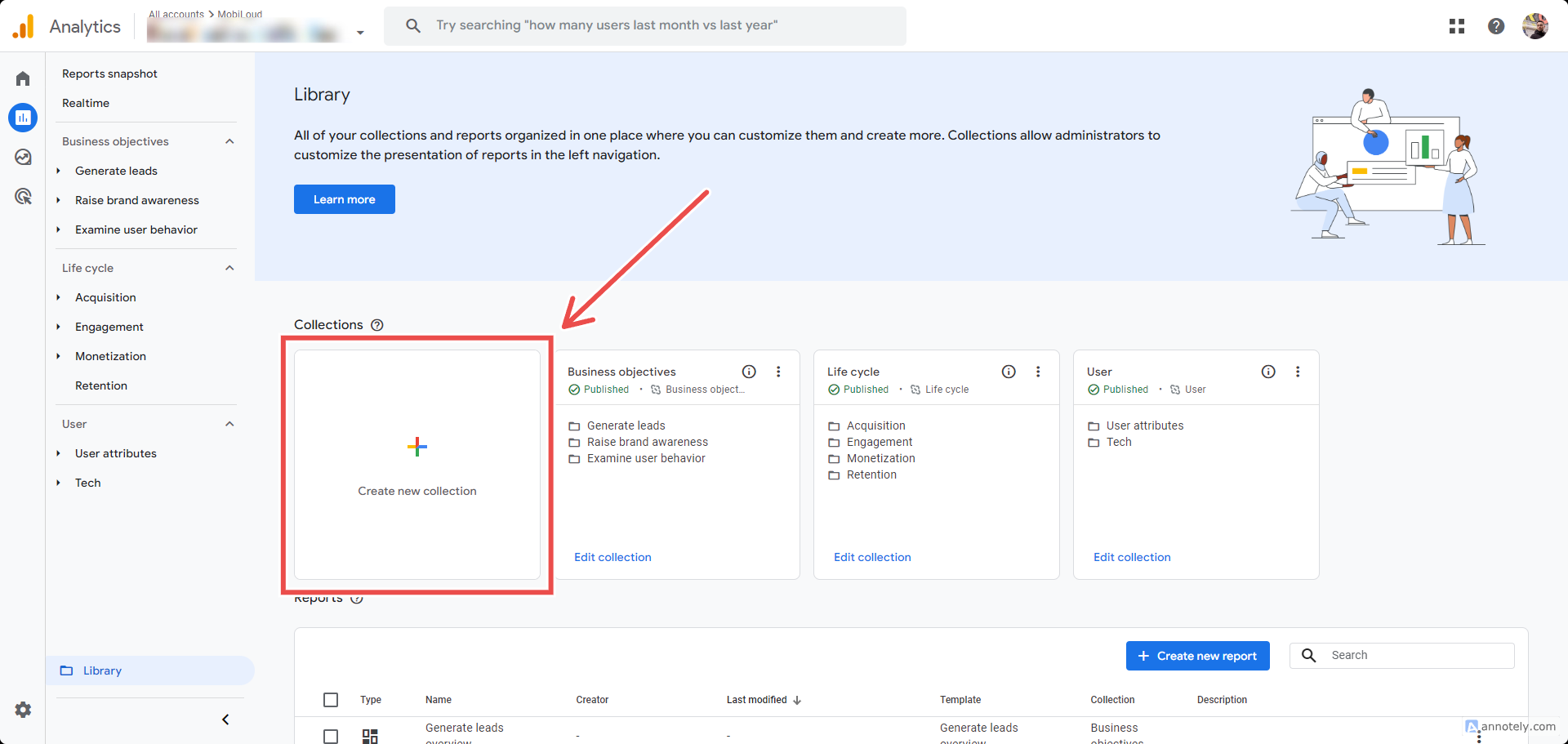
To start go back to "Reports", then click "Library", but now click the "Create new Collection" block:
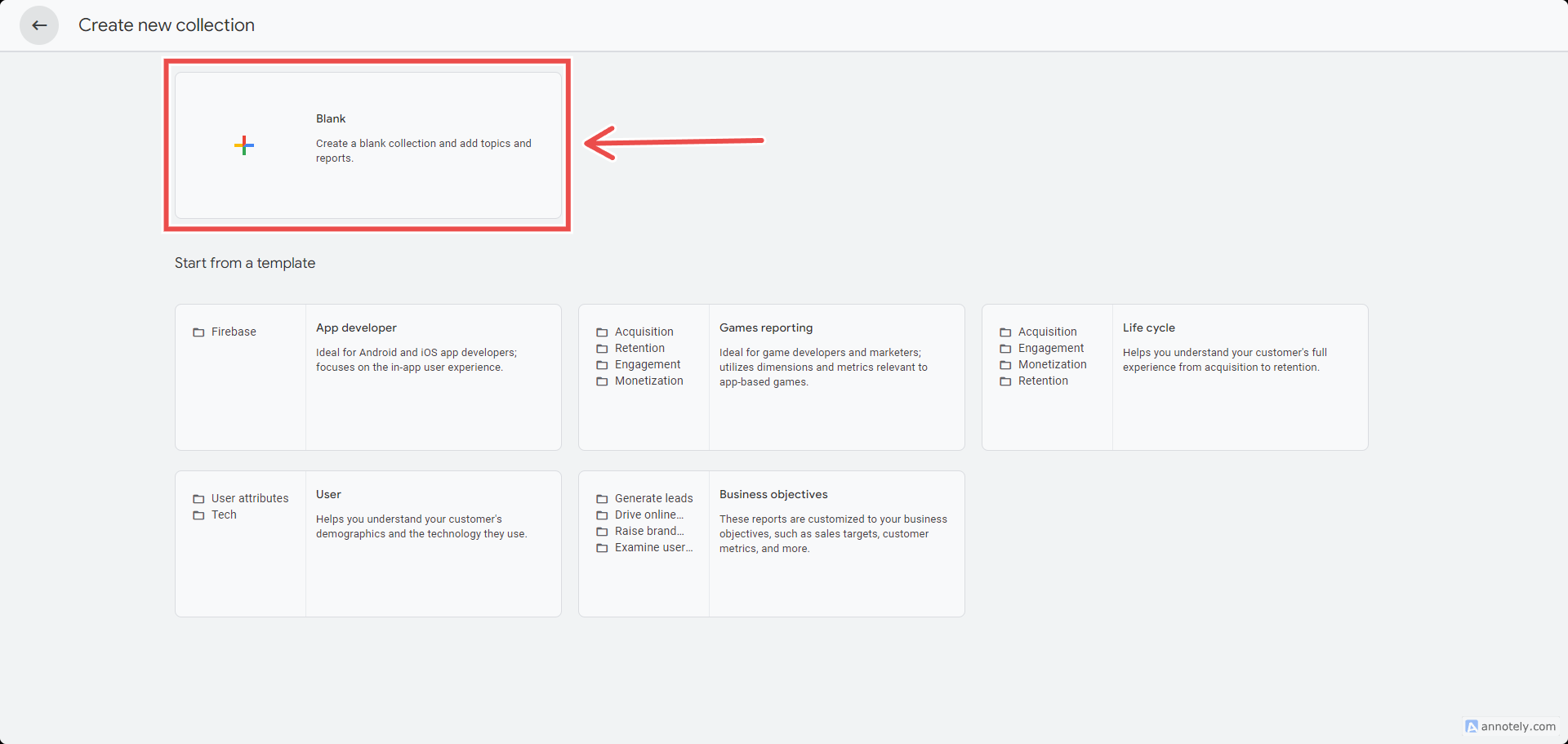
Select "Blank" to create a new collection:
Click on the collection name to name it. We suggest using "MobiLoud App":
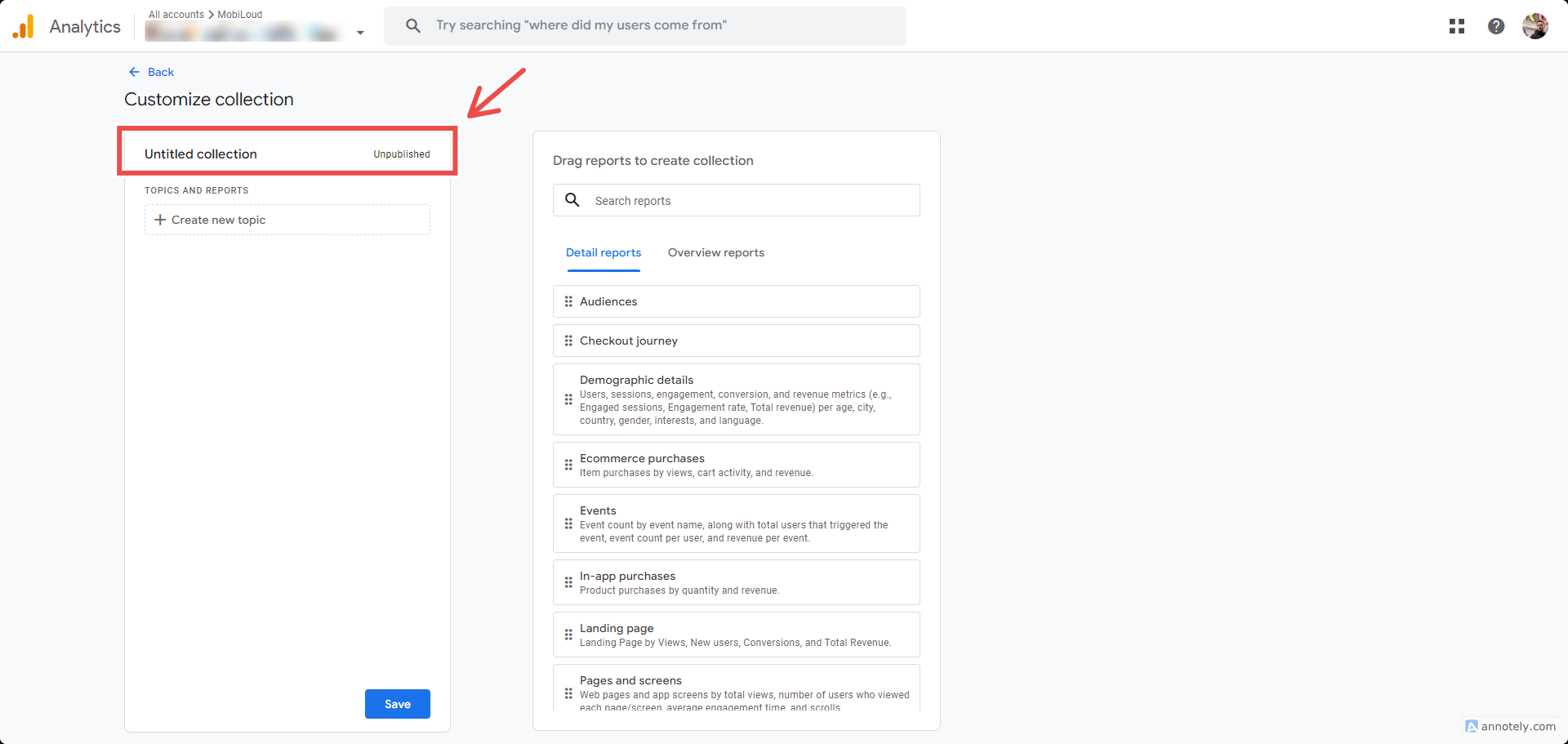
Click "Create new topic":
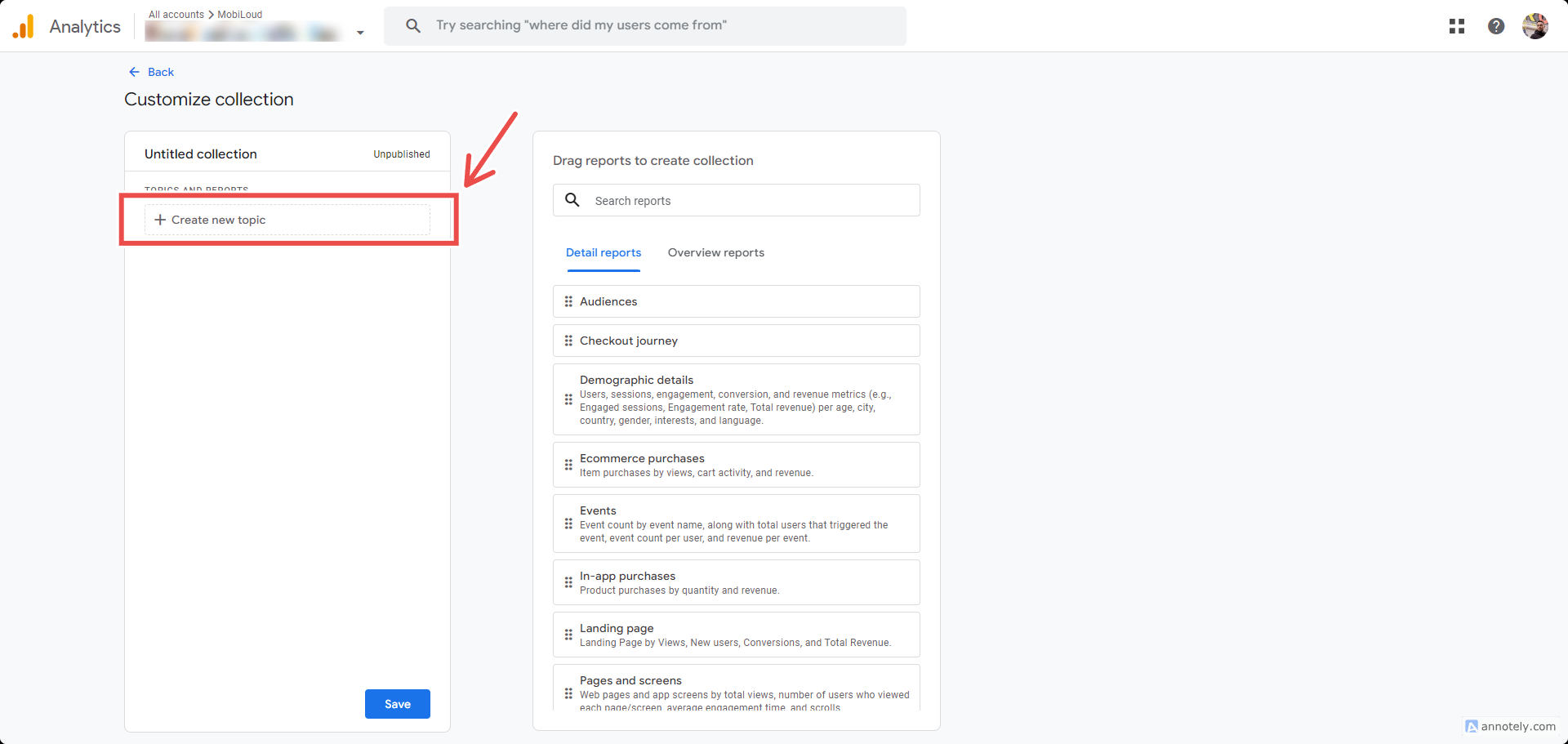
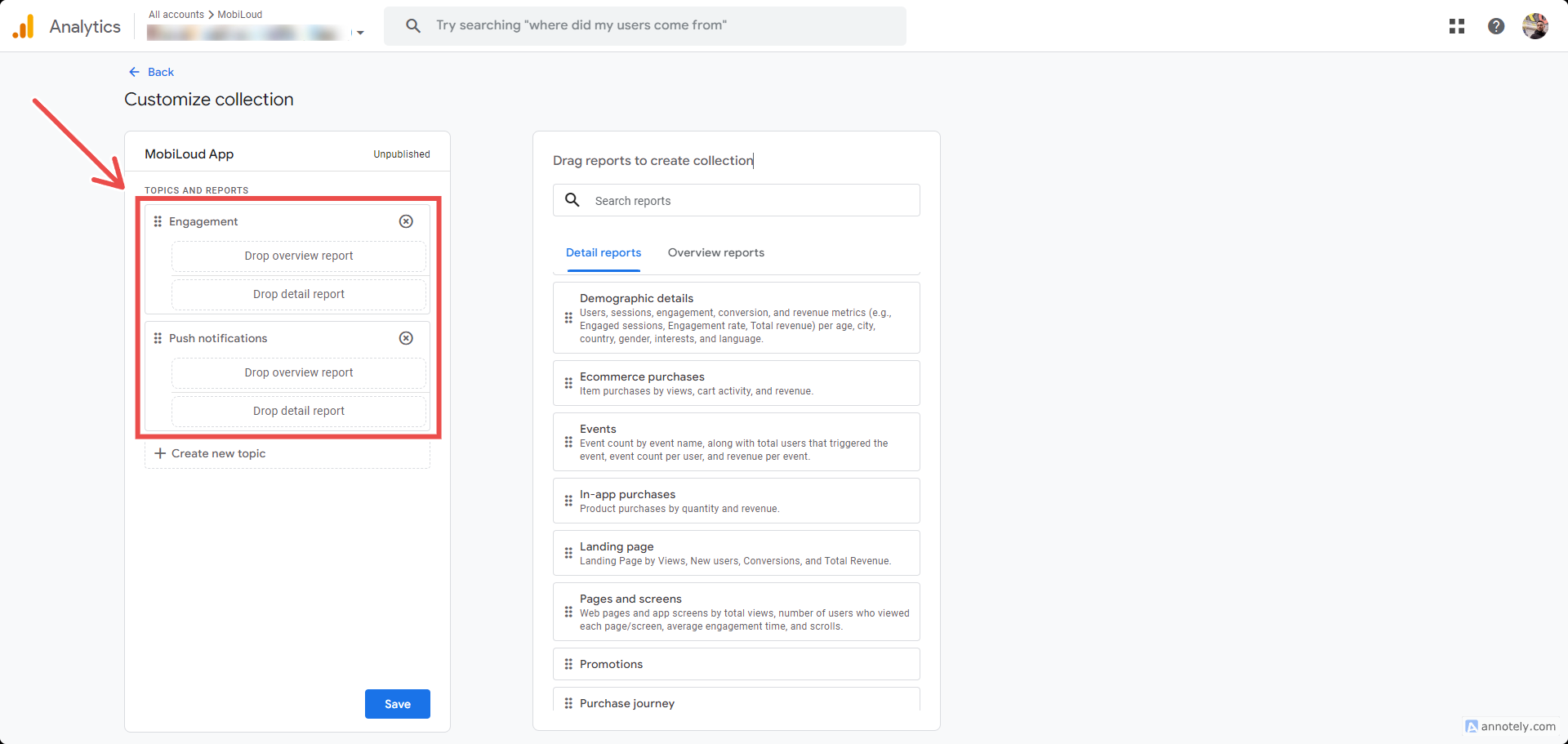
Add the following topics "Engagement" and "Push notifications"
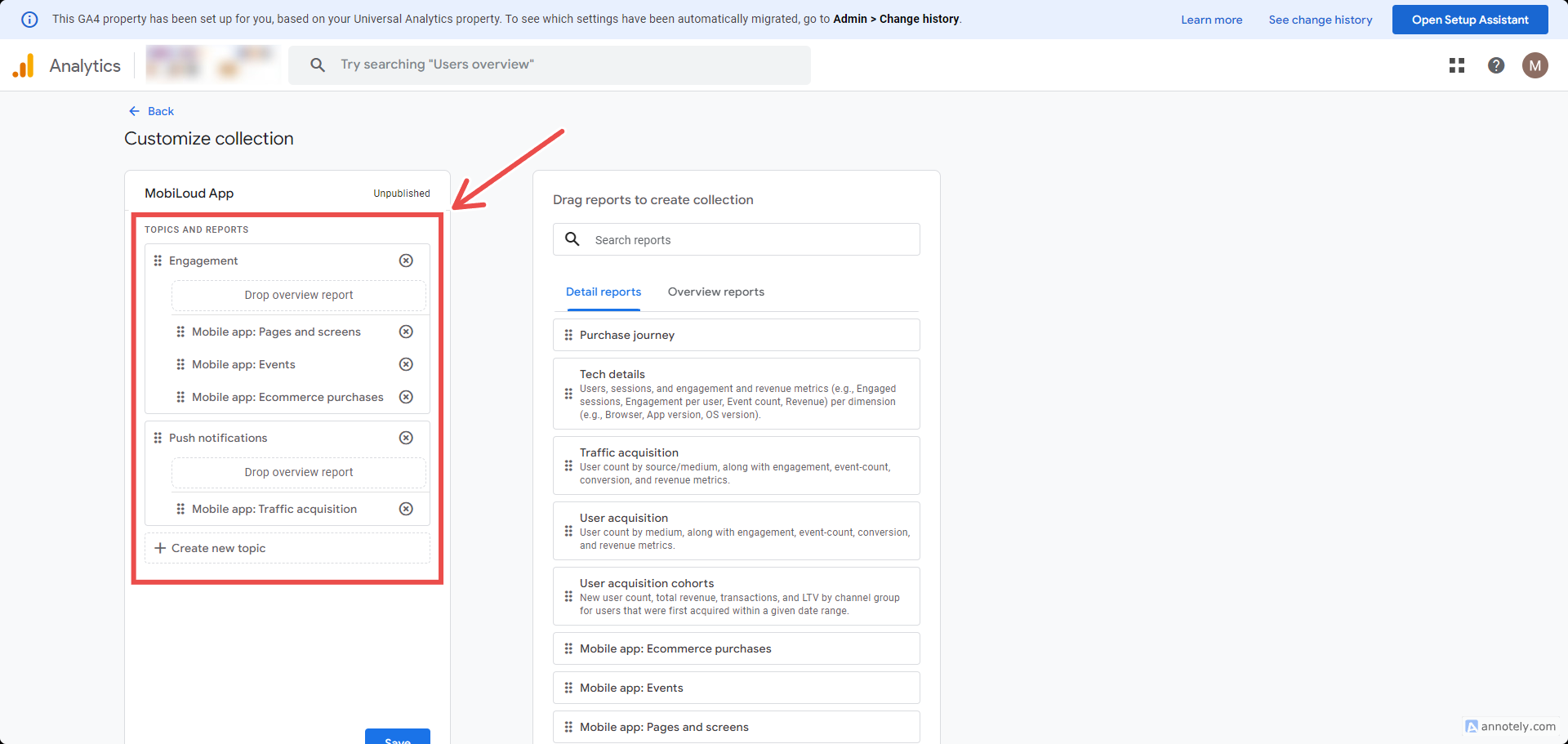
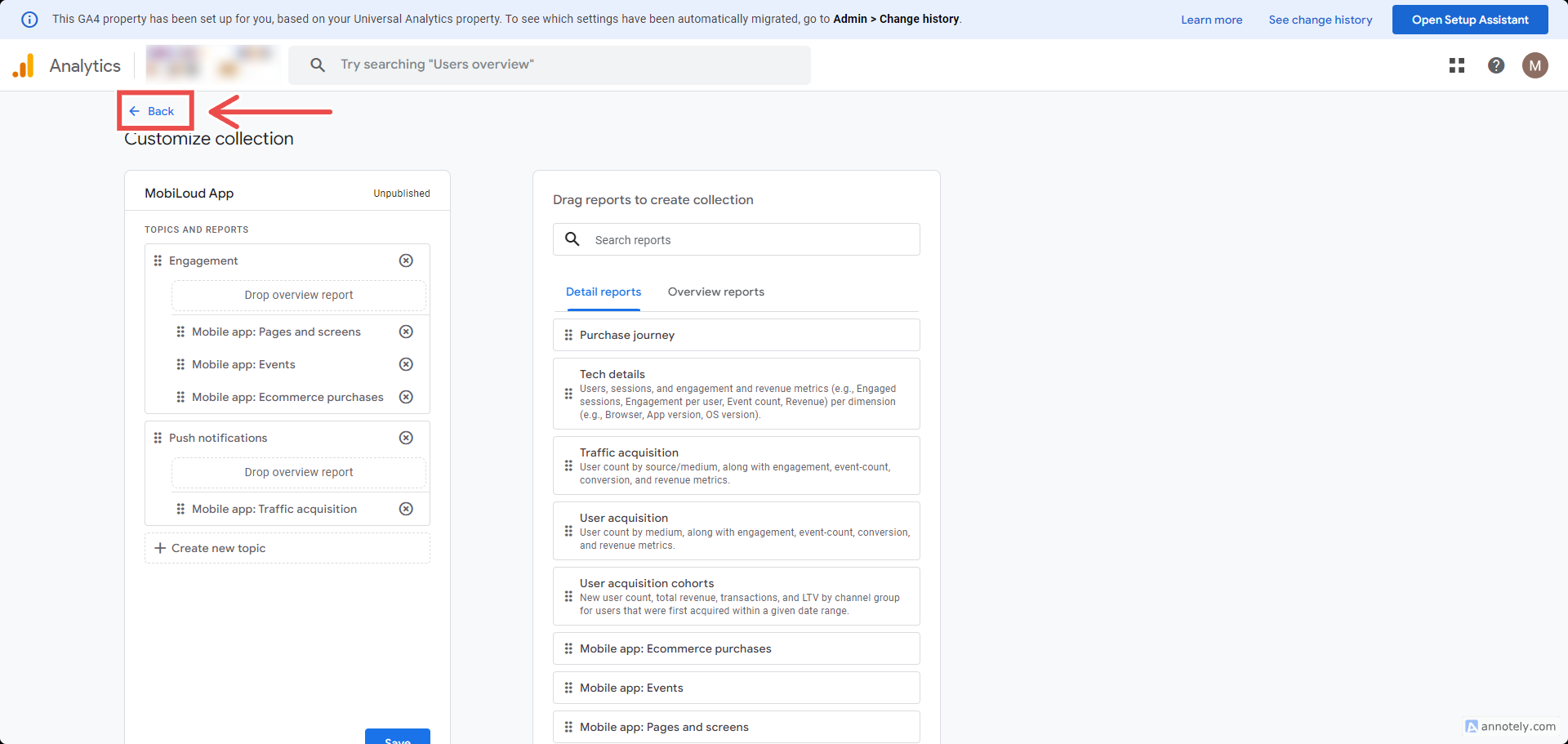
Now drag and drop the reports you previously created into the topics, as you can see here:
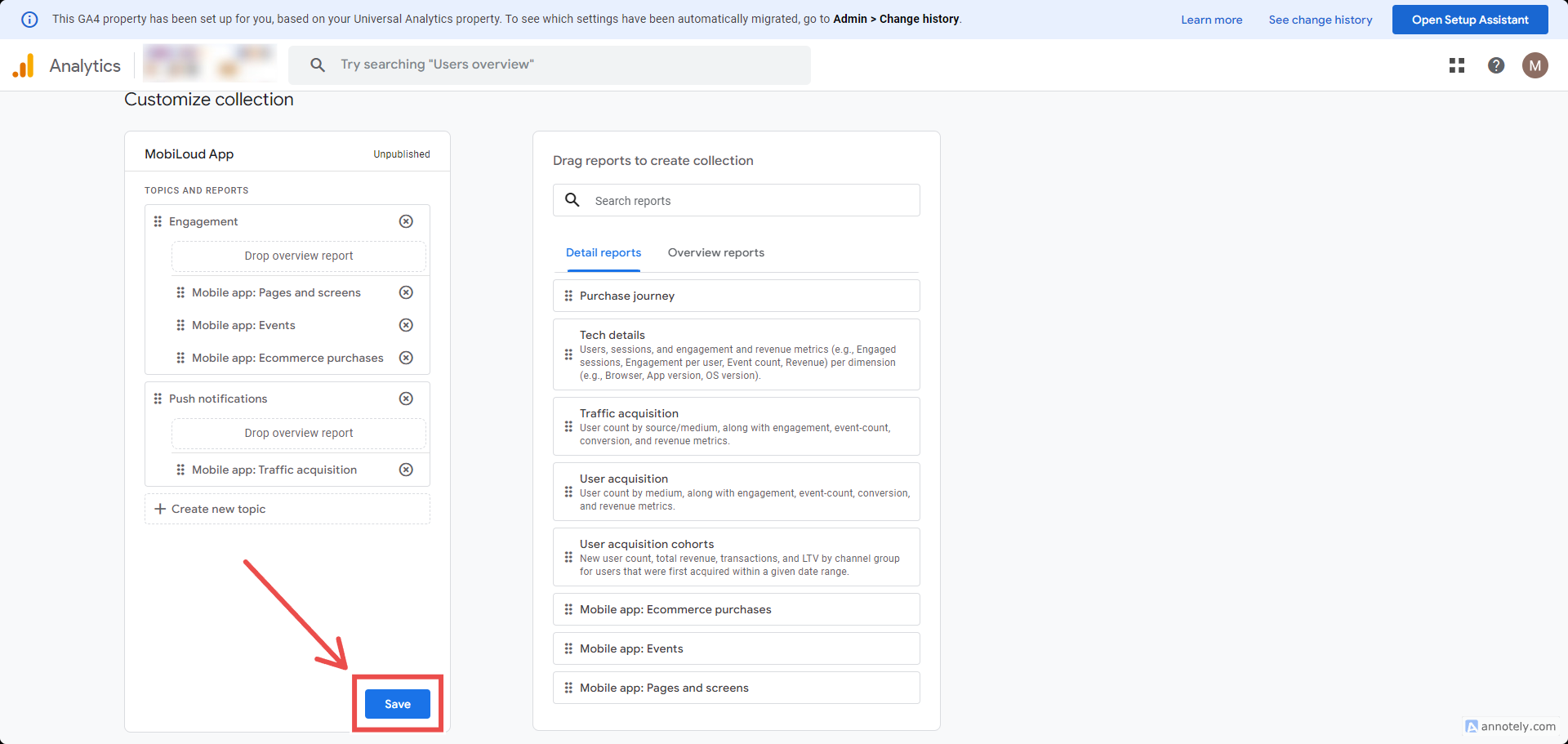
Save your changes:
And go back to the previous page:
Now make sure your new collection is published:
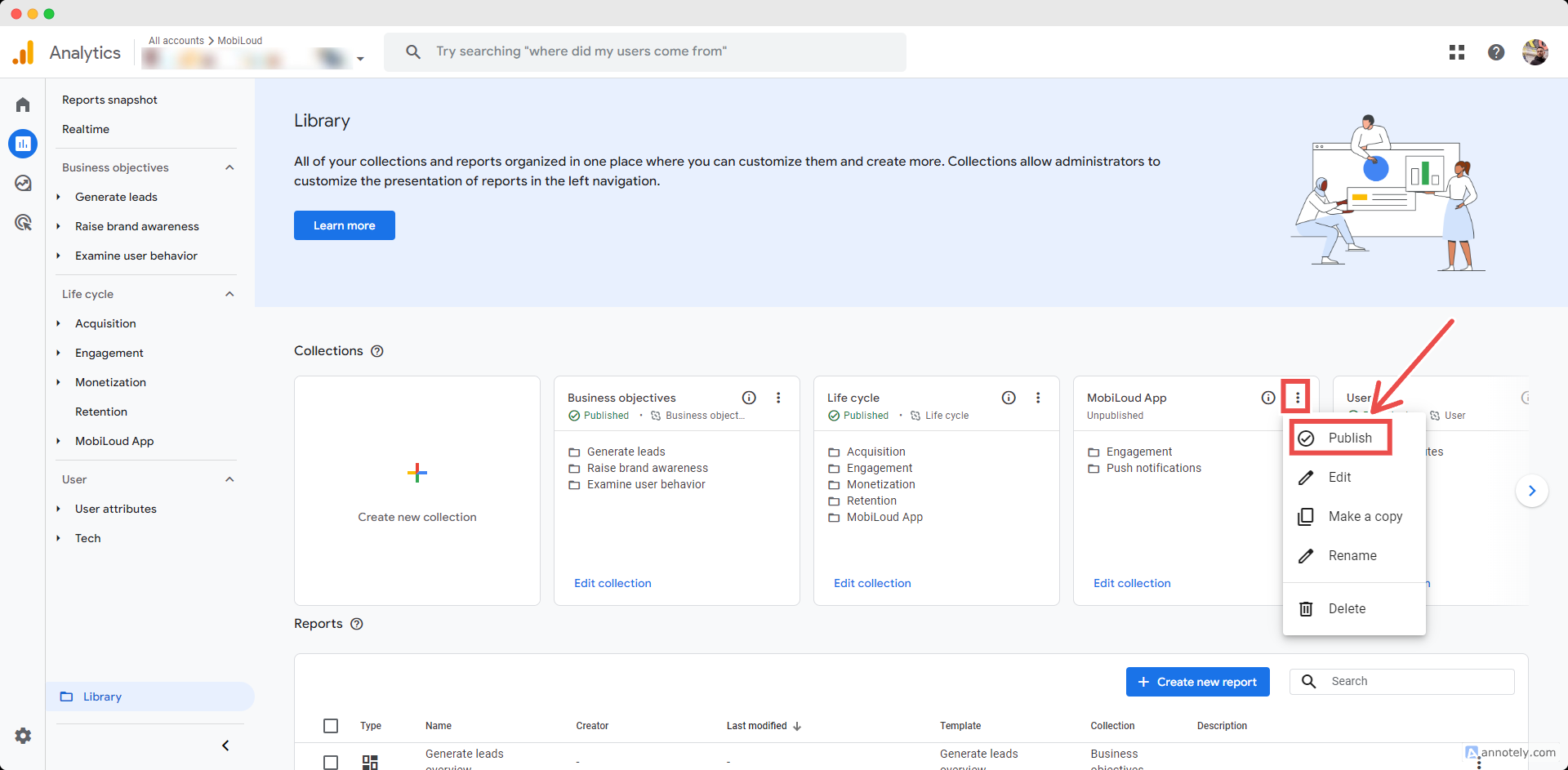
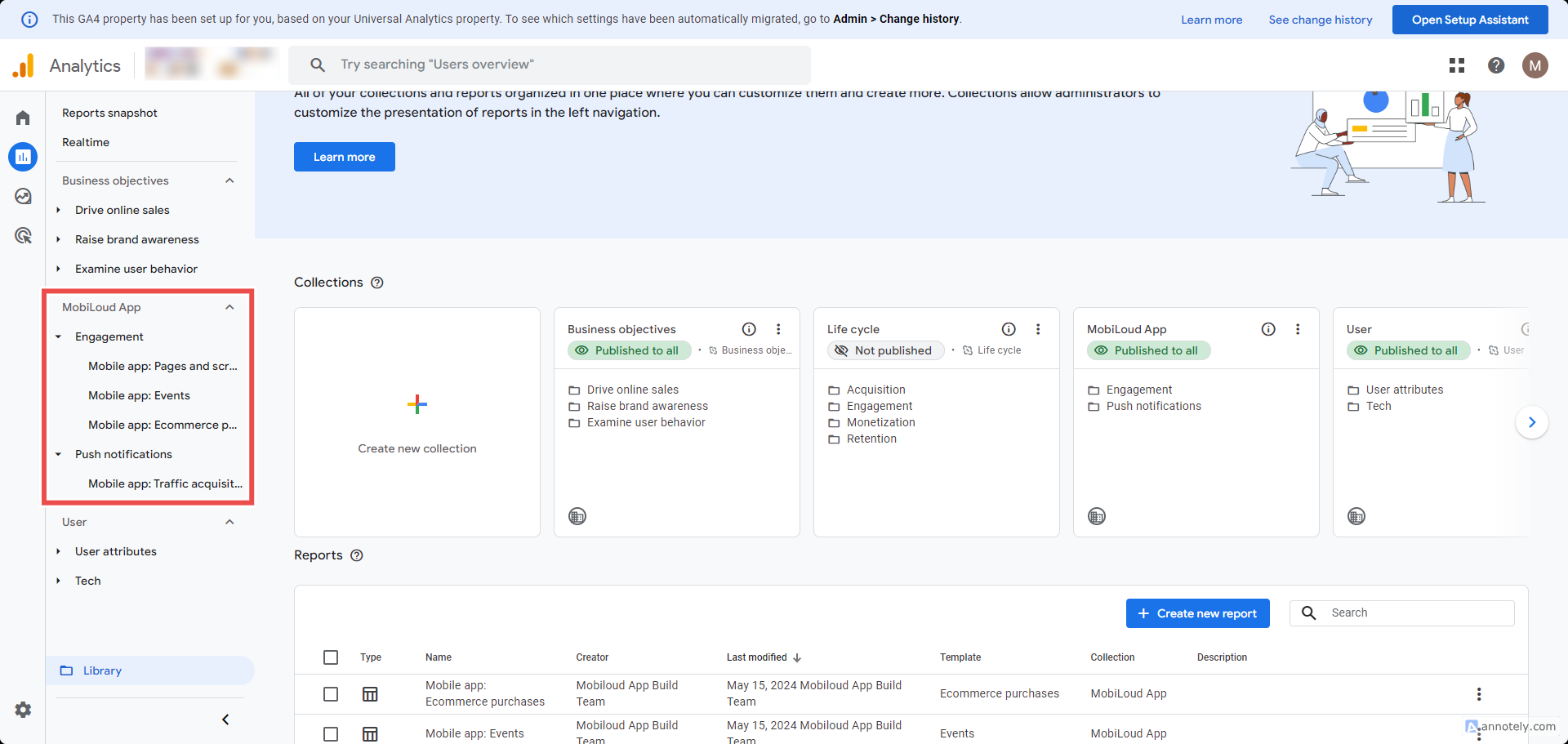
You should see the new collection on your left sidebar: