Every ecommerce brand already sends emails. It’s one of the staple channels for businesses selling online, and one of the most dependable when it comes to ROI.
But there’s another channel that relatively few ecommerce brands are using, and may just be an untapped goldmine for profit, retention and brand building: push notifications.
This guide breaks down everything you need to know when it comes to push notifications and email, including how they work, results and benchmarks, cost, format, deliverability and more, as well as a full guide on when to use each channel and what for.
Push Notifications vs Email: A Side-by-Side Comparison
Push notifications and email both reach customers who chose to hear from you, and neither charges you for every view the way ads do. Beyond that, they work very differently.
| Push notifications | ||
|---|---|---|
| Where it lands | Lock screen, banners and Notification Center | The inbox, often a Promotions tab or category |
| What you need first | Your app, installed, with notifications allowed | An email address |
| Who you can reach | App users who allow notifications | Anyone on your list |
| Cost per message | None | None up to your plan's send limit, with plans priced by list size |
| Length and format | A short title and a line or two, plus an image and buttons | As long as you like, with full design |
| After the tap | Opens your app on the right screen, signed in | Opens your website in a browser |
| Filtering | No spam folder, but Focus modes and AI summaries on phones | Spam filters, promotions tabs and strict sender rules |
| Best for | Short, timely messages to your best customers | Detail, stories and reaching your whole list |
Push here means app push notifications, sent from your iOS and Android app. Web push, sent from a website through the browser, is a different kind of channel, and in general (especially on iPhone), not as effective.
Where Do Push Notifications and Email Reach Customers?
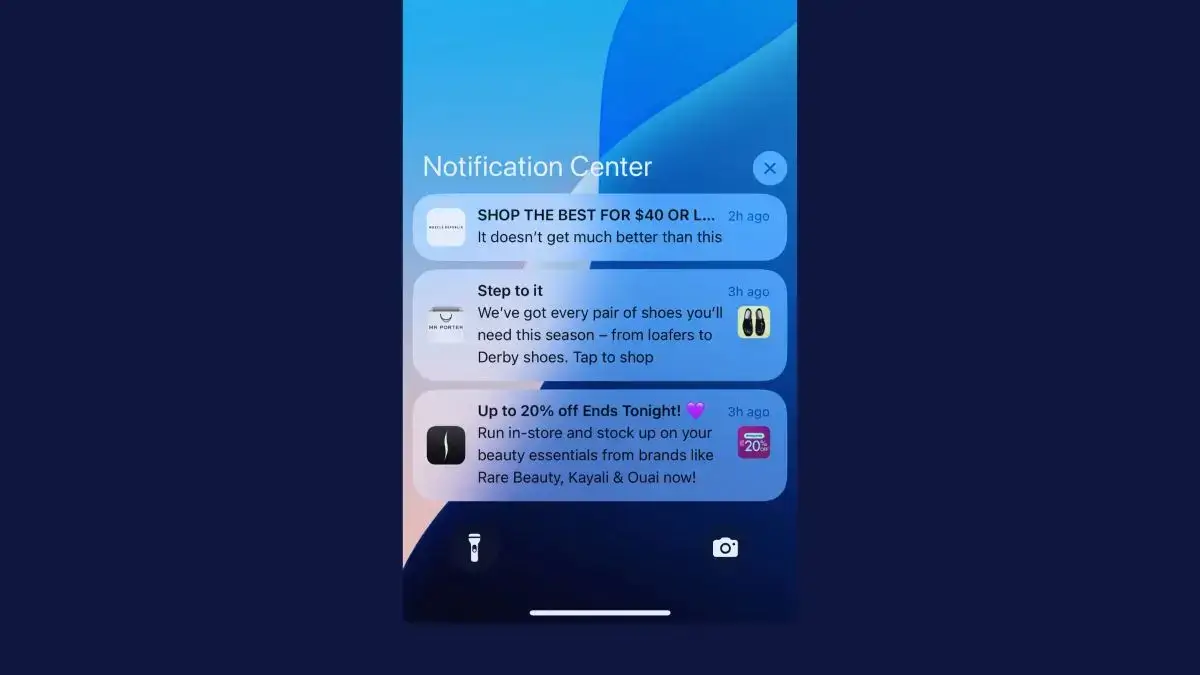
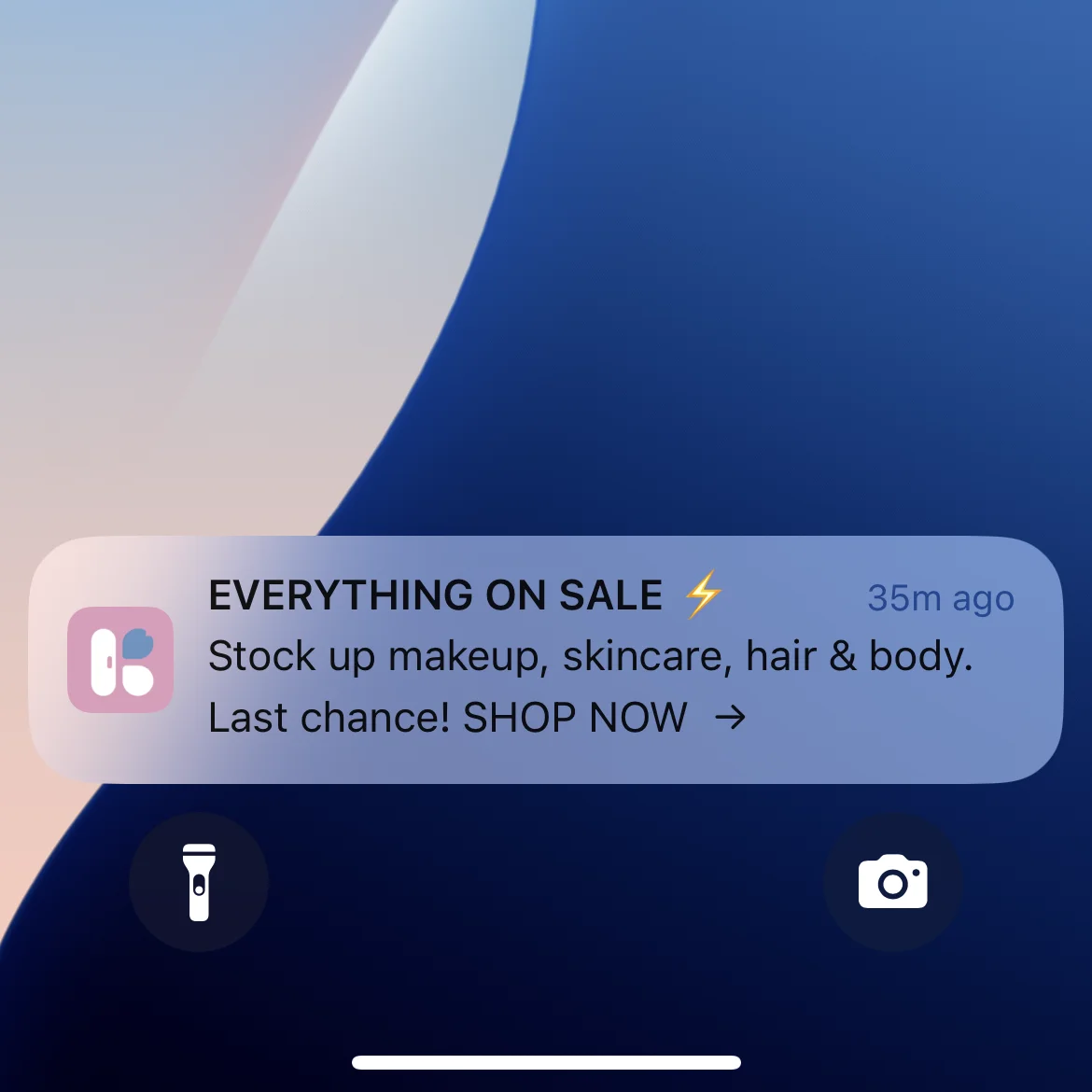
A push notification lands on the lock screen and in the Notification Center, whether or not your app is open. The title and first line can be read at a glance, so customers see the message even if they never tap it.
An email lands in the inbox, alongside everything else that arrived since the customer last looked. Gmail usually sends deals and offers to the Promotions tab, away from personal mail.
Apple Mail on iPhone has done much the same since iOS 18.2, released in December 2024. It sorts email into categories, with coupon and sales emails under Promotions and order confirmations under Transactions.

Email waits for the customer to come and look. Push goes to them.
"That's the most important feature for me, push notifications. Instead of sending an email, waiting for the customer to open, or an SMS, here you see the message right away, and it's more customer-friendly I think."
Who Can You Reach with Push vs Email?
Email reaches anyone with an email address. That’s your full customer list, people who signed up for updates, leads from ads and anyone who’s ever bought from you, with no app or device needed.
Push notifications reach the people who have installed your app and allowed notifications. The best retail apps get about two in three of their users to say yes: Airship puts the top 10% at 63.93% on iPhone and 69.85% on Android in 2025. How and when your app asks for permission makes a big difference.
Compared with your email list, that’s a smaller audience, but a concentrated one. App users tend to spend more per order, buy more often and stay longer than the rest of your customers. In our benchmark report, app users’ lifetime value was 2.8 to 5 times that of web-only shoppers.
This isn’t a flaw in push. It’s a feature. Email is your broad-reach channel, and push is your channel for the customers who matter most.
Both audiences can leave easily. Since July 2025, Gmail’s Manage subscriptions view lists the brands that email someone most often and unsubscribes them in one click. Push subscribers can switch notifications off in Settings, and deleting your app removes them for good.
Which Gets Better Results, Push or Email?
Push notifications get more clicks per message than email campaigns, while email shows much higher open rates. The open rates can’t be compared directly, because the two channels count an open in different ways.
| Push notifications | ||
|---|---|---|
| What counts as an open | A tap on the notification | The email's tracking image loading |
| Open rate | 1.73% on iPhone and 2.7% on Android (Airship, retail apps, 2025) | 30.7% (Omnisend, 2025), inflated by Mail Privacy Protection |
| Click rate | 3.05% on iPhone and 3.78% on Android (Pushwoosh, ecommerce apps, Q4 2024 to Q2 2025) | 0.74% for campaigns and 4.66% for automations (Omnisend, 2025) |
That difference shows up in real stores, too. At AWG Mode, push notifications get about three times the click-through rate of the brand’s email campaigns.
Why Are Email Open Rates So High?
Email open rates have been inflated since September 2021, when Apple added Mail Privacy Protection to iOS 15. For people who turn it on, Apple Mail downloads each email’s images in advance, including the tracking image, so platforms like Klaviyo record an open whether or not anyone read it.
That now covers a big share of most lists. Apple accounted for 62% of the email opens Litmus tracked in July 2026, more than twice Gmail’s 27%.
Push works the other way around. A push platform only counts an open when someone taps, so every customer who reads a notification on the lock screen without tapping goes uncounted. Push looks weaker on paper than it is.
How to Compare Push and Email Fairly
Clicks, orders and revenue per message sent give the fairest comparison between push and email. A few rules keep the numbers honest:
- Compare automated with automated. Automated messages beat campaigns on every channel. Omnisend’s automated emails earned $2.87 per send in 2025, against $0.18 for campaigns, so judge a cart reminder push against a cart reminder email, not your newsletter.
- Remember the audience size. Push reaches fewer people, so its total will usually be lower even when each message earns more.
Email drives more total dollars. Push drives more dollars per message.
How Much Do Push Notifications and Email Cost?
Push notifications cost nothing per message. Apple and Google don’t charge to deliver them, and push platforms charge by the number of people who use your app, not by how many notifications you send.
OneSignal, for example, is free for up to 1,000 monthly active app users. Its Growth plan costs $19 a month plus $0.012 per active user, which comes to $139 a month for 10,000 users with unlimited sends (October 2026). Klaviyo sends push from the same account as your email.
The real investment is the app itself. After that, whether you send 1,000 notifications or 100,000, the marginal cost of each one is the same: zero.
Email platforms like Klaviyo, Omnisend and Mailchimp charge by the size of your list. Mailchimp’s Standard plan costs $135 a month for 5,001 to 10,000 contacts, with up to 120,000 emails a month (October 2026). Below that cap an extra email costs nothing more, but the bill grows with your list.
Email’s returns are well documented. Omnisend estimates that email earned its merchants $76 for every $1 spent in 2025.
Email wins on proven ROI, because the channel is mature, attribution is well established and the volume is massive. Push wins on per-message efficiency, and on the time it takes your team.
"A newsletter or a digital campaign requires much more work: design, content generation, the whole send. A push notification is a copy, and it generates a lot more clicks. We've realized we have to prioritize it."
Content and Format
Email has room for almost anything: full HTML layouts, product grids, video, long-form stories and branded design. If you need to explain something in detail, showcase a collection or tell a story, email is the format.
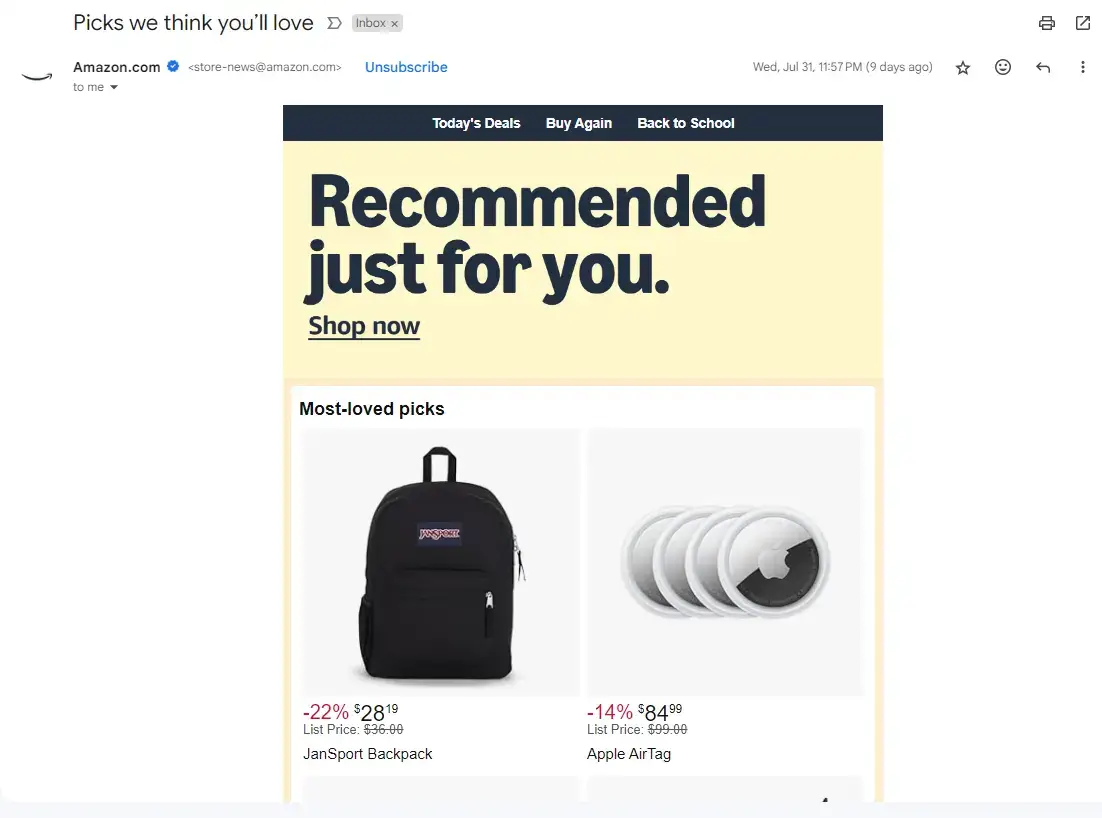
Email has limits too. Gmail clips emails larger than 102KB and hides the rest behind a “View entire message” link, which, as Mailchimp warns, also cuts off the code that tracks opens.
Push notifications are short by nature. A title of about 25 characters and a body of about 80 usually show in full, and you can add an image and buttons: up to four on iPhone and three on Android.
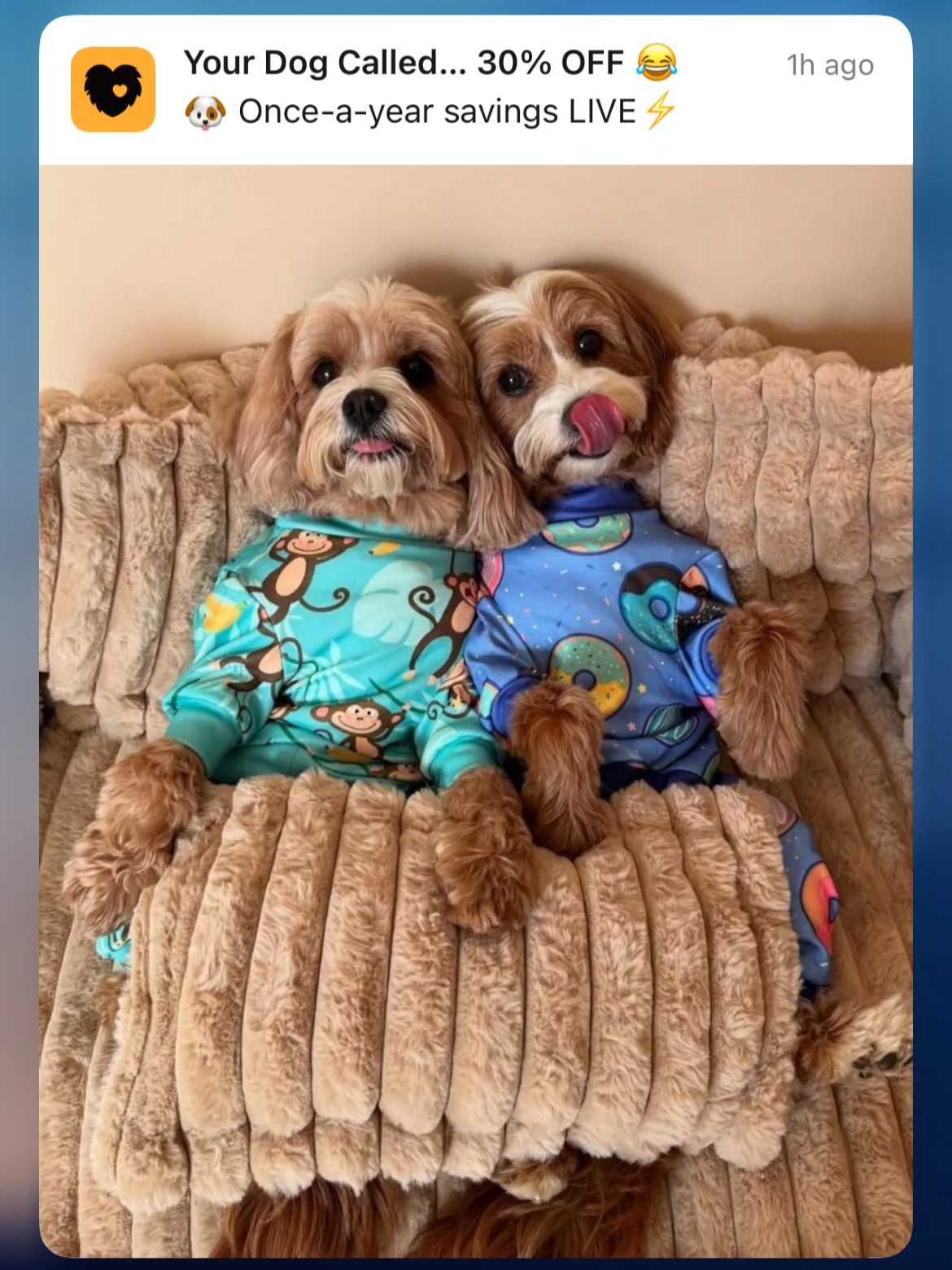
A tap opens your app on the screen you choose, such as a product, the cart or an order, with the customer already signed in. A link in an email opens your website in a browser, where they may have to sign in again.
Think of it this way: email is the brochure. Push is the tap on the shoulder.
Deliverability
Email has a deliverability problem. One in six marketing emails didn’t reach the inbox in 2024, according to Validity, which put global inbox placement at 83.5%.
The rules keep getting stricter. Since February 2024, Gmail and Yahoo have required bulk senders to authenticate their email with SPF, DKIM and DMARC, offer one-click unsubscribe and keep spam complaints below 0.3%.
Gmail’s rules apply from 5,000 emails a day. Microsoft brought in the same authentication rules for Outlook.com on May 5, 2025, at the same threshold, and sends email that fails them to junk.
None of this is a reason to abandon email. It’s a reason to remember that a delivered email isn’t always an email in the inbox, and to keep your list clean and your sending authenticated.
Push notifications skip spam filters entirely. Apple and Google deliver them straight to the device, so if a customer has allowed notifications and their phone is online, the notification arrives. Neither service guarantees it, though: if a phone is off, Apple keeps only the latest notification from each app, for up to 30 days.
Push isn’t completely unfiltered anymore, either. On iPhone, Focus modes hold notifications back, and Apple Intelligence can summarize notifications and pick which come first. Pixel phones on Android 16 can group and silence promotional ones. Generic promotions lose out first, so relevant, triggered messages get through best.
Frequency and Timing
Email is more forgiving on frequency than push. Daily emails are standard practice for many ecommerce brands, and weekly newsletters are the norm. Customers are used to commercial email and tolerate more of it, especially when it’s relevant.
Push notifications need more restraint, because each one interrupts. A customer who tires of them can switch them off in seconds, and no subject line will win them back.
Even so, brands with apps send push more often than you might expect. The typical shopping app in our push notification research sent 4.5 a week, and about a quarter sent at least one a day.
Timing works differently, too. An email waits in the inbox until the customer checks it, while a push arrives the moment you send it, so send at hours when customers are awake and shopping, in their own time zone.
When Should You Use Email?
Email is ideal for messages that need reach, depth or permanence:
- Newsletters and content marketing. Product stories, brand updates and educational content, or anything else that benefits from design and detail.
- Welcome and onboarding sequences. Introducing new subscribers to your brand over several messages.
- Product launches and collections. New arrivals with product photography, descriptions and several calls to action.
- Transactional messages. Order confirmations, shipping updates and receipts, which customers expect by email and keep as a record.
- Win-back campaigns. Longer messages for lapsed customers, including people who deleted your app.
- Broad-reach promotions. Anything that needs your full list, including customers who don’t have your app.
When Should You Use Push Notifications?
Push notifications are best when immediacy, precision and cost matter:
- Abandoned cart recovery. An abandoned cart push lands on the lock screen soon after a customer leaves, and costs nothing to send. Brands in our benchmark report made $10,000 to $200,000+ a month from cart abandonment push alone, so this single use case can justify the cost of an app.
- Flash sales and time-sensitive offers. Push is instant. When you have a 24-hour sale or limited stock, it reaches your best customers within seconds, with a link straight to the product.
- Re-engagement. A well-timed, personal push brings app users who haven’t opened your app lately back into a shopping experience that converts better than your mobile site.
- Back-in-stock and price-drop alerts. These reach customers at peak intent, on the product they were waiting for.
- Loyalty and rewards. Points updates, tier milestones and app-only offers: frequent, small messages that would cost too much by SMS and get buried in email.
Which Messages Should You Send by Push?
Push is best suited to messages where the news matters more than the detail. In our push notification report, we found about 70% of the push notifications we saved were new arrivals, product picks and sales: the same type of messages most brands already send by email.
That doesn’t mean sending them by push instead of email. Push reaches the customers who’ve installed your app, usually your most engaged ones, but that’s still a smaller part of your audience than your email list. So keep sending these messages by email, and use push to get the news to your best customers first.
The two do different jobs. The push gets the news to app users in a line or two, with a tap straight to it, while the email gives your whole list the full story.
| Message | Share of the app pushes | By push | By email |
|---|---|---|---|
| New arrivals and drops | 24% | The alert, the moment they go live | The full collection, with photos and stories |
| Product picks | 22.5% | One product or edit, linked straight to it | A grid of picks for your whole list |
| Sales and offers | 22.5% | The start, a reminder and the last hours | The full offer, for your whole list |
| Welcome messages | 9.6% | An app welcome offer once someone allows notifications | Your welcome series for new subscribers |
| Back in stock | 6.8% | The first alert, because stock runs out | The same news, for your whole list |
| Brand stories | 6% | A one-line teaser | The story itself |
| Events | 5.2% | A reminder when it starts | The invitation and the details |
| Cart reminders | 3.2% | The first reminder, soon after the customer leaves | A later reminder showing what's in the cart |
Drops and restocks are where push shines, because they’re urgent and the push only has to say what’s live:
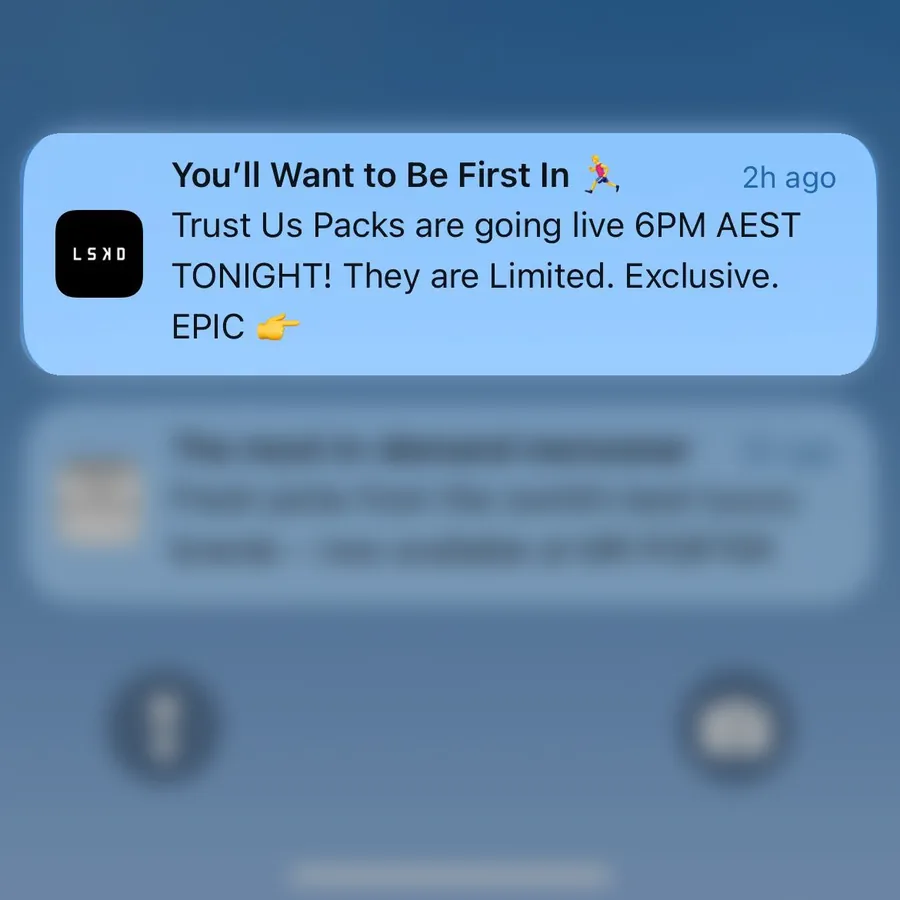
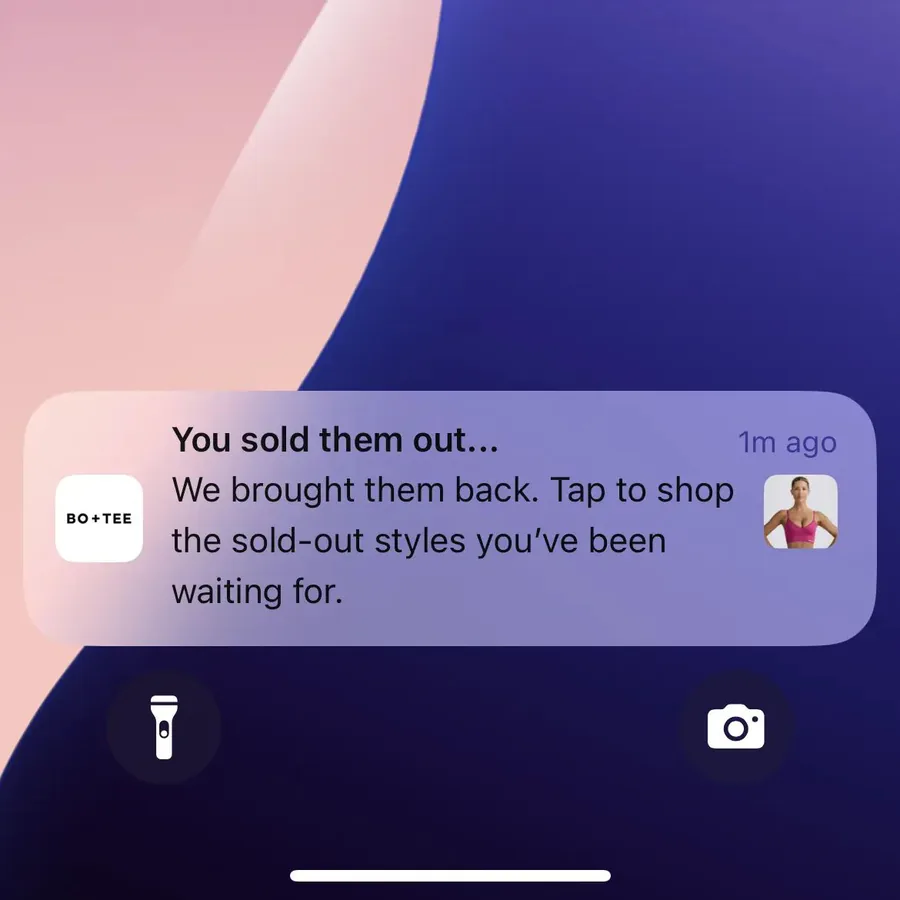
Some brands now lead with push for moments like these. Like Cold Culture, who uses push notifications, rather than email, as the primary way to announce their drops, where timing and instant delivery are crucial.
Why the Best Brands Use Both
Email and push aren’t interchangeable. They differ in format, audience, timing and what they’re good at, which is exactly what makes them complementary.
Email gives you reach and depth. You can talk to your entire list, tell detailed stories and send often without wearing out your welcome. It’s your foundational channel, and its proven returns mean you should never stop investing in it.
Push gives you precision and immediacy. You’re talking to a smaller group, your app users, but it’s your highest-value segment, and every message lands on the lock screen at no cost.
Here’s what that looks like in your marketing:
- Email for nurture, push for conversion. Build the relationship through email content. When a high-value customer abandons their cart or a wishlist item drops in price, push is the nudge that closes the sale.
- Email for broad campaigns, push for your VIPs. A new collection launch goes to your full email list. The flash sale or early-access alert goes to your app users by push.
- Email for the long game, push for the moment. A weekly newsletter keeps your brand in mind. A push timed to a customer’s browsing catches them when intent is highest.
How to Run Push and Email Together
Push and email work best as one system, where each customer gets each message once, on the channel that suits it:
- Use email to grow your push audience. Promote your app in your emails and on your site. Every customer who installs it and allows notifications becomes reachable at no cost per message.
- Send push to customers who can get it, and email to everyone else. In Klaviyo, a conditional split on whether someone can receive mobile push sends each customer down the right branch of a flow.
- Space the two out. Klaviyo’s own guide advises against sending push at the same time as other messages. Let the push carry the news and the email follow with the detail.
- Stop the flow when the customer buys. Someone who checked out after a push shouldn’t get the cart email an hour later.
If you also text customers, SMS fits alongside both for urgent messages to people without your app.
How to Add Push Notifications to Your Marketing Stack
Native push notifications need a mobile app. Web push works without one, but on iPhone it only reaches people who add your site to their Home Screen (iOS 16.4 or later), and around 6% of website visitors opt in, according to PushPushGo (2025).
If you want push as a real channel, not a workaround, you need a native app in the App Store and Google Play. That doesn’t mean rebuilding your ecommerce site from scratch.
The biggest downside of a custom native app is the cost and time to build it, then the team it takes to keep it in step with your website. MobiLoud cuts that by building your native iOS and Android app on top of the website you already have.
To your customers, it’s a real native app, no different from one built from scratch. It’s in the App Store and Google Play, with native push notifications, native navigation and links that open straight in the app.
- Push sits next to your email. Your app comes with OneSignal or Klaviyo set up, so push can join the flows and segments your email already uses.
- There’s nothing to rebuild. Your storefront, checkout, loyalty program and integrations carry over, with no second codebase to maintain.
- We handle the app. We build, publish and maintain your app. Launch typically takes 2 to 4 weeks, with a one-time setup fee.
We’ve published more than 2,000 apps since 2013. As many of our customers will tell you, push notifications are the reason to launch an app.
Push Notifications vs Email: Which Should You Choose?
Most brands should use both push notifications and email, each for the job it does best. Email is the workhorse of ecommerce marketing, with the broadest reach, the richest content and the most total revenue. Push is the precision tool, with instant visibility on the lock screen and no cost per message.
Push is a strong fit when your customers buy again and again on their phones, because those are the customers who install apps. Email suits every brand, as the one channel that reaches your whole list.
The best brands don’t choose between them. They use email to nurture and push to convert.
Start by adding push to the short, time-sensitive messages: cart reminders, restocks, drops and last-chance sales. Then build out the rest of your push program as you learn what your customers respond to.