Google won’t let a new developer publish an app until at least 12 people have tested it for two weeks.
That rule covers personal Play Console accounts created since November 2023, and it’s one reason so many Android developers go looking for their own version of TestFlight. Apple’s testing tool is free and simple to use, but it only works on Apple devices.
Android does have an answer, and it’s already in your developer account. This guide compares Google Play’s testing tracks with TestFlight and with the best alternatives outside the Play Store, so you can pick the right one for each stage of testing.
What Is TestFlight?
TestFlight is Apple’s beta testing tool. It lets developers share test builds with up to 100 internal testers from their team and up to 10,000 external testers, who install them on their own iPhones and iPads.
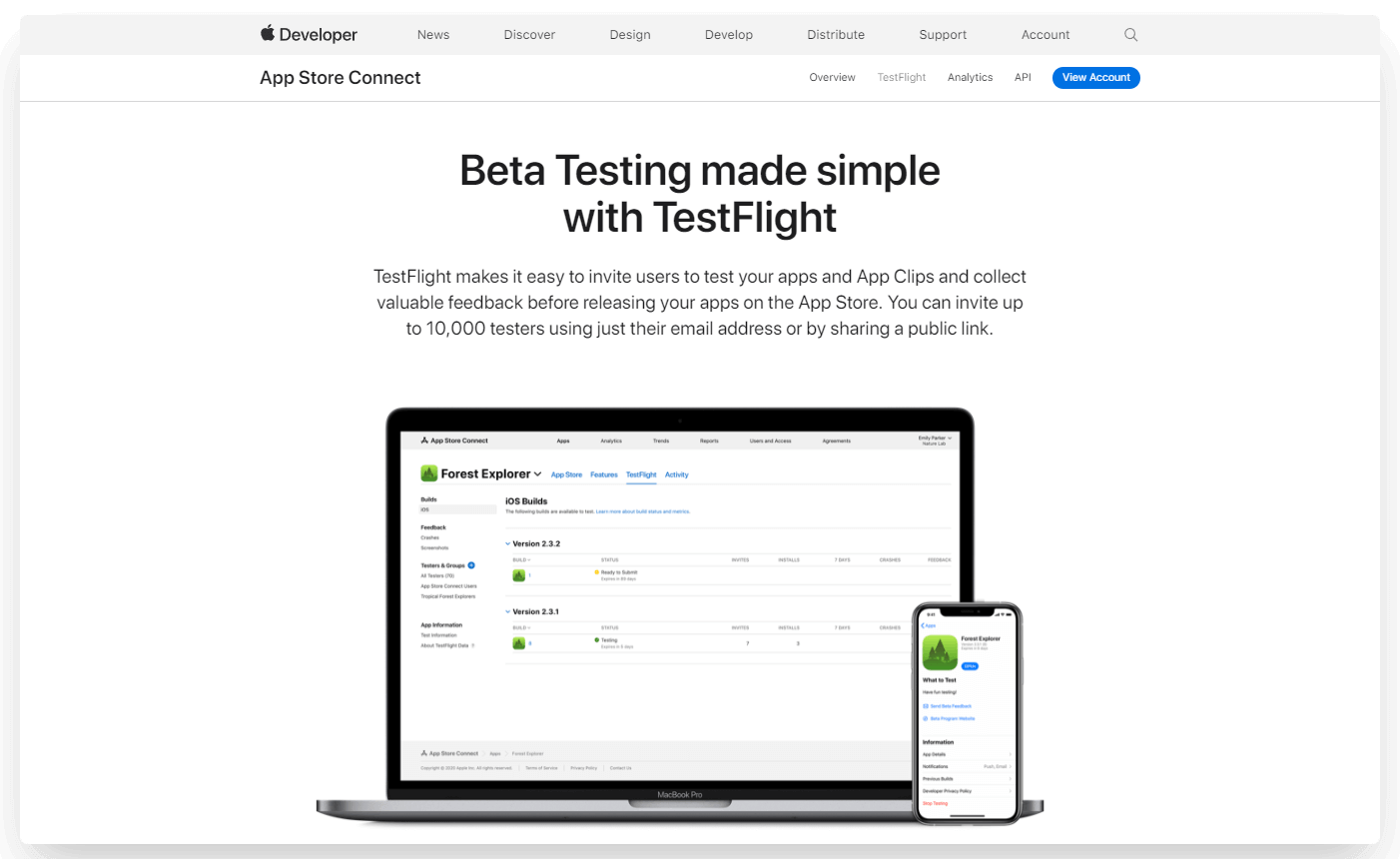
Testers download the TestFlight app, accept an invitation by email or public link and use the beta like any other app. They can send feedback and screenshots from inside the app, which go straight to the developer.
Testing on a real device, rather than in an emulator, shows up the usability problems and crashes that would otherwise only appear after launch. Our step-by-step TestFlight guide covers how to set it up for an iOS app.
Is There an Equivalent to TestFlight for Android?
The Android equivalent of TestFlight is the set of testing tracks in Google Play Console, the same account you use to publish on Google Play. Registering a developer account costs a one-time $25, and testing is free after that.
Each part of TestFlight has a counterpart in Play Console.
| TestFlight (iOS) | Google Play Console (Android) | |
|---|---|---|
| Testing with your own team | Internal testers, up to 100 | Internal testing, up to 100 testers |
| Testing with people you invite | External testers by email, up to 10,000 | Closed testing, with email lists or Google Groups |
| A public beta | A public link, up to 10,000 testers | Open testing, unlimited or capped at 1,000 or more |
| How testers install | The TestFlight app | The Play Store, after opting in by link |
| Cost | Included in the Apple Developer Program, $99 a year | Included in a Google Play developer account, $25 once |
Internal testing
Internal testing is the quickest way to get a build onto your team’s phones. You can add up to 100 testers per app from email lists, then send them a link to opt in.
New versions reach internal testers within minutes, and internal tests can skip Google’s standard policy and security reviews. It’s best suited to developers, QA and colleagues checking every build.
Closed testing
Closed testing is for a larger group you choose, such as customers or a beta community. You invite testers with email lists (up to 200 lists of up to 2,000 people each) or with Google Groups.
Testers’ feedback stays private, so it doesn’t affect your app’s public rating. For many new developers, a closed test is also a requirement before launch (more on that below).
Open testing
Open testing lets anyone join your beta from your Play Store listing or a link, and send you private feedback. You can leave it unlimited, or cap the number of testers at 1,000 or more.
It’s ideal for a public beta, when you want feedback at scale before the full launch.
Internal app sharing
Internal app sharing sends a single build to people by link, without creating a release on any testing track. Up to 100 people can download it from each link, and links expire after 60 days.
It’s a strong fit for a quick check of one build, like sending a fix to a colleague. Testers turn on internal app sharing in the Play Store app first.
How Many Testers Do You Need to Publish on Google Play?
If your Google Play developer account is a personal account created after November 13, 2023, you need at least 12 testers in a closed test before you can publish your app.
Those 12 testers have to stay opted in for the 14 days before you apply for production access. When you apply, you answer questions about the test, your app and how ready it is for release.
The requirement applies to new personal accounts, not organization accounts. If it applies to you, recruit testers early and treat the two weeks as a real test of the app.
Other TestFlight Alternatives for Android
Outside Google Play, the best alternative to TestFlight is Firebase App Distribution. A few paid platforms cover teams with more specific needs.
| Tool | Platforms | Cost | Best suited to |
|---|---|---|---|
| Firebase App Distribution | Android and iOS | Free | Sharing test builds of both apps from one place, before they're ready for the stores |
| Sauce Mobile App Distribution (formerly TestFairy) | Android and iOS | Part of Sauce Labs' paid platform | Teams already testing with Sauce Labs that want tester groups and an internal app store |
| TestApp.io | Android and iOS | Free tier available | Small teams that want to send builds to testers quickly |
| Applivery | Android, iOS, macOS and Windows | Paid, with a 14-day trial | Companies distributing internal apps to employees' managed devices |
Microsoft App Center used to be on this list. Microsoft retired it on March 31, 2025, and now points Android teams to Google Play Console for test releases.
These tools share your app as an APK or app bundle without going through the Play Store, which suits private apps and very early builds.
If you plan to publish on Google Play, though, you’ll still need its testing tracks, not least for the 12-tester rule. Compared with any third-party tool, Play Console is the simplest and safest choice for most teams, and it’s free.
How MobiLoud Customers Test Their Apps
If MobiLoud is building your app, you get a test version before we submit it to the stores. On Android, we send you a link to an APK file that you install directly on your phone, and on iPhone you test through TestFlight.
Because the APK comes from outside the Play Store, your phone will show a security warning. Choose to continue, and the app installs like any other.
We run the first round of checks on our side. You know your website better than anyone, so you make sure its features work in the app and tell us about anything that needs fixing.
How to Test Your Android App Before Release
Before you release an Android app, test the things that vary most from one Android phone to the next. That matters more than on iOS, because your customers use phones from dozens of manufacturers.
- Different screens and manufacturers. Try a Samsung, a Google Pixel and a budget phone, not just the one on your desk.
- Older Android versions. Test on the oldest version you support.
- Back navigation. Check the back button and back gesture on every screen, including after a push notification opens the app.
- Permission prompts. Check what happens when someone allows notifications, location or the camera, and when they decline.
- Weak connections. Switch between Wi-Fi and mobile data, or lose signal halfway through checkout, and see how the app recovers.
- Fresh eyes. Include testers who’ve never seen the app. Your team knows how it’s supposed to work, and your customers won’t.
It’s tempting to skip testing and get the app to real users fast. But a buggy launch can damage your brand, and early bad reviews follow the app long after you’ve fixed the problems.
The app doesn’t need to be perfect, because you’ll learn a lot from real users. It should feel like a complete app from the first session, though, not one that’s still in development.
Wrapping Up
TestFlight is a great tool for iOS beta testing, and the closest equivalent for Android is Google Play Console. It’s free once you’ve registered, it’s where your app will be published and it covers internal, closed and open testing.
Use Firebase App Distribution when you need to share builds outside Google Play, or manage iOS and Android test builds in one place.
If you’ve already got a website and want an app without building and testing one from scratch, MobiLoud turns your website into an app and handles the build, testing and publishing with you. Book a free demo to see how it works.