Table of contents
Push notifications are appealing for a simple reason: they let you reach someone directly, without waiting for them to return to your website or notice another email.
You can add that capability to a website. Modern web push works on desktop and mobile, and a specialist service can handle most of the technical setup.
There's a catch, though. A website visitor has to grant browser permission, support varies by platform, and iPhone users face several extra steps.
Web push can be useful, but the audience you build is usually much smaller than your total web traffic. And the blocker isn’t really anything tactical you can fix, it’s mostly to do with browsers’ habits.
That said, web push is a low-lift, low-cost channel, and worth taking five minutes to look into. So let's start with how to set it up properly, then look at where the limits appear and when native app push becomes the more useful route.
What Are Website Push Notifications?
Website push notifications are messages sent by a website to someone who has subscribed through a supported browser.
They can appear in the operating system's notification area, on a desktop, or on a mobile lock screen depending on the browser and device. A notification might contain a title, short message, icon, image, and action link.
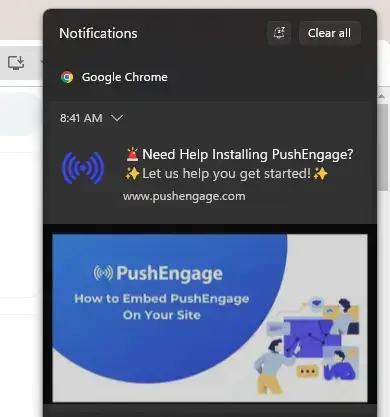
Common uses include:
- New content and breaking news alerts.
- Promotions, product launches, and limited-time offers.
- Back-in-stock and price-drop alerts.
- Cart or browse reminders.
- Account, booking, or service updates.
- Community replies and other time-sensitive activity.
Web push is permission-based. Until the visitor subscribes, you can't send them browser notifications.
That limits it - but it’s also part of what makes push effective, because you’re reaching people that actually want to receive these notifications.
How Web Push Works
The implementation normally combines three browser technologies:
- The Notifications API controls how the notification is displayed.
- The Push API creates a subscription and allows the browser to receive push messages.
- A service worker runs separately from the webpage and handles incoming push events.
The browser creates a subscription tied to that website origin and device. Your server or push provider stores the subscription and sends a message through the relevant browser push service.
The page doesn't need to be open for a supported browser to receive a push event. The MDN Push API documentation explains that web applications can receive messages even when they aren't in the foreground or currently loaded.
Delivery still depends on the platform, browser, device settings, network, permission state, and whether the subscription remains valid.
Which Browsers and Devices Support Web Push?
Web push is supported by major browsers including Chrome, Edge, Firefox, and Safari, but the details differ by operating system.
Desktop
Chrome, Edge, Firefox, and Safari on supported desktop operating systems can receive web push after the user grants permission. The exact notification design and available actions vary by browser and OS.
Android
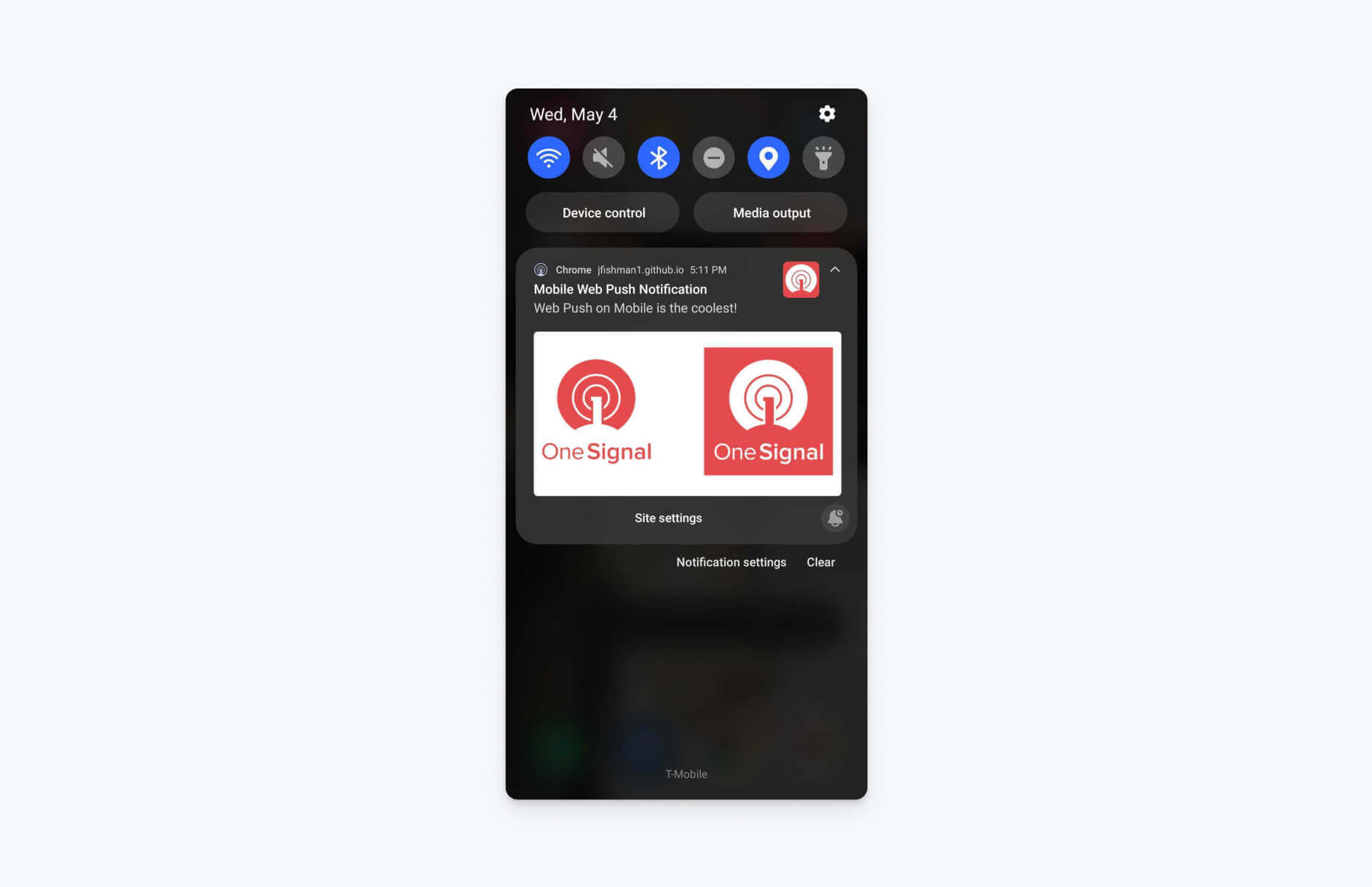
Major Android browsers support web push. The user subscribes to your website through the browser, and notifications are managed under that browser's settings.
iPhone and iPad
Apple added web push for Home Screen web apps in iOS and iPadOS 16.4.
The flow has more friction than it does on desktop or Android:
- The website needs a valid web app manifest and an appropriate Home Screen configuration.
- The user must add your website to their Home Screen.
- They must open it from the Home Screen as a web app.
- A direct interaction, such as tapping a subscribe button, can then trigger the notification permission request.
- The user must allow notifications.
Apple describes this flow in its Web Push for Web Apps guidance. Web-push providers such as OneSignal also document the iOS setup requirements.
Technically, that gives websites a route to the iOS lock screen. In practice, every extra step reduces the number of ordinary website visitors who become reachable subscribers.
How to Send Push Notifications From Your Website
For most businesses, the simplest route is to use a push notification service. This service provides the dashboard, browser SDK, service worker files, audience management, sending infrastructure, analytics, and often CMS integrations.
It’s similar to using an email marketing service. You sign up for Klaviyo or MailChimp and they handle the technical implementation of sending emails to your customers. The push service does the same.
Here are the steps you need to follow to set up and start sending web push notifications.
1. Choose a Web Push Provider
Select a service based on the channels you need, your website platform, the level of developer support available, segmentation requirements, and whether you’re likely to add native app push later.
2. Confirm the Technical Requirements
Your website should use HTTPS. Web push also needs the browser APIs, a service worker on the correct origin and scope, and a valid permission flow.
If you want iOS web push, add and test the web app manifest and Home Screen experience as well.
OneSignal's current web push requirements provide a useful checklist to follow here.
3. Install the SDK or Integration
Many providers offer integrations for platforms such as WordPress and Shopify, plus a JavaScript SDK for custom sites.
The usual work includes:
- Adding the provider's script.
- Hosting or registering its service worker.
- Configuring your website origin and icons.
- Adding the iOS web app manifest where needed.
- Choosing the subscription prompt design and timing.
- Connecting user IDs or customer data if you need identified messaging.
Follow the provider's current setup documentation and test in a staging environment before prompting real visitors.
4. Design the Permission Flow
The effectiveness of push notifications as a channel depends largely on how many people you can reach.
That means optimizing your ask to maximize the percentage of website visitors who opt in.
Don't trigger the browser's native permission prompt as soon as someone lands on the site.
First explain what the visitor will receive and why it's useful. Ask after an action that shows relevant intent, such as requesting a restock alert, following a topic, saving a product, or completing an order.
Google's web push guidance recommends requesting permission in response to a user gesture and when the value is clear, rather than surprising visitors on page load.
5. Send a Test Campaign
Test every important combination you intend to support:
- Chrome, Edge, Firefox, and Safari on desktop.
- At least one current Android device.
- An eligible iPhone or iPad using the full Home Screen flow.
- Subscribed, denied, dismissed, and previously unsubscribed states.
- Notification click behavior when the relevant page is open and closed.
Check the destination as carefully as the notification itself. A product alert should lead to the product, and a cart reminder should restore the appropriate cart state where possible.
6. Segment, Send, and Measure
Start with messages that have an obvious reason to exist. A small, relevant campaign teaches you more than broadcasting a generic promotion to everyone.
Track:
- Prompt views and subscription rate.
- Active and unsubscribed recipients.
- Delivered notifications.
- Clicks or direct opens.
- Conversion events and revenue.
- Unsubscribe or permission-revocation trends.
These metrics show both sides of the channel: whether the messages work and whether your sending behavior is damaging the audience.
Web Push Notification Services
There are dozens of reputable web push notification services out there.
Below are just a few well-known options to choose from:
| Service | Best suited to | What to know |
|---|---|---|
| OneSignal | Teams that want web and native-app push in one broader messaging platform | Supports major browsers as well as iOS and Android app push. Offers SDKs, segmentation, automation, and analytics. A useful option if native push may become part of the plan. |
| PushEngage | Marketing-led teams and websites using common CMS or ecommerce platforms | Focuses on browser and mobile push with campaign, segmentation, automation, and platform integrations. Check the current plan against your subscriber and channel needs. |
| Firebase Cloud Messaging | Development teams that want to build and control their own web-push experience | Provides the messaging infrastructure for web and mobile apps. You'll need to build more of the permission UX, audience management, sending workflow, and reporting around it. |
There are other capable services, but these three illustrate the main choice: a multichannel platform, a marketer-friendly web push product, or a developer-managed foundation.
How to Get More Visitors to Opt In
The permission prompt is the main constraint on web push. If no one opts in to your push notifications, you won’t have anyone to send to.
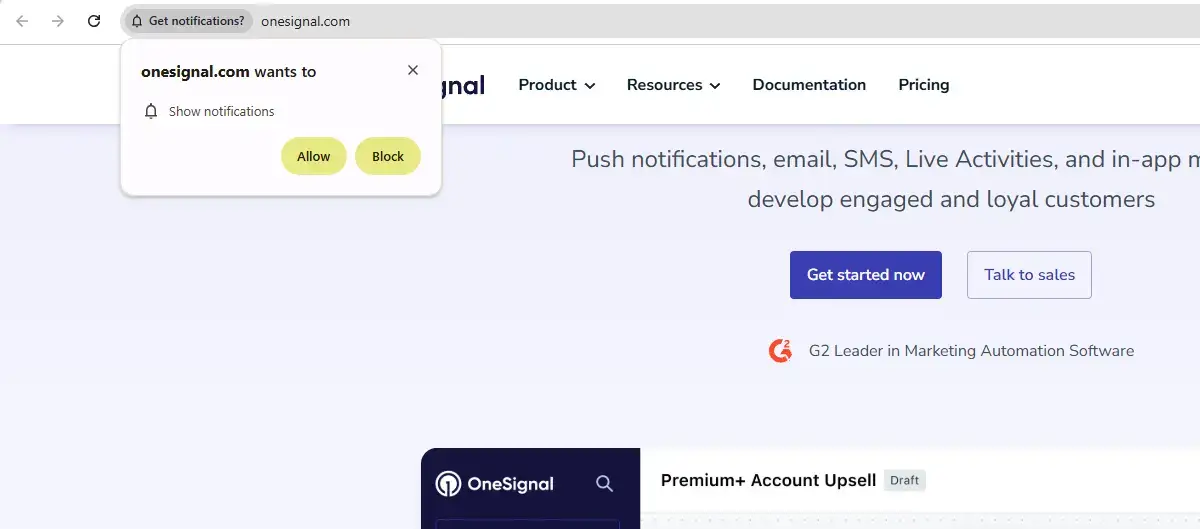
A browser won't let you silently add subscribers, and a denied native prompt can be difficult to recover from.
Improve the flow by:
- Asking at a moment when notifications solve an immediate problem.
- Explaining the message type and likely frequency before the native prompt.
- Letting the visitor choose useful categories where possible.
- Avoiding deceptive buttons or forced choices.
- Making unsubscribe and preference controls easy to find.
- Waiting before asking again after a dismissal.
For ecommerce, “Get an alert when this size is back” gives the customer a clear reason to subscribe. “Allow notifications from this site?” doesn't.
Even with good timing, many visitors won't opt in. That's normal. The goal is to build a useful permission-based audience, not to push every visitor into accepting a channel they don't want.
Why Web Push Alone Is Usually Not Enough
Web push has genuine value. It can reach desktop users, Android visitors, and the smaller group of iOS users willing to install a Home Screen web app.
But its practical reach is limited by several layers:
- The visitor needs a supported browser and device setup.
- They must see and accept the permission request.
- The subscription belongs to a particular website origin and browser profile.
- Clearing site data can remove the subscription.
- Private and incognito modes don't support normal subscriptions.
- On iOS, the visitor must add and open the site as a Home Screen web app before subscribing.
A website may be available to everyone, but web push only reaches the subset that opts in. And the site data part is especially notable; because you could lose your subscribers if they move to a new browser or a new PC, or for some other reason clear the data stored in their browser.
For a publisher or web-first business, the incremental value of a web push audience (considering, also, the low lift involved) may still be worth building.
For an ecommerce brand that wants push to become a major retention and revenue channel, it's likely going to fall short of making any meaningful difference.
Why Native App Push is a More Powerful Channel
Native push starts from a different customer relationship. The person has chosen to install your app, giving the brand a permanent place on their phone, and opted into the notification prompt from the app.
The app can then support:
- A more direct mobile permission flow.
- Reliable iOS and Android delivery through the native platform services.
- Deep links into products, carts, accounts, content, and app-only experiences.
- Rich segmentation based on identified users and in-app behavior.
- Transactional and promotional messages in the same dedicated channel.
- App settings, preference centers, and message centers.
Permission is still required - and having an app doesn’t guarantee the user will opt in to push.
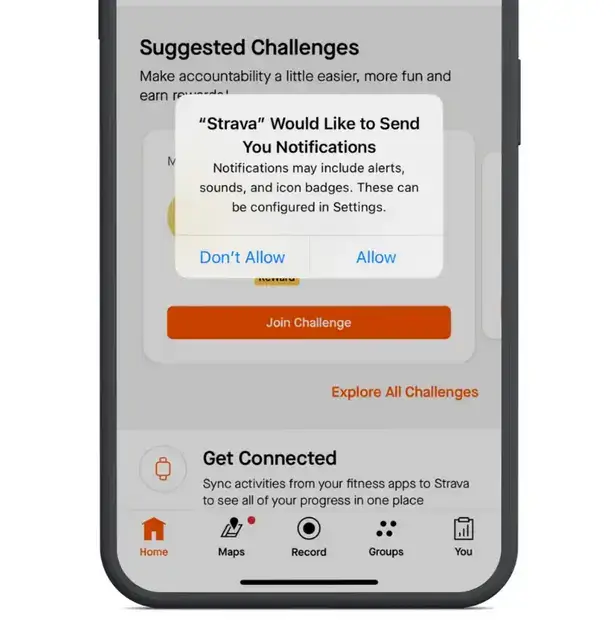
But if they do, it's a more permanent form of permission (the user can still turn it off, but they have to deliberately do this in their settings).
And the difference when they do have notifications enabled is a more powerful, direct, native messaging channel than web push.
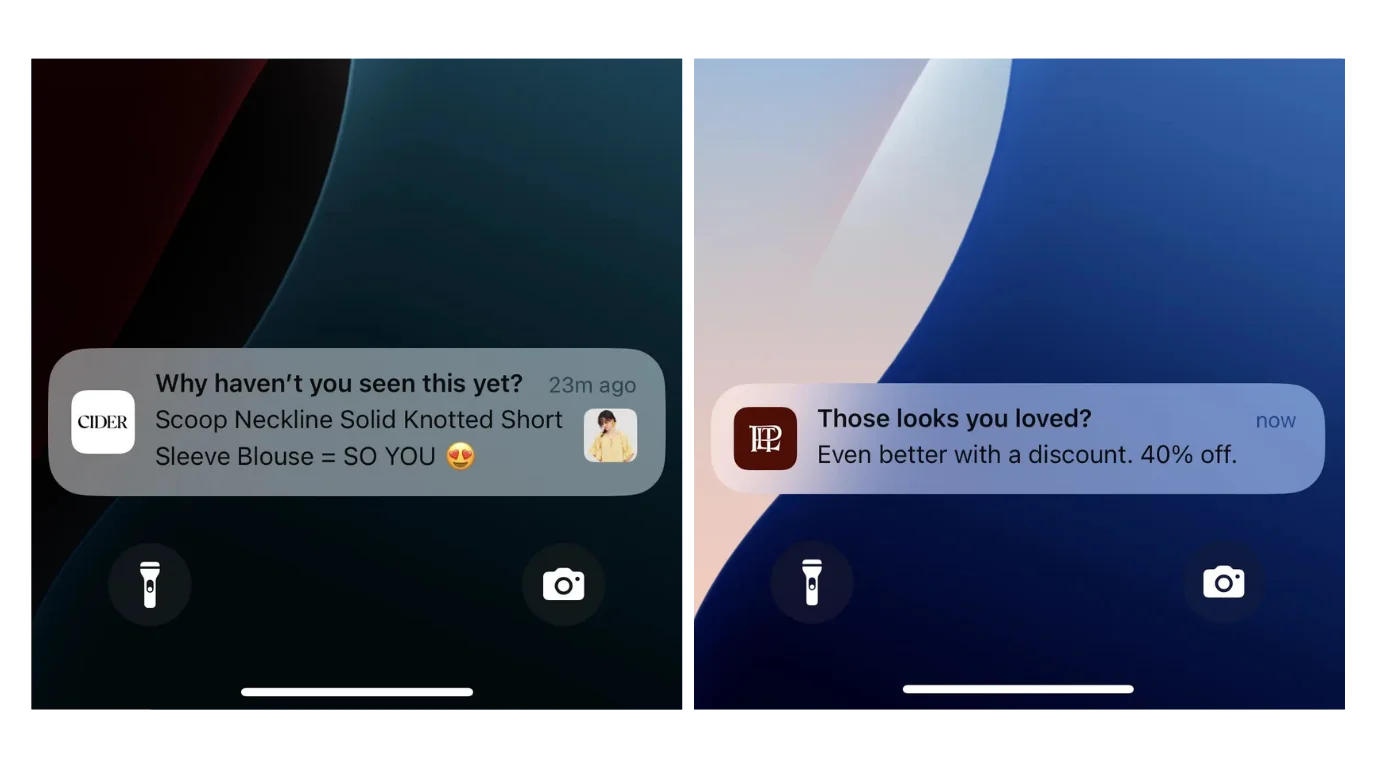
Web push and native push don't have to compete. You can keep web push for the visitors who want it and use native push for customers who prefer a dedicated app. The key is recognizing that web push alone rarely gives an established ecommerce brand the full channel it's looking for.
| Area | Web push | Native app push |
|---|---|---|
| Subscription path | Visitor grants permission through a supported browser | Installed app requests notification permission through iOS or Android |
| iPhone reach | Requires an eligible Home Screen web app and a separate opt-in | Available to installed app users who grant permission |
| Audience identity | Often tied to a browser subscription unless you connect it to a known user | Can be connected to app accounts, customer profiles, and in-app behavior |
| Links | Opens a web URL | Can deep-link into products, carts, accounts, and app-only screens |
| Best role | Incremental reach across web visitors and desktop users | Dedicated mobile retention channel for customers who install the app |
They serve different layers of your audience, with native push giving you the stronger mobile relationship.
Add Native Push Without Rebuilding Your Website
The value of native push is fairly straightforward. The hardest part is that you need a mobile app to unlock the channel. But that’s where MobiLoud comes in.
MobiLoud turns your existing ecommerce website into native iOS and Android apps. It extends your existing storefront into a custom native app with a native layer that adds app navigation, deep links, push notifications, and other app-specific capabilities without asking your team to rebuild every web feature in a second system.
MobiLoud supports push through Klaviyo and OneSignal, including segmentation, scheduled campaigns, automations, rich media, and abandoned-cart messaging depending on the platform and data setup.
That makes native push a more realistic next step when web push isn't giving you enough reach. Your website, email, SMS, and web push audience can help drive app adoption, then the app becomes the dedicated channel for the customers who want the brand on their phone.
If that's the direction you're considering, book a consultation to talk through your website, current messaging stack, and whether a native app makes sense for your audience.
The Bottom Line
You can send push notifications from a website, and a service such as OneSignal or PushEngage makes the setup manageable for most teams.
Implement it with HTTPS, a service worker, a clear permission flow, careful testing, and messages that give subscribers a real reason to stay opted in. Treat iOS as a separate Home Screen web app journey rather than assuming ordinary Safari visitors can subscribe immediately.
Web push can add a useful touchpoint. If you want push notifications to become a central mobile retention channel, though, native app push is where the value is.
Get in touch with us if you're running an ecommerce brand and want to discuss how your business can unlock real, native, mobile push notifications.

Andrew Buck
Head of Content
Andrew is a content marketer with close to 10 years' experience creating digitally-native content. He has written extensively on topics related to Shopify, Amazon, ecommerce and digital marketing, drawing on previous experience in high-traffic retail and customer service. He started his marketing career with LandingCube, a SaaS tool for Amazon sellers, and has since progressed to work with numerous successful startups, creating helpful and engaging content, which has been referenced in thousands of publications, including Forbes, the New York Times, and many more leading websites. Now, Andrew runs all content operations for MobiLoud.