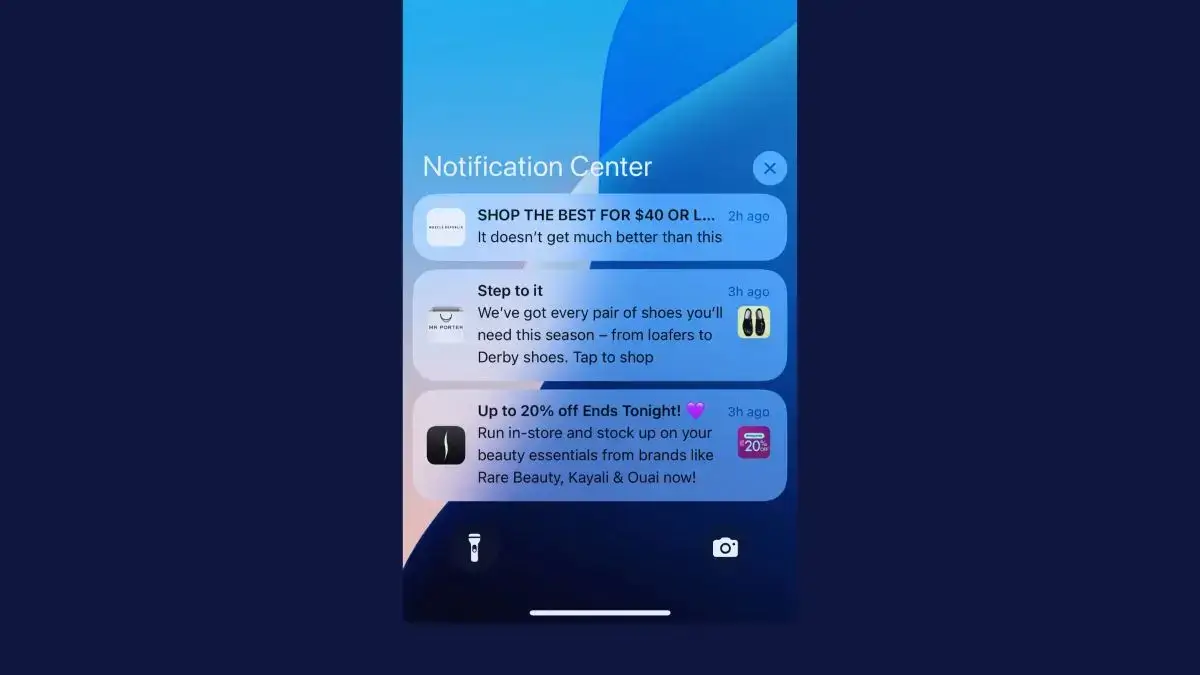
In February 2024, Apple told developers it would remove Home Screen web apps for iPhone users in the EU. One of the reasons it gave was “the very low user adoption of Home Screen web apps.”
Apple reversed the decision in March, and progressive web apps kept working in Europe. The admission still matters if you run an online store.
On iPhone, a PWA only gets its most app-like features, push notifications included, once a shopper adds it to their Home Screen. By Apple’s own account, few people do.
That doesn’t make a PWA a bad investment. Every major commerce platform offers a route to one, and a good PWA makes your mobile store faster and easier to come back to.
This guide covers what an ecommerce PWA does for your store, what it can and can’t do on iPhone, which platforms support it and how it compares with a mobile app, so you can decide whether you need one, the other or both.
What Is an Ecommerce PWA?
An ecommerce PWA is an online store built as a progressive web app: a website that uses modern browser features to behave more like an app, while still running in the browser.
In practice, your store loads faster on return visits, keeps working on a weak connection and can be added to a shopper’s home screen as an icon. On Android, and on iPhone once it’s on the Home Screen, it can also send push notifications.
Two pieces of technology make this work. A service worker is a background script that caches pages and files, and a web app manifest is a small file that sets your store’s icon, name and how it opens from the home screen.
How PWAs Differ from Regular Mobile Websites
A regular mobile website loads each page from the server every time a shopper taps. It works, but it can feel slow and a little clunky next to an app.
Put a regular mobile site and a PWA side by side and you’d notice four differences:
- Speed on return visits. A PWA caches files on the phone, so pages a shopper has already seen load almost instantly the next time.
- No full page reloads. Many PWA storefronts swap in new content without the white flash of a full reload, the way an app does.
- A home screen icon. Shoppers can add a PWA to their home screen. Opened from there, it fills the screen with no address bar or browser buttons.
- Something to show offline. When the signal drops, a PWA can still show cached product pages and categories instead of an error page.
From the shopper’s side, the difference is simple: a PWA feels faster, smoother and more like an app. All the technical details don’t matter.
PWA vs Headless Commerce: What’s the Difference?
Headless commerce and PWAs often get mixed up, but they aren’t the same thing.
Headless commerce is an architecture. Your storefront (what shoppers see) is separate from your backend (catalog, checkout and order management), and the two talk to each other through APIs, usually GraphQL or REST.
A PWA is a kind of storefront. You can build one on a headless architecture, which is what Adobe Commerce PWA Studio and Salesforce’s Composable Storefront do, or you can add PWA features to a traditional, non-headless store.
Headless gives you architectural flexibility. A PWA gives you a specific set of browser features. Many enterprise platforms now offer the two together.
What Does a PWA Do for Your Ecommerce Store?
A PWA improves the mobile web experience for every shopper who visits your store, with nothing to download. Here’s what it changes.
Faster Page Loads for Returning Shoppers
Speed is the most tangible benefit of a PWA. Service worker caching means returning shoppers get near-instant page loads, because files come from the phone instead of the network.
A first visit is a different story. A PWA isn’t automatically faster on first load, and a storefront that ships a lot of JavaScript can be slower than a well-built regular site.
Get it right, though, and speed shows up in your numbers. It’s behind many of the conversion lifts in the case studies below.
App-Like Mobile UX Without an App Download
A PWA offers an app-like experience without the friction of an app store download. Opened from the home screen, it runs full screen without browser controls, so for basic browsing it looks much like a native app.
That matters because most ecommerce traffic now comes from phones. Apps give shoppers a much better experience, but the average site visitor isn’t going to download yours.
A PWA lets you deliver a better-than-web experience to shoppers who would never visit an app store for your brand.
Can an Ecommerce PWA Send Push Notifications?
An ecommerce PWA can send web push notifications for promotions, back-in-stock alerts and abandoned carts. On Android, shoppers can opt in straight from the browser.
On iPhone, PWA push only works on iOS 16.4 or later, after the shopper has added your store to their Home Screen, and the permission request has to follow a tap, according to WebKit.
Push can work well for a PWA. Lancôme’s PWA notifications had an 18% open rate, and 8% of shoppers who tapped one made a purchase, according to Google’s 2017 case study.
But web push isn’t the same as native push, which is what you get from a real mobile app. On iPhone, your web push audience is limited to the shoppers who install your PWA, while an app can ask everyone who downloads it.
Our guide to PWA push notifications covers this topic in more depth.
Does a PWA Work Offline?
A PWA can work partly offline. Its service worker can cache product pages, category listings and other content, so shoppers can keep browsing when their connection drops.
Shoppers can’t buy offline, though. Checkout, stock levels and prices all need a live connection.
For most stores, offline browsing is a nice-to-have rather than a core need, since most shoppers have a connection wherever they go. It matters more if many of your customers shop on weak or patchy networks.
On iPhone, the cache doesn’t last forever. Safari deletes a site’s stored data, service worker caches included, after seven days of Safari use without the shopper interacting with the site. Home Screen web apps keep their own count, according to WebKit.
Can Shoppers Install a PWA on Their Phone?
Shoppers can install a PWA as a home screen icon, but how they do it depends on the phone. On Android, Chrome can show an install prompt, and your store can add its own Install button.
On iPhone, shoppers have to open Safari’s Share menu and choose Add to Home Screen, because Safari doesn’t let your store trigger the install.
Since iOS 26, every site added to the Home Screen opens as a web app by default, according to WebKit, but the steps to get there are the same.
Installing does pay off with the shoppers who do it. Rakuten 24 found that shoppers who installed its PWA bought 150% more per customer over a month than web shoppers who didn’t, and visitor retention rose 450% compared with its previous mobile web flow, according to Google’s case study.
Those are the shoppers keen enough to install, though. It’s not as intuitive or as easy as downloading an app from the app store, but it can make your website a little more sticky.
What Can an Ecommerce PWA Do on iPhone?
An ecommerce PWA can do less on iPhone than on Android, because Apple decides which web features Safari and Home Screen web apps support. Here’s how the two compare.
| iPhone (Safari) | Android (Chrome) | |
|---|---|---|
| Adding it to the home screen | Share menu, then Add to Home Screen | An install prompt, your own Install button or the browser menu |
| Your own install button | Not supported | Supported |
| Push notifications | iOS 16.4 or later, only once it's on the Home Screen | From the browser, with no install needed |
| App store listing | Not in the App Store | Can be listed on Google Play as a Trusted Web Activity |
| Cached data between visits | Deleted after 7 days of Safari use without a visit, unless it's installed | Kept until the phone runs short of space |
| Bluetooth, NFC and background sync | Not supported | Supported |
The biggest gap is the App Store. Apple doesn’t list web apps, and its App Review Guidelines turn down apps that don’t go beyond a repackaged website, so getting your PWA into the App Store means building a real iOS app around it.
Our guides to PWAs on iOS and publishing a PWA in the app stores go into more detail.
Which Ecommerce Platforms Support PWA?
Most enterprise ecommerce platforms offer a route to a PWA storefront, either through their own toolkit or a headless setup that works with any PWA front end. Some are moving on to newer storefront frameworks, so check where yours stands before you build.
| Platform | PWA option | Where it stands (October 2026) |
|---|---|---|
| Adobe Commerce (Magento) | PWA Studio, open-source tools for a React storefront that talks to Adobe Commerce through GraphQL | Still updated (version 14.5.1 came out in May 2026), but Adobe now recommends Edge Delivery and Adobe Commerce Storefront as the starting point |
| Salesforce Commerce Cloud | Composable Storefront, built on PWA Kit and hosted on Salesforce's Managed Runtime | Salesforce's newer Storefront Next keeps the same backend and moves to a server-first React setup |
| Shopify | Hydrogen, a headless React framework hosted on Oxygen | Not a PWA out of the box, but developers can add a manifest and service worker. Oxygen hosting comes at no extra cost on every plan except Starter |
| commercetools, Elastic Path, Spryker | API-first, so they work with any PWA front end, such as Alokai (formerly Vue Storefront) | Built for headless from the start |
| WooCommerce and smaller platforms | Plugins such as Super Progressive Web Apps | Adds a manifest and service worker to the store you already have |
The size of the job depends on your starting point. Adding PWA features to a fast, responsive store is light work for a web team, while a new headless PWA storefront means rebuilding the front end of your store.
If you’re on Adobe Commerce, our posts on PWA Studio and Magento PWAs vs native apps go deeper. Shopify brands can read our guide to Hydrogen and mobile apps.
Ecommerce PWA Examples and Results
Some of the world’s biggest stores have used PWAs as part of their mobile strategy. Here are the best-documented results, with who published each case study and when.
| Store | What it built | Reported results | Source |
|---|---|---|---|
| Alibaba | A PWA for Alibaba.com's mobile site | 76% higher conversions across browsers, with 14% more monthly active users on iOS and 30% more on Android | Google, 2016 |
| AliExpress | A PWA mobile site | 104% higher conversion rate for new users, twice as many pages per session and 74% more time per session | Google, 2016 |
| Flipkart | Flipkart Lite, after it briefly shut its mobile site to go app-only | 70% higher conversion for shoppers arriving from the home screen icon, 3x more time on site and 40% higher re-engagement | Google, 2016 |
| Lancôme | A PWA mobile site | 17% more conversions and 53% more mobile sessions on iOS | Google, 2017 |
| Platypus Shoes (Accent Group) | A headless PWA on Adobe Commerce | 14% higher average order value and a 68% higher add-to-cart rate, which Adobe also credits to better merchandising and search | Adobe, 2023 |
| Starbucks | A PWA for ordering | 233KB, 99.84% smaller than its 148MB iOS app at the time | Nearform |
These results show what a PWA can do for a store with a slow mobile website. Most of them date from 2016 and 2017, when these brands were replacing older mobile sites, at a time when most sites were built desktop-first, with mobile as a secondary concern.
The other pattern is easy to miss: several of these brands built a PWA alongside an app, not instead of one. Alibaba and AliExpress ran their PWAs next to native apps, and Flipkart built its PWA after a spell as an app-only store.
Starbucks still runs its iPhone app too. It has a 4.9 rating from more than 8 million ratings on the US App Store (October 2026).
For more on well-known brands doing PWAs, see our roundup of progressive web app examples.
Ecommerce PWAs vs Mobile Apps: Is a PWA a Viable Alternative?
There’s very little reason not to turn your standard website into a PWA. Cost would be the only thing, but PWAs aren’t oppressively expensive. If you’re an enterprise brand with a web development team, it’s not a massive project.
The issue is that many people look at the “app-like experience” part and start to compare PWAs with native apps. The thought is that you can save on the cost of mobile app development and make do with a PWA instead of a true native app.
A PWA is not the same as a native app. It doesn’t give you the same benefits a mobile app does.
Here’s how a PWA and a native app compare for an online store.
| PWA | Native app | |
|---|---|---|
| What it is | Your website with a manifest and service worker, running in the browser | An app that runs on a shopper's phone |
| How shoppers get it | Visit your site, then add it to the home screen | Download it from the App Store or Google Play |
| App store listings | No (Google Play only as a Trusted Web Activity) | Yes |
| Push on iPhone | Only after a shopper adds it to the Home Screen | Yes |
| Found through search | Yes | Only on the app stores |
| Updates | Live as soon as you deploy | Through app store review |
| Device features | Limited, especially on iPhone | Full access |
| Cost to build | Days for PWA features, months for a new headless storefront | The highest, often months of development and a second codebase to maintain |
| Best suited to | Every store's mobile web, especially first-time visitors from search, ads and social | Bringing repeat customers back, with push for instant message delivery |
Why a PWA Is Not an App Replacement
The thinking that you can replace your mobile app with a PWA is flawed. In this context, PWAs have real limitations:
- They can’t be published to the App Store, and only reach Google Play as a Trusted Web Activity.
- They can only send web push, and on iPhone only to shoppers who’ve added your store to their Home Screen.
- Home screen installation isn’t intuitive, so very few people will realistically “download” your PWA.
- They can’t use many device features. You may not need most of them for a store, but native push is the one major exception.
PWAs are powerful. But they’re web apps, not mobile apps.
The home screen “installation” is more like a shortcut or bookmark to the web app. And running through the browser means it doesn’t have the same functionality as an app that runs on its own.
Does Your Ecommerce Brand Need More Than a PWA?
Most ecommerce brands don’t have to choose between a PWA and a mobile app. The flaw is thinking of it as PWA vs mobile app. Think of it as a progression:
- Standard website
- Progressive web app
- Mobile app
A PWA can carry your mobile strategy for a time. But when you want to take retention and mobile engagement to the next level, you’ll want a true mobile app.
A mobile app lets you:
- Offer a simple download path
- Get discovered on the App Store and Google Play
- Reach customers at any time with push notifications
- Build a more custom experience for your best shoppers
The “Download on the App Store” badges hit different. One tap to download your app works a lot better than giving customers a set of instructions for putting your website on their home screen.
And push is the big one. Push is the reason to launch an app, but with a PWA, you just don’t have the same reach.
An app is a strong fit when a good share of your revenue comes from repeat customers on their phones, or when you run drops, launches and flash sales that depend on reaching people fast.
When a PWA Is Enough
A PWA could be enough if:
- You’re earlier-stage and mobile revenue is a small share of your total
- Your audience skews heavily Android (emerging markets, certain demographics)
- Most of your shoppers buy once, so few would keep an app on their phone
- You don’t have the budget for a native app yet (though it probably costs less than you think)
- You sell to an audience or in a category where a mobile app doesn’t make sense
For brands in this position, a well-built PWA on your ecommerce platform is a genuine upgrade. It will improve mobile performance and conversion rates, and it’s a powerful cornerstone for your mobile commerce strategy.
The Complete Approach: PWA + Native App
PWAs and native apps aren’t competing alternatives. They’re complementary channels that serve different parts of the customer journey.
- A PWA optimizes your mobile web experience for the largest possible audience: organic search visitors, social media traffic, ad clicks and anyone who lands on your site from a browser. It’s your acquisition and first-impression layer.
- A native app creates a dedicated retention channel for your most valuable customers: repeat buyers, loyalty members and brand fans who want a faster, deeper experience. It’s your LTV and retention layer.
"There are users who prefer to buy on the app and users who prefer using the browser. You can't convince one to go the other way, you need to meet them where they are."
That’s the relationship between PWAs and native apps in a nutshell: a PWA for people who don’t want to download the app, and a native app for those who do.
The gap? Turning your PWA into a mobile app.
How MobiLoud Bridges the Gap
What makes PWAs and mobile apps so complementary is that building a PWA makes it easy to turn your site into a mobile app.
The biggest downside of a native app has always been the cost of building it, then keeping a second codebase in step with your website. MobiLoud slashes that cost by building your native iOS and Android apps on top of the site you already have.
To your shoppers, it’s no different from a custom app built from scratch. They’re real mobile apps in the App Store and Google Play, with push notifications, home screen icons, the works.
And if you already have a PWA, this process is so simple. The app inherits the bulk of your mobile website’s UI and UX, so if you’ve already built that into a PWA, you’re 95% of the way to having an app already.
The native layer adds what a PWA can’t do on its own: a native tab bar and navigation, push notifications that reach iPhone shoppers without the Add to Home Screen step, links that open the right screen in the app and a welcome screen that asks for push permission.
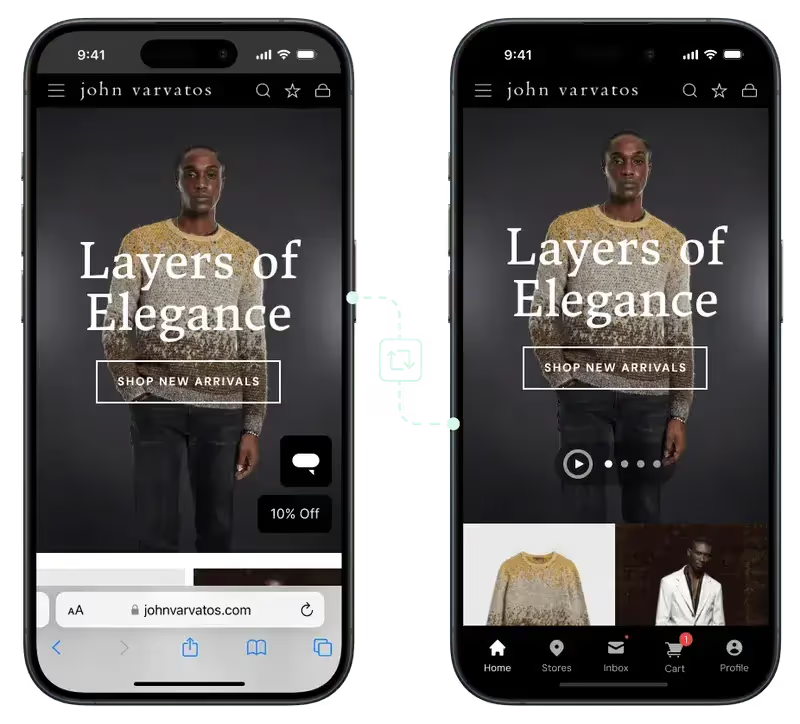
When you update your site, the app updates with it, so there’s no second codebase to keep in sync. Whether you’re on Adobe Commerce with PWA Studio, Salesforce Commerce Cloud, Shopify or any other platform, MobiLoud works alongside what you already have.
And it lets you launch a mobile app for potentially 1% of the cost of a typical custom mobile app (with much lower overhead to boot). Launch typically takes 2 to 4 weeks, and we handle the build, the app store submissions and maintenance.
Here’s how we turn a PWA into iOS and Android apps.
"Because we're using an app, we have the ability to leverage native device features and capabilities that are not available to a web browser."
Your app only reaches the shoppers who download it, though. Your PWA keeps doing the job for everyone else, which is why the two work best together.
And if your app needs to do things your website can’t, like connected hardware or heavy offline use, a custom build from scratch is the better fit.
Is an Ecommerce PWA Worth It? (Final Thoughts)
An ecommerce PWA is worth building for almost any store with mobile traffic. It makes your mobile site faster, gives shoppers something to see on a bad connection and lets your keenest customers keep your store on their home screen.
It isn’t an app, though. It won’t put you in the App Store, and on iPhone its push notifications only reach the shoppers who install it.
For most brands, the answer is both: a fast PWA for everyone who finds you on the web, and a mobile app for the customers who come back again and again.
It’s the best way to build a fast, powerful PWA and extend that work to launch a legit mobile app for your best customers.
If you want to see how it works for your store, book a free strategy call and we’ll walk you through everything.